
Company Magazine
Docs + Word7 pages
Free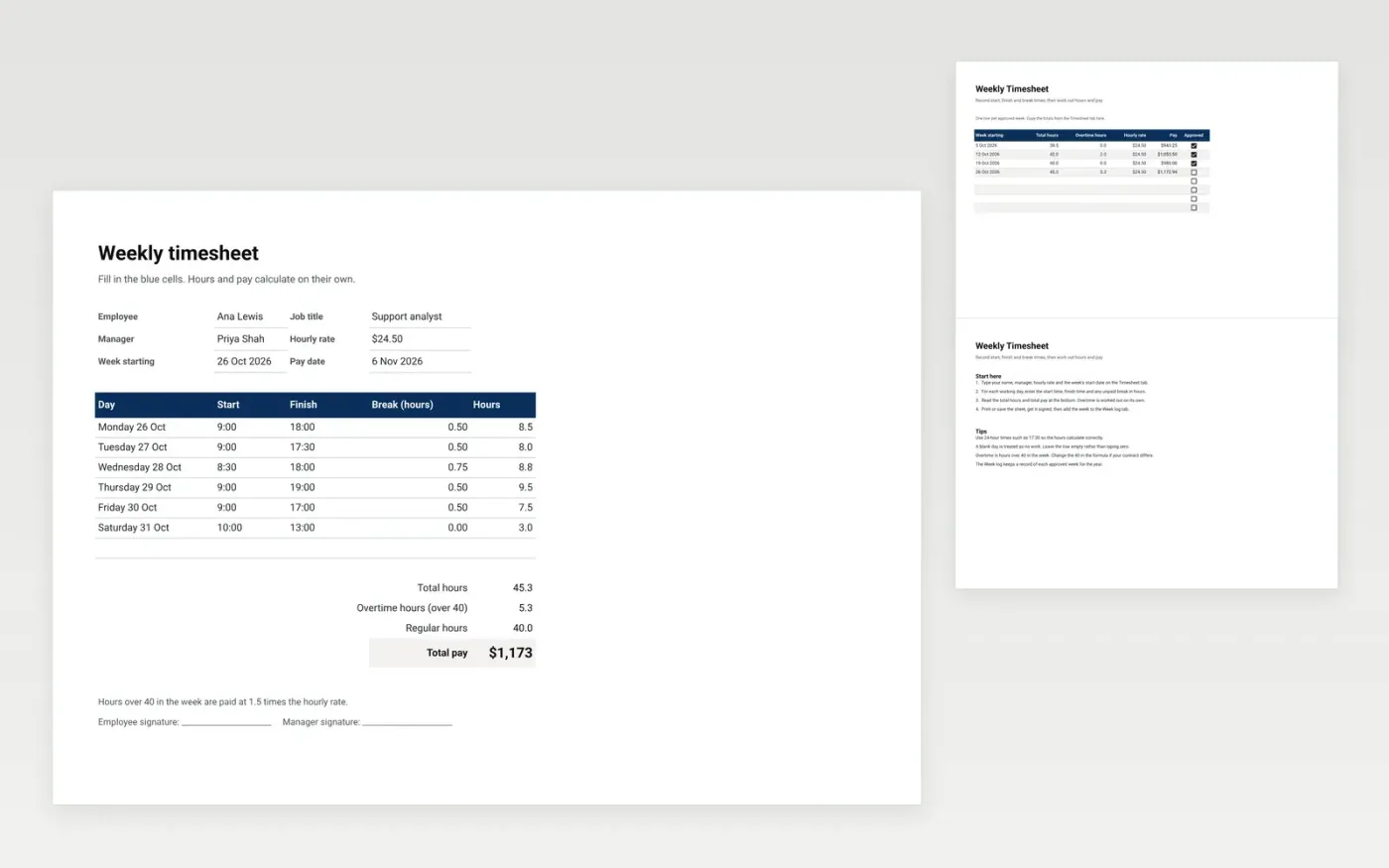
The Weekly Timesheet is a printable form for one person's working week. The Timesheet tab holds the employee details, the hourly rate and one row for each day. Hours are worked out from the start, finish and break times. Total hours, overtime and total pay calculate at the bottom of the form. The Week log tab keeps a record of approved weeks.
It comes with sample data for one employee's week and four weeks in the log. Make a copy and replace the sample rows. The formulas and totals update on their own.
Click Make a copy in Google Sheets, then confirm on the Google page. The copy is saved to your own Google Drive.
Start on the Timesheet tab: replace the sample rows with your own.
Keep the formula columns as they are; they fill in as you type.
Read the How to use tab for tips. For Excel, download the .xlsx file instead.
Yes. Make a copy in Google Sheets or download the .xlsx file for Excel. There is no charge for the template.
Yes. Download the .xlsx file and open it in Excel. The formulas and totals work there as well as in Google Sheets.
Overtime is total hours above 40 in the week. Those hours are paid at 1.5 times the hourly rate. You can change the 40 in the formula if your contract uses a different limit.
Docs + Word7 pages
Free
Docs + Word21 pages
Free
Slides + PowerPoint16 slides
Free
Sheets + Excel3 slides
Free
Sheets + Excel3 slides
Free








