Acceptable Use Policy
Docs + Word7 pages
Free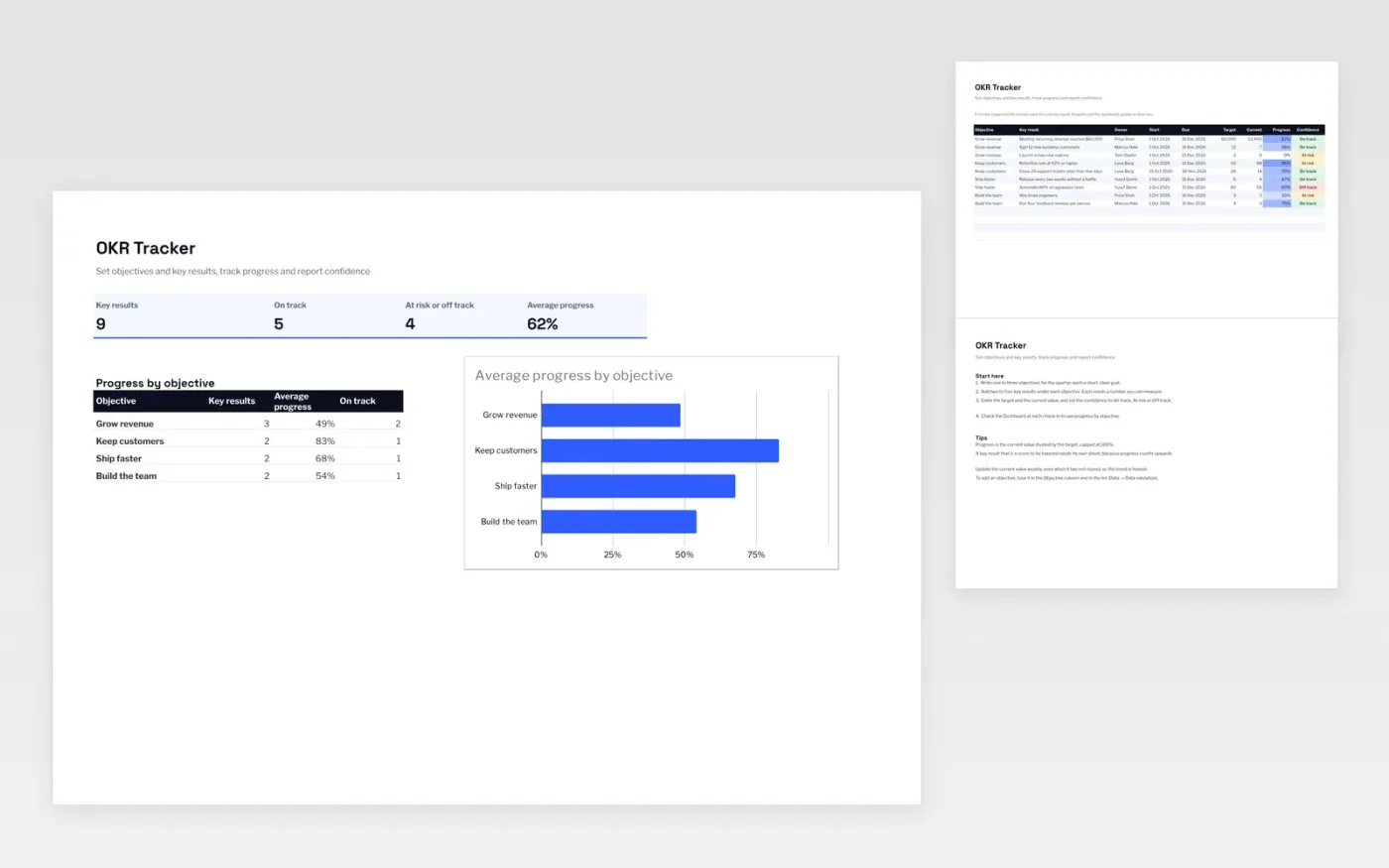
The OKR Tracker helps a team set a few clear objectives for the quarter and measure each one through its key results. The Key results tab records the target, the current value, the dates and a confidence rating for each result. Progress is worked out automatically. The Dashboard shows how the key results are doing and the average progress for each objective.
It comes with sample data for four objectives across a quarter. Make a copy and replace the sample rows. The formulas, dropdowns and charts update on their own.
Click Make a copy in Google Sheets, then confirm on the Google page. The copy is saved to your own Google Drive.
Start on the Key results tab: replace the sample rows with your own.
Keep the formula columns as they are; they fill in as you type.
Read the How to use tab for tips. For Excel, download the .xlsx file instead.
Yes. Make a copy in Google Sheets or download the .xlsx file for Excel. There is no charge for the template.
Yes. Download the .xlsx file and open it in Excel. The formulas, dropdowns and charts work there as well as in Google Sheets.
Progress is the current value divided by the target, capped at 100%. Enter the numbers and the percentage and the dashboard average update on their own.
More Google Sheets templatesMore business operations templates
Docs + Word7 pages
Free
Docs + Word8 pages
Free
n8n
Free
Slides + PowerPoint12 slides
Free
Slides + PowerPoint12 slides
Free
Slides + PowerPoint11 slides
Free
Docs + Word6 pages
Free
Docs + Word6 pages
Free