Mobile App Store Submission Checklist
Docs + Word8 pages
Free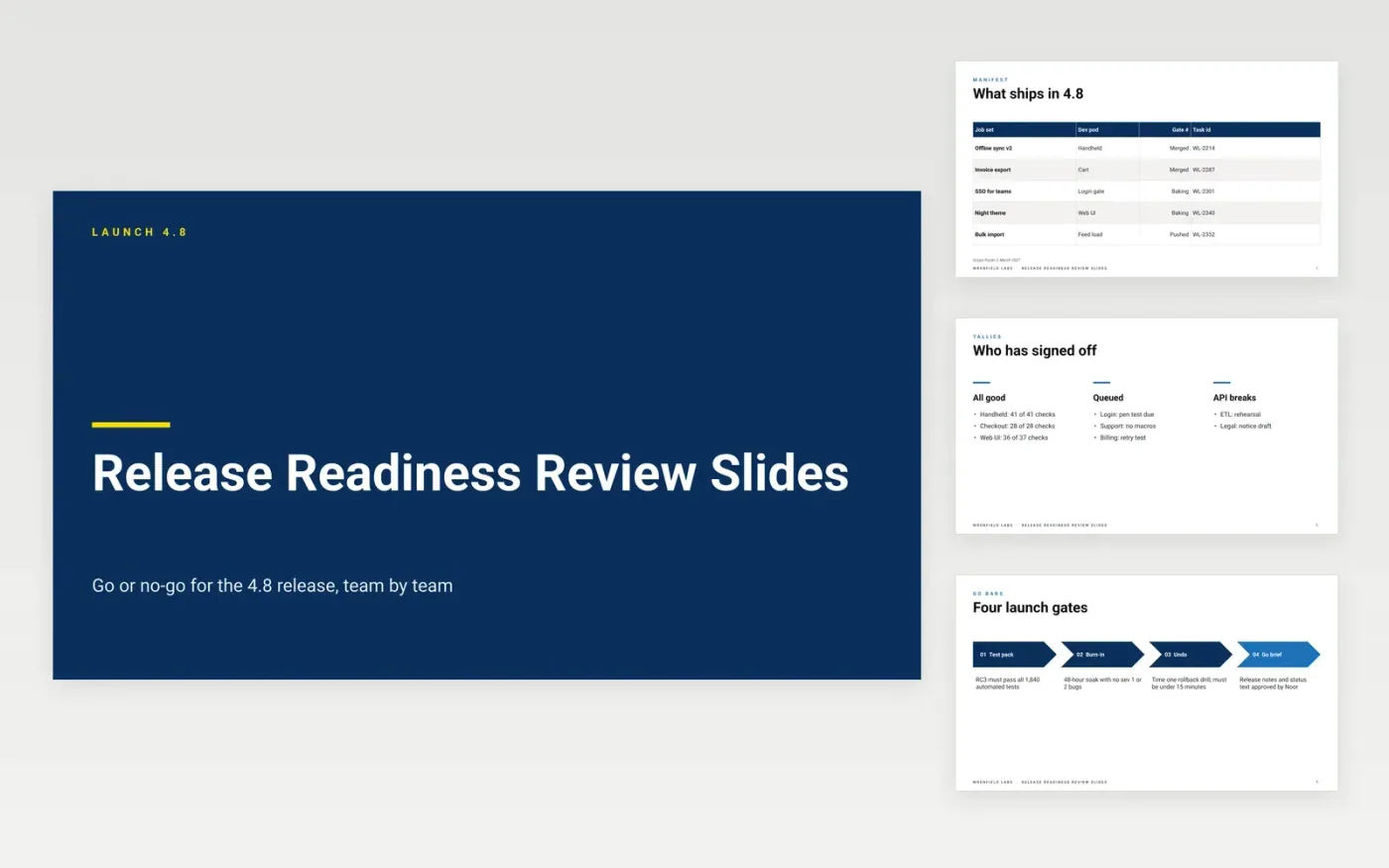
Release managers run a launch review team by team, asking each group what is finished and what is still open. This deck covers release 4.8, which includes offline sync v2, invoice export, single sign-on for teams, a night theme and bulk import. Teams report results such as 41 of 41 handheld checks passed, 28 of 28 at checkout, and a penetration test still pending for login. Four launch gates set the thresholds: all 1,840 automated tests on the release candidate, a 48-hour soak with no severity 1 or 2 bugs, a rollback drill under 15 minutes, and approved release notes.
Fix the gates before the meeting and fill in numbers from actual test runs, not estimates. Assign each team a single status and one owner per open item. End with a recorded decision and the risk each yes depends on. Flag anything that could halt the launch, such as a migration that may lock tables for more than ten minutes, and state the mitigation next to it.
Click Make a copy in Google Slides, then confirm on the Google page. The copy is saved to your own Google Drive.
Replace the company name and the cover details with your own.
Work through each slide, replacing the sample text and figures.
Swap the photos and delete any sections you do not need.
It is a final review where each team reports whether its work meets the agreed release criteria, and the group decides to ship or hold. Teams show test results, open bugs and sign-offs. The meeting ends with one clear decision and any conditions or risks attached to it. Set the gates in advance so the decision rests on evidence rather than pressure.
Test results against a fixed build, the count and severity of open bugs, a rollback test with its timing, updated documentation and release notes, and sign-off from support, legal or billing where they are affected. Add performance numbers, such as API response time, measured against the target.
Compare each result with the gate you set before testing started. A launch proceeds when every gate passes, or when a named owner accepts a documented risk. Treat an open severe bug or a failed rollback drill as a stop unless leadership signs off the exception. Record the decision and the reasons, so the next release starts from a clear record.
More Google Slides templatesMore developer workflows templates
Docs + Word8 pages
Free
Docs + Word8 pages
Free
Docs + Word8 pages
Free
Docs + Word7 pages
Free
Docs + Word8 pages
Free
Docs + Word8 pages
Free










