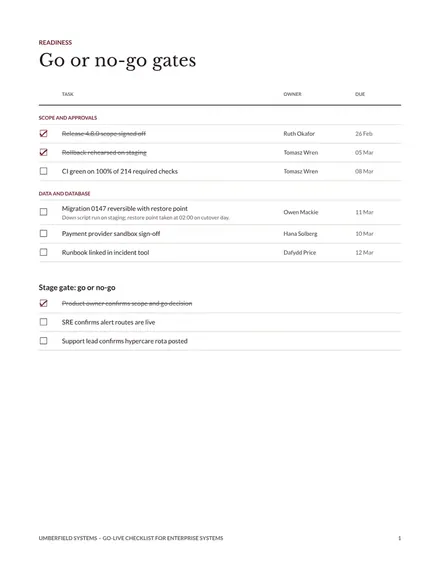
Go-Live Checklist for Enterprise Systems
Docs + Word8 pages
Free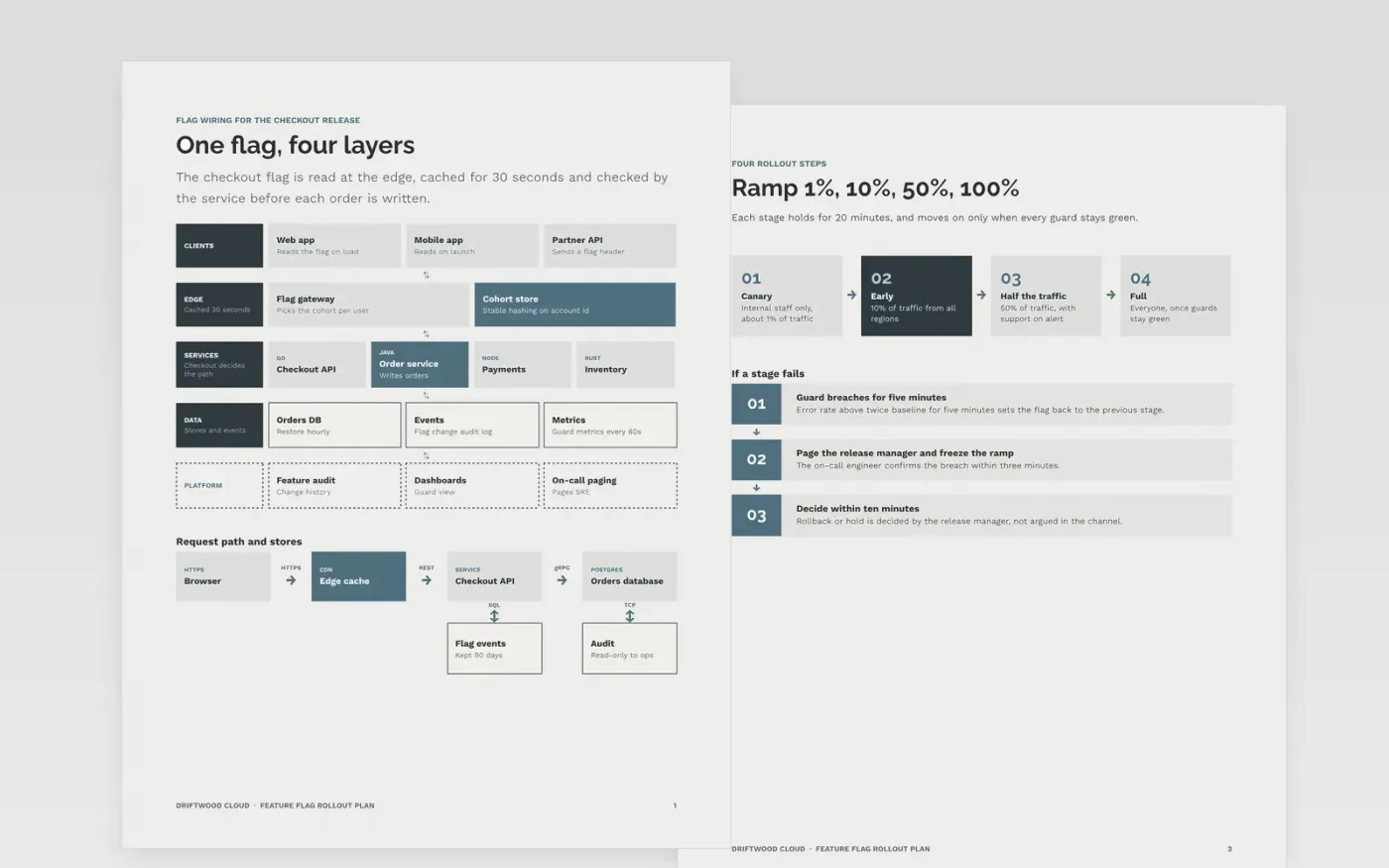
A staged rollout works only when the people running it agree, before the release, what counts as safe and what triggers a rollback. This template turns that agreement into one document: the flag and its architecture, the percentage stages and their soak times, the guard metrics with their limits, the rollback steps and the cleanup that follows. Every line is a yes or no item with an owner, so the record shows what was checked rather than what someone remembers.
The sample describes the checkout flag for Driftwood Cloud, a fictional UK software company, ramping from 1 percent to 100 percent in four stages with 20-minute soaks. Guard metrics are an error rate under 0.5 percent, a p95 latency under 300 ms and checkout conversion within 2 percent of baseline. All names, metrics and dates are sample data. Replace the stages, limits and commands with the values from your own service objectives.
Click Make a copy in Google Docs, then confirm on the Google page. The copy is saved to your own Google Drive.
Set the release version, date, deployer and approver at the top before anyone starts the ramp.
Set the guard metrics and rollback thresholds from your own service objectives, not from this sample.
Add the exact deploy and rollback commands or pipeline links, and name who is on hypercare.
Delete the guide page, then share the plan with the release team or present it from Google Docs.
No. Driftwood Cloud, its engineers, the checkout service, the baseline figures and every threshold, date and command named here are fictional sample data. Replace them with your own measured values before any release uses this plan.
A number ends the argument. When an error rate doubles for five minutes, the rule is already agreed, so the release manager can act in seconds rather than debate it during an incident. A vague trigger such as if things look bad gets ignored under pressure.
Remove it as soon as it has been at full rollout for about two weeks with every guard green. A flag that lingers doubles the number of code paths to test and hides dead logic, so give every flag an owner and a removal date.
More Google Docs templatesMore developer workflows templates
Docs + Word8 pages
Free
Docs + Word8 pages
Free
Docs + Word8 pages
Free
Docs + Word8 pages
Free
Slides + PowerPoint10 slides
Free
Docs + Word8 pages
Free










