
Annual Report
Docs + Word6 pages
FeaturedFree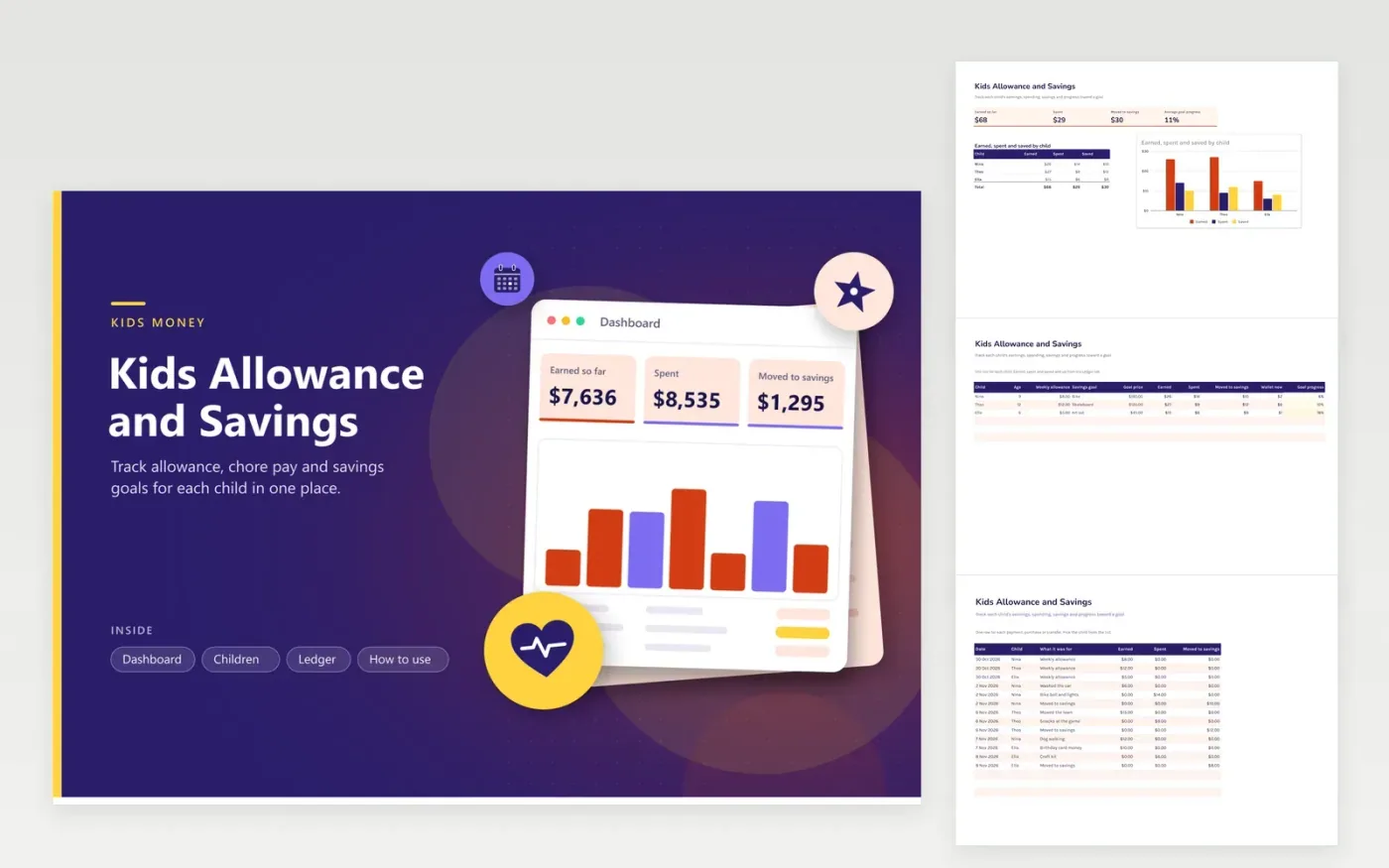
Parents who give a regular allowance and chore pay can use this sheet to show children where their money goes. The Children tab holds one row per child with a weekly allowance and a savings goal, and it totals what each child has earned, spent and moved into savings. The Ledger tab records each payment or purchase on its own row. The Dashboard shows the totals, a column chart for each child and the average progress toward goals.
Hand out the allowance every Saturday, say, and log it straight away, so the wallet figure stays right. Record the savings move on the day the money goes into a jar or bank account, and treat Wallet now as cash in hand. Talk through goal progress with each child, since a visible target keeps saving interesting. Add a new child to both name lists before logging anything for them.
Click Make a copy in Google Sheets, then confirm on the Google page. The copy is saved to your own Google Drive.
Start on the Children tab: replace the sample rows with your own.
Keep the formula columns as they are; they fill in as you type.
Read the How to use tab for tips. For Excel, download the .xlsx file instead.
Wallet now is the earnings minus what was spent and what went into savings. It is the cash a child should have in hand. If it shows a negative number, a payment is missing from the Ledger or a purchase was logged twice.
Yes. Log each chore on the Ledger with its pay in the Earned column and the chore name in the item column. The Children tab adds it into the earned total automatically, so chore pay shows up in the child's wallet and goal progress.
Type the name on a new row of the Children tab, then type the same name into the Child list on the Ledger tab. Give the new child a place in the Dashboard breakdown too, so the chart shows them.
Docs + Word6 pages
FeaturedFree
Excel
FeaturedFree
Sheets + Excel9 tabs
Free
Sheets + Excel6 tabs
Free
Sheets + Excel4 tabs
Free
Sheets + Excel4 tabs
Free
Sheets + Excel6 tabs
Free
Sheets + Excel4 tabs
Free
Sheets + Excel5 tabs
Free
Sheets + Excel5 tabs
Free
Sheets + Excel4 tabs
Free








