
Annual Report
Docs + Word6 pages
FeaturedFree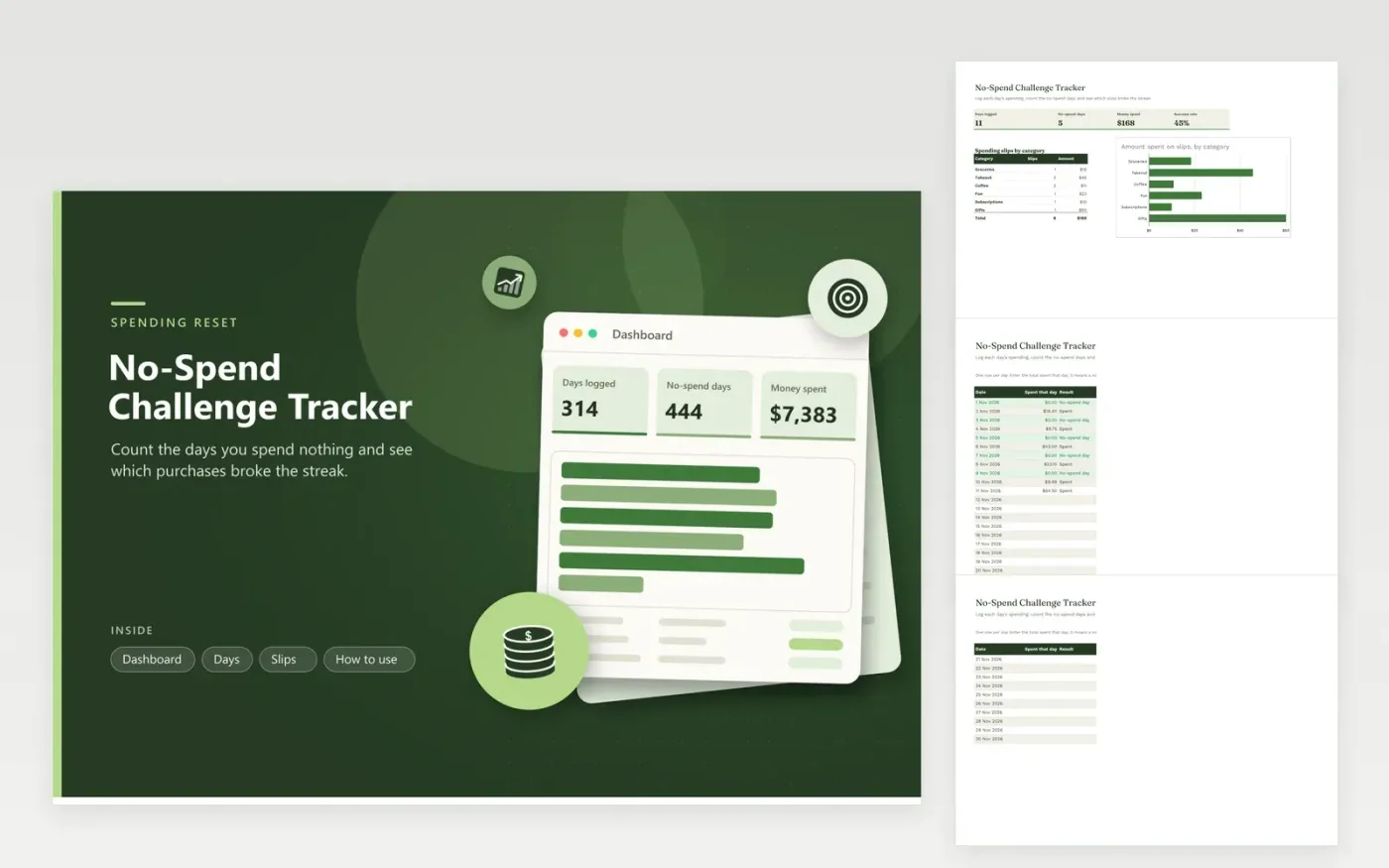
People running a no-spend week or month, or a longer spending reset, can use this workbook to keep score. The Days tab lists each date with the total spent that day, and a result column marks each logged day as a no-spend day or a spent day. Every purchase that broke the rule goes on the Slips tab with its category. The Dashboard shows days logged, no-spend days, money spent, the success rate and a bar chart of spending by category.
Write the rules down before the challenge starts, including whether bills, groceries and gifts count. Log spending every evening, while it is still fresh, and enter zero on days with no spending. Look at the category chart after the first week, because a few repeat slips such as coffee or takeout often explain most of the money. Adjust the rules for the next month to match what you found.
Click Make a copy in Google Sheets, then confirm on the Google page. The copy is saved to your own Google Drive.
Start on the Days tab: replace the sample rows with your own.
Keep the formula columns as they are; they fill in as you type.
Read the How to use tab for tips. For Excel, download the .xlsx file instead.
That is a rule you set. Many people leave out rent, insurance and other planned bills and count everyday purchases instead. Define the rule before day one and hold to it daily, otherwise the success rate tells you nothing.
Leave the spent cell blank for that day and add the amount when you remember. A blank day is not counted as a no-spend day, so the success rate only includes days you logged. Logging each evening keeps the count honest.
Each slip has a date. Add the same date's total on the Days tab by hand. If the day total differs from the slips for that date, check for a missing purchase or a typing error, then correct the figure in whichever tab is wrong.
Docs + Word6 pages
FeaturedFree
Excel
FeaturedFree
Sheets + Excel9 tabs
Free
Sheets + Excel6 tabs
Free
Sheets + Excel4 tabs
Free
Sheets + Excel4 tabs
Free
Sheets + Excel5 tabs
Free
Sheets + Excel4 tabs
Free
Sheets + Excel5 tabs
Free
Sheets + Excel5 tabs
Free
Sheets + Excel4 tabs
Free








