
Annual Report
Docs + Word6 pages
FeaturedFree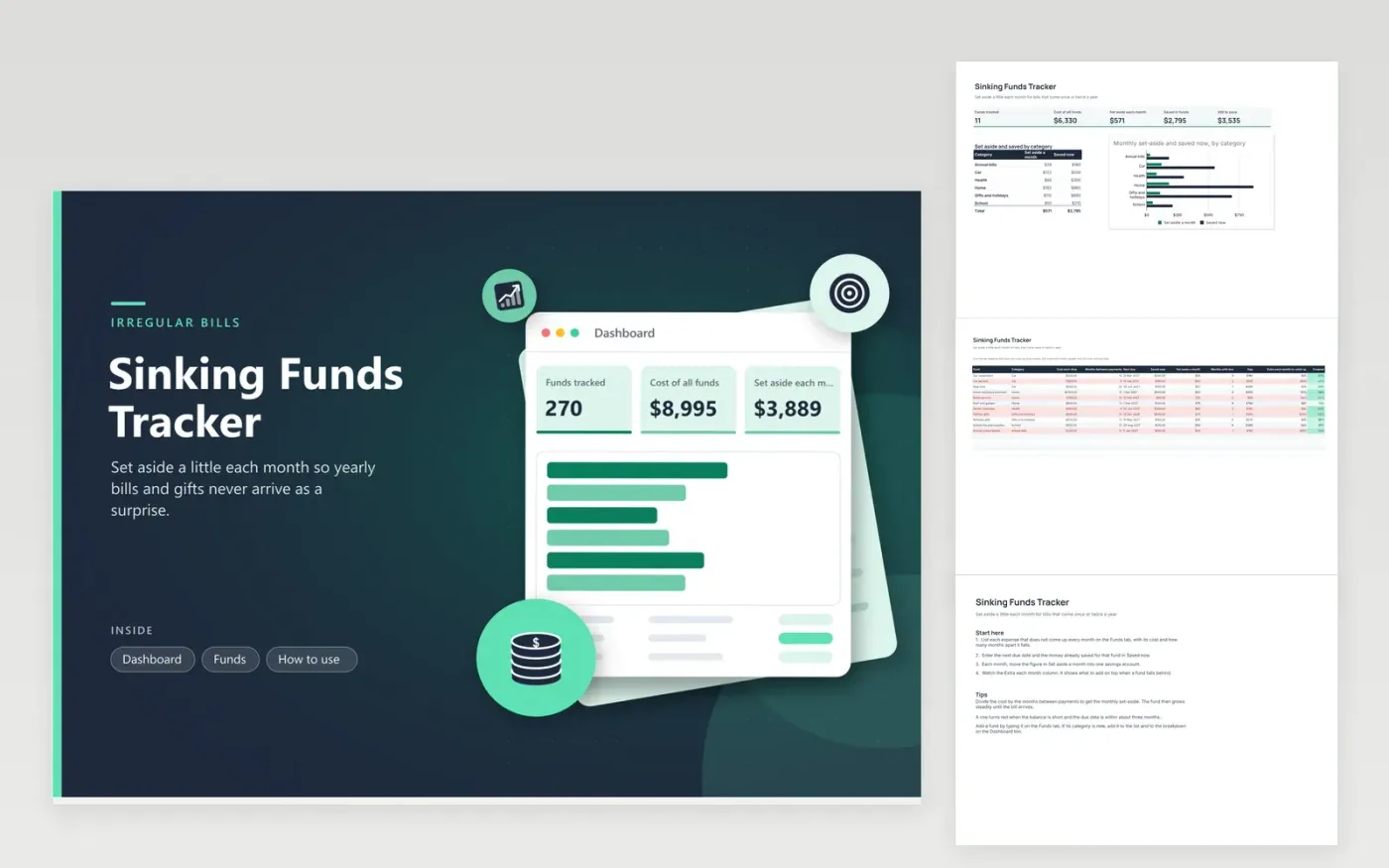
Households with yearly insurance, car service, holiday gifts and school costs can use this sheet to spread those bills across the year. The Funds tab lists each expense with its cost, how many months apart it falls, its next due date, the money already saved and its category. The sheet works out the monthly set-aside, the gap, the months left and the extra needed each month to catch up. The Dashboard totals the funds and charts the monthly amount by category.
Move the set-aside amounts into one savings account on payday, so the money is ready when a bill arrives. Update the Saved now column each month from the account balance rather than from memory. A fund turns red when it is short and its due date is near, which is the signal to check whether its monthly figure needs to rise. Review the list each January, since premiums and fees change.
Click Make a copy in Google Sheets, then confirm on the Google page. The copy is saved to your own Google Drive.
Start on the Funds tab: replace the sample rows with your own.
Keep the formula columns as they are; they fill in as you type.
Read the How to use tab for tips. For Excel, download the .xlsx file instead.
A sinking fund is money set aside regularly for a known cost that arrives later. Dividing the cost by the number of months between payments gives the monthly amount. The fund grows steadily, so the bill is paid from savings rather than from the month it falls due.
Look at the Extra each month column. It shows the amount needed each month to reach the cost before the due date. Add that amount for a while, move the due date later if you can, or cut spending on the item if it is flexible.
Update the Saved now column once a month, after you move the set-aside amounts. Monthly updates keep the gap figures honest and make a quick check easy. Use the account statement as the source rather than estimates.
Docs + Word6 pages
FeaturedFree
Excel
FeaturedFree
Sheets + Excel9 tabs
Free
Sheets + Excel6 tabs
Free
Sheets + Excel4 tabs
Free
Sheets + Excel4 tabs
Free
Sheets + Excel5 tabs
Free
Sheets + Excel6 tabs
Free
Sheets + Excel5 tabs
Free
Sheets + Excel5 tabs
Free
Sheets + Excel4 tabs
Free








