
Annual Report
Docs + Word6 pages
FeaturedFree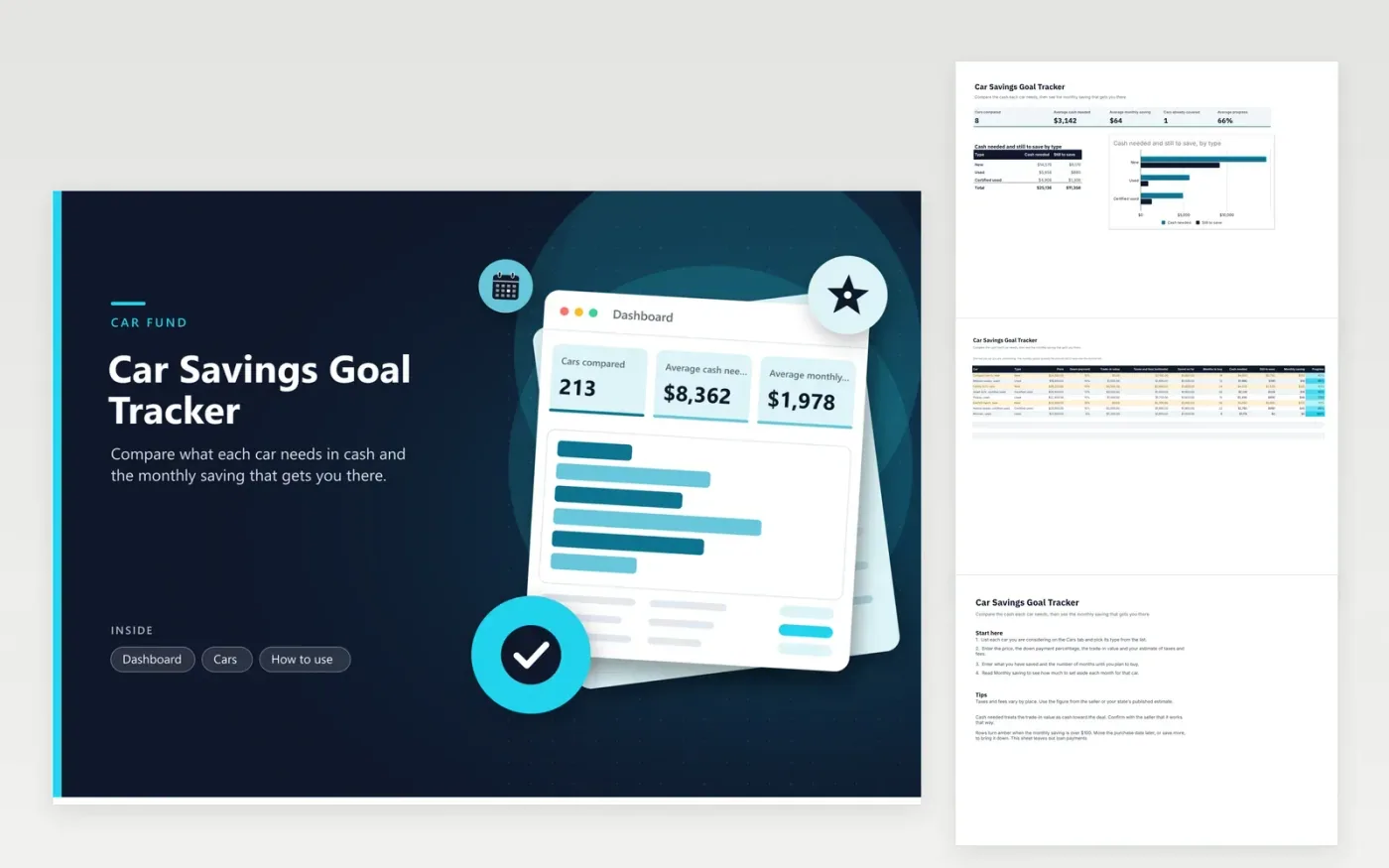
Buyers comparing a few cars can open this file to find out how much cash each one needs and how long it will take to save for it. The Cars tab has one row per car, with its type, price, down payment percentage, trade-in value, taxes and fees, savings so far and months until purchase. Each row works out the cash needed, the balance left to save, the monthly saving and progress. The Dashboard totals the cash needed by type and charts it beside the amount left to save.
Get the taxes and fees estimate from the seller or your state's published figures rather than guessing, since they vary by place. Keep the months column honest by counting from the date you could realistically buy. Compare a new car, a used car and a certified used car on the same months and savings, so each row measures the same thing. Review the list again before each purchase.
Click Make a copy in Google Sheets, then confirm on the Google page. The copy is saved to your own Google Drive.
Start on the Cars tab: replace the sample rows with your own.
Keep the formula columns as they are; they fill in as you type.
Read the How to use tab for tips. For Excel, download the .xlsx file instead.
The down payment is the price multiplied by the down payment percentage. Taxes and fees are added, and the trade-in value is subtracted, since it reduces the cash you must bring. The result cannot go below zero. Treat it as an estimate and confirm the exact amounts with the seller.
No. It covers the cash needed before the loan starts. Monthly loan payments, interest and insurance are not modeled here, so check the lender's quote for those and add them to your monthly budget separately.
Raise the Saved so far figure or move the purchase date later. The monthly saving falls automatically, and the progress column shows how close each car is. Keep one row per car so you can compare the options side by side.
Docs + Word6 pages
FeaturedFree
Excel
FeaturedFree
Sheets + Excel9 tabs
Free
Sheets + Excel6 tabs
Free
Sheets + Excel4 tabs
Free
Sheets + Excel5 tabs
Free
Sheets + Excel6 tabs
Free
Sheets + Excel4 tabs
Free
Sheets + Excel5 tabs
Free
Sheets + Excel5 tabs
Free
Sheets + Excel4 tabs
Free








