
Annual Report
Docs + Word6 pages
FeaturedFree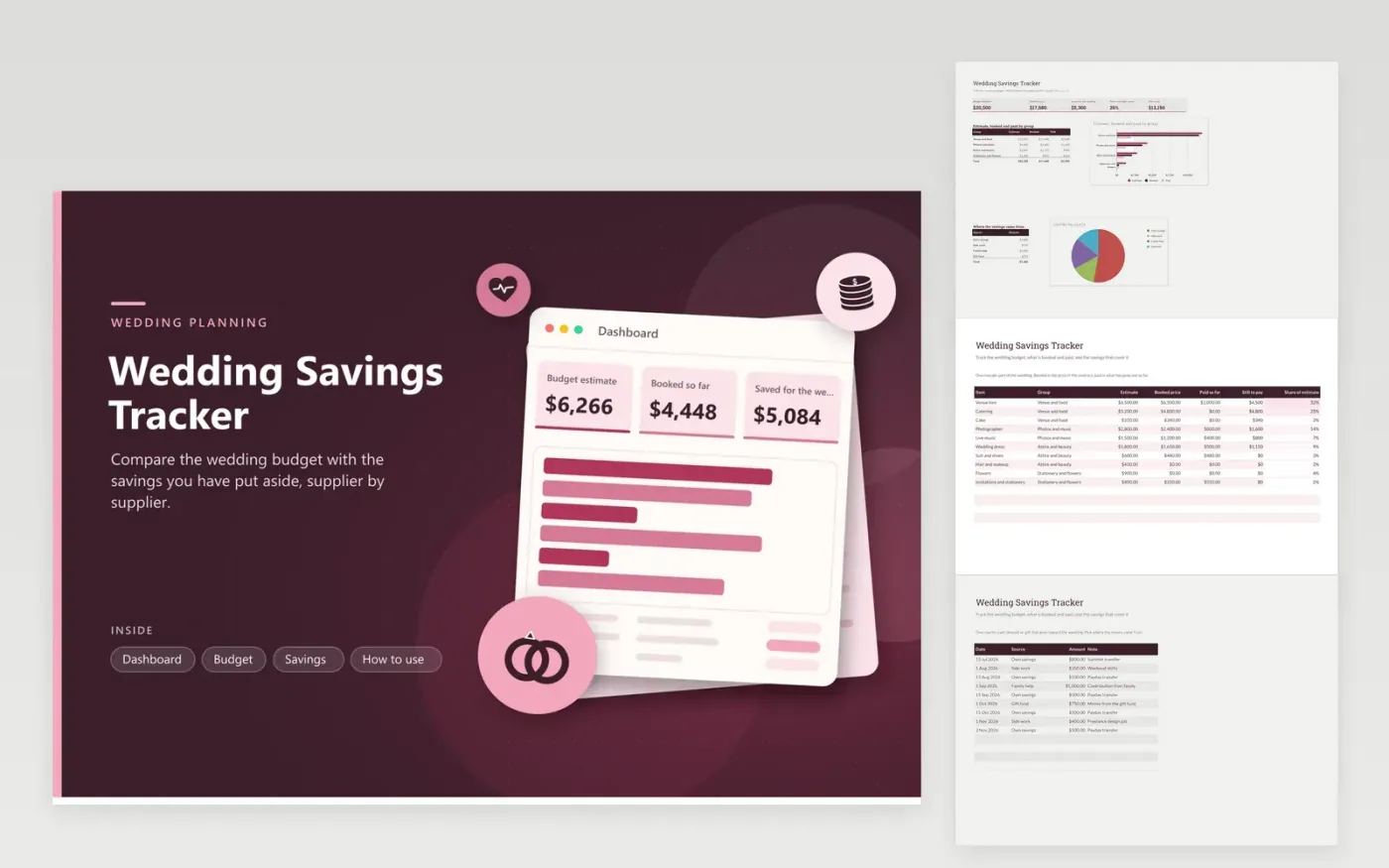
Couples planning a wedding, and the relatives helping pay for it, can use this workbook to see the whole picture. The Budget tab gives every cost an estimate, a booked price and an amount paid so far, and works out the balance still to pay and each item's share of the total. The Savings tab records every deposit or gift by date and source. The Dashboard totals the estimate, the booked amount, the savings and the balance left to pay, with charts for each group and each savings source.
Enter estimates early, then replace them with booked prices once a supplier confirms in writing. Keep contracts and receipts beside the matching row, so the still to pay figure can be checked against invoices. Log savings as they arrive, even small amounts, because the share covered by savings is the number to watch as the date gets closer. A row turns red when a booking runs over its estimate.
Click Make a copy in Google Sheets, then confirm on the Google page. The copy is saved to your own Google Drive.
Start on the Budget tab: replace the sample rows with your own.
Keep the formula columns as they are; they fill in as you type.
Read the How to use tab for tips. For Excel, download the .xlsx file instead.
On the Budget tab, subtract the estimate from the booked price for each row. A red row means the booking is above the estimate. Adjust the estimate if the change is planned, or ask the supplier for a smaller package if it is not.
This sheet covers the wedding itself. Add rows for travel or the honeymoon only if the savings are meant for it too, or keep a separate copy for it. Mixing the two makes the share covered harder to read.
Yes. Each deposit has a source, which tells you how much came from each person or fund. Pick the source from the list on the Savings tab, and keep each row dated so the running picture matches the bank statements.
Docs + Word6 pages
FeaturedFree
Excel
FeaturedFree
Sheets + Excel9 tabs
Free
Sheets + Excel6 tabs
Free
Sheets + Excel4 tabs
Free
Sheets + Excel4 tabs
Free
Sheets + Excel5 tabs
Free
Sheets + Excel6 tabs
Free
Sheets + Excel4 tabs
Free
Sheets + Excel5 tabs
Free
Sheets + Excel4 tabs
Free








