Media Kit Deck
Slides + PowerPoint11 slides
Free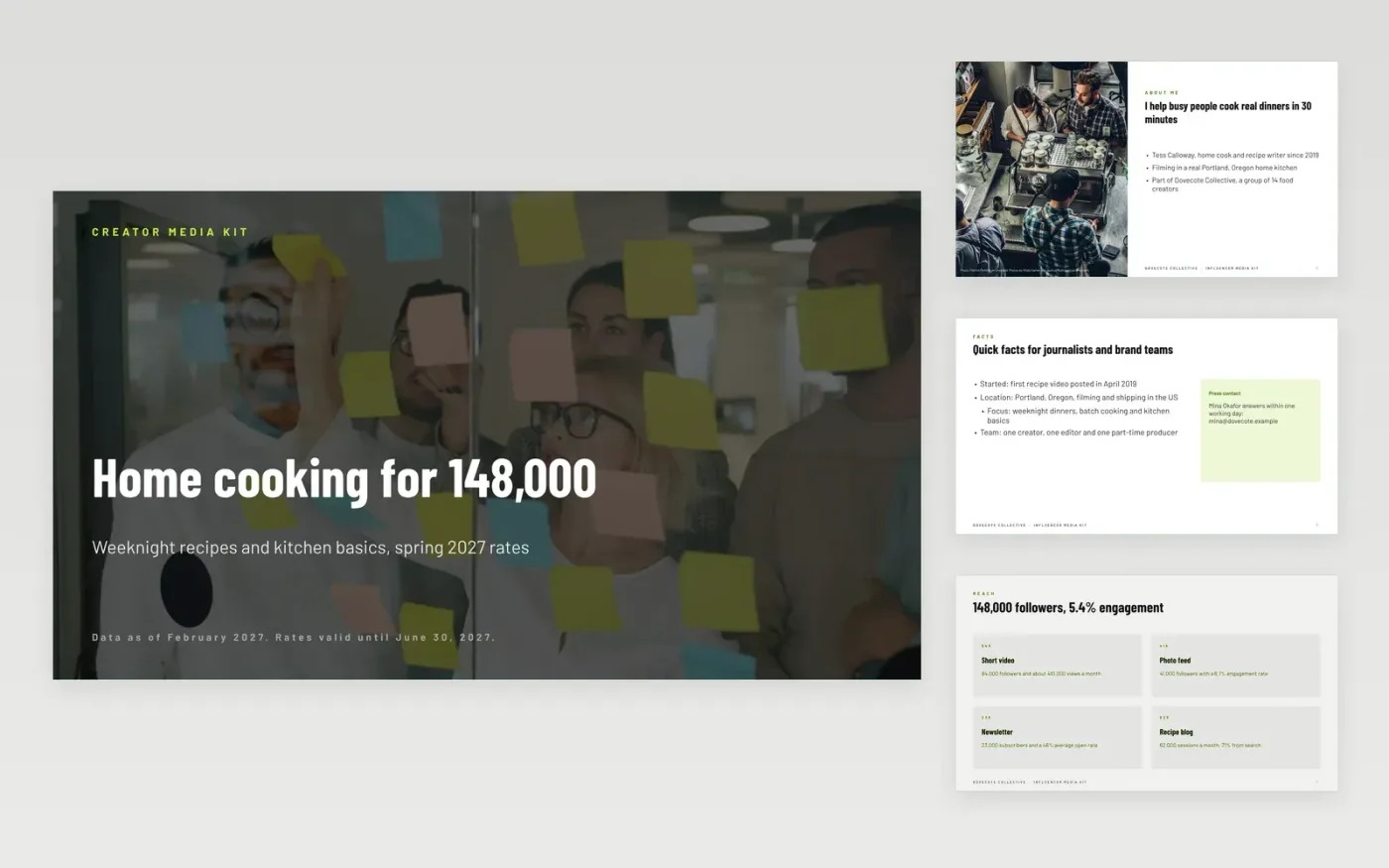
Brands decide fast, and they email when facts are missing. This media kit puts the creator story, a fact sheet, audience size and demographics, platform reach, results from past partners and a rate card with clear packages into one short deck that you can send as a link or a PDF.
The sample follows Tess Calloway, a fictional home-cooking creator from Dovecote Collective, with 148,000 followers across video, photo and newsletter, a 5.4% engagement rate and three packages from $1,200. Replace the facts, audience data with its source and month, results and rates, and add the date your rates expire.
Click Make a copy in Google Slides, then confirm on the Google page. The copy is saved to your own Google Drive.
Replace the story, fact sheet and photo with your own, and keep the bio as a short story rather than a CV.
Paste in current audience figures, label the source and month, and update platform numbers and past partner results.
Update the three packages, prices and what each includes, and set the date your rates stay valid.
Delete the Make it yours slide, then export the kit as a PDF or share the link with brands.
If your audience is large enough, yes. Publishing a range saves back-and-forth and filters out poor fits. Add a validity date so the rates do not go stale.
Every quarter, or whenever audience size or engagement changes by more than 10%. Always show the month your figures were taken from and where they came from.
No. Dovecote Collective, Tess Calloway, the brands and every figure and email address in the sample are fictional and exist only to show what a finished media kit looks like.
Slides + PowerPoint11 slides
Free
Docs + Word6 pages
Free
Google Sheets
Free








