
Acceptable Use Policy
Docs + Word7 pages
Free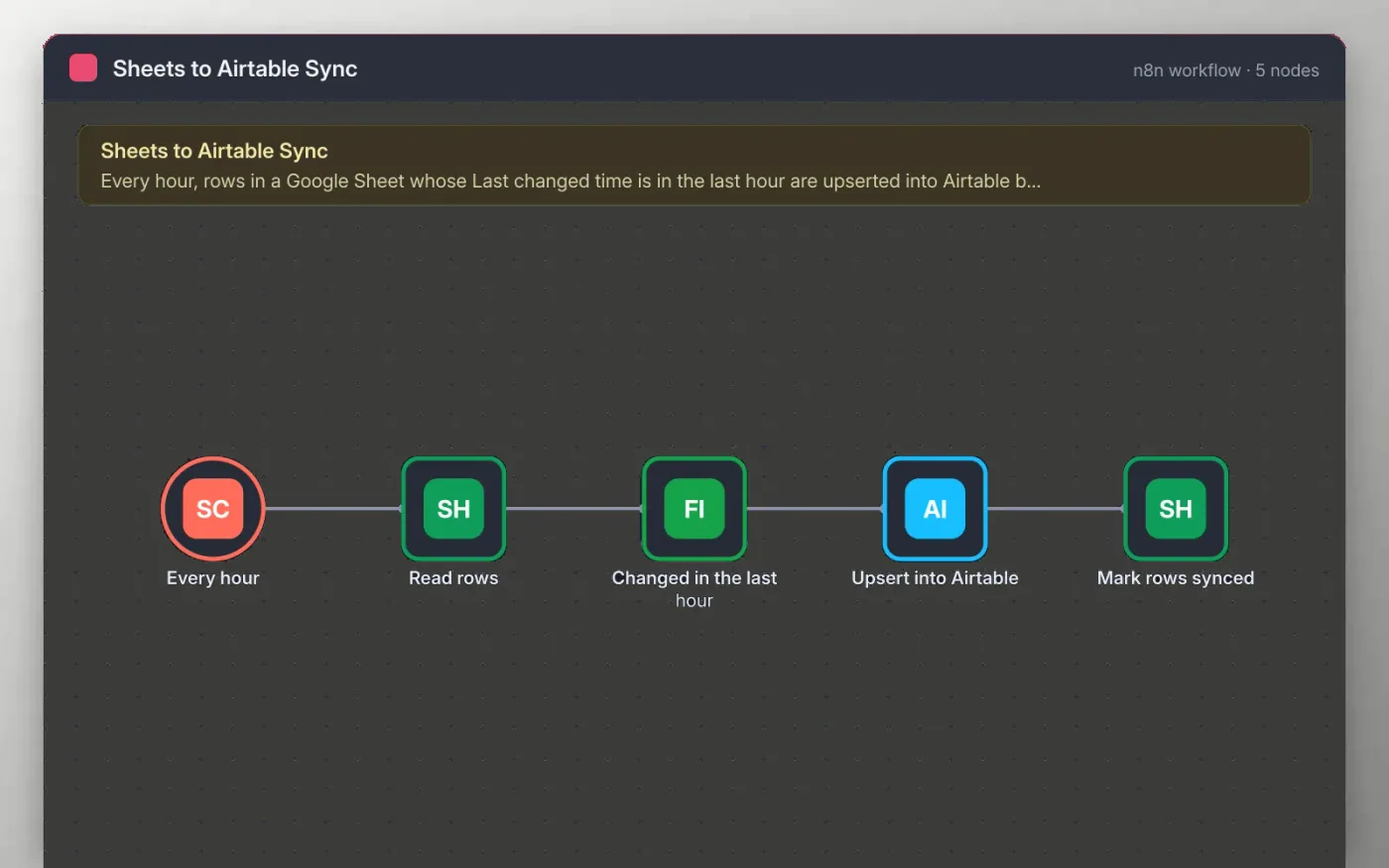
Every hour the workflow reads the rows of a Source tab in Google Sheets and keeps only the rows whose Last changed time falls in the previous hour. Those rows are upserted into an Airtable table, matching on the ID field, so existing records are updated and new ones are created.
After the upsert, each row is written back to the sheet with a Synced at time. Because the filter looks back one hour, a row is picked up once for each change, and a row that has not changed is left alone.
Download the workflow JSON.
In n8n, create a workflow, open the … menu, choose Import from File and select the JSON.
Connect Google Sheets on the Read rows and Mark rows synced nodes and pick the Source tab.
Connect Airtable on the Upsert into Airtable node and pick the base and table. The table needs an ID field.
Edit a row in the sheet, run once to check Airtable, then activate the workflow.
Yes. Download the JSON and import it into your own n8n. There is no sign-up and no cost.
No. The file has no keys or tokens. You connect your own Google and Airtable accounts after importing.
The filter only keeps rows whose Last changed time is in the last hour. Make sure the column is updated when you edit a row, or change the look-back in the filter.
Docs + Word7 pages
Free
Docs + Word8 pages
Free
n8n
Free
n8n
Free
n8n
Free
n8n
Free
n8n
Free
n8n
Free









