
Project Proposal
Docs + Word5 pages
Free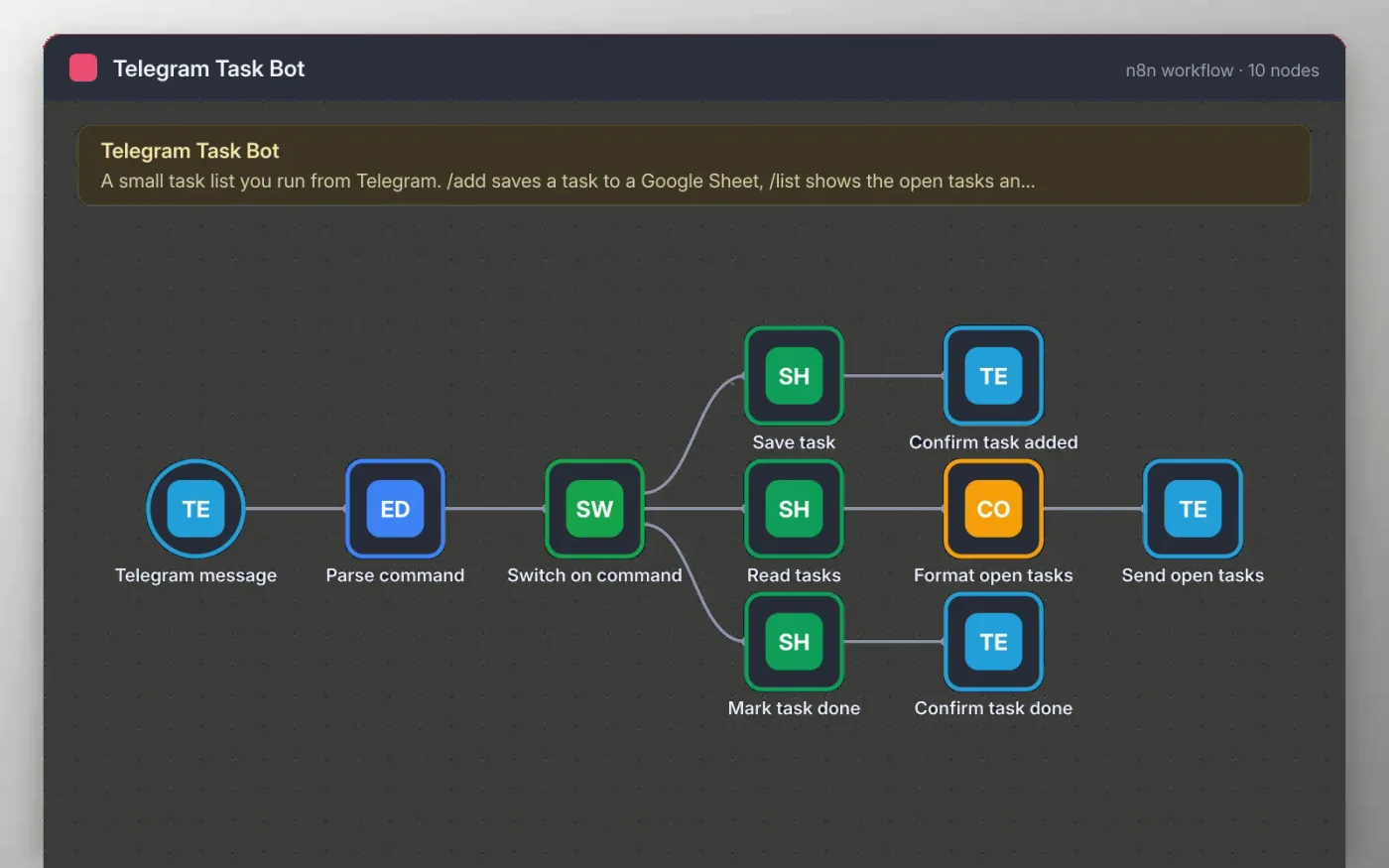
The workflow listens for messages sent to your Telegram bot. The first word is read as a command. /add saves the rest of the message as a new open task, /list replies with all tasks that are not done, and /done marks the task whose text matches as done.
Each task is stored as a row in a Google Sheet with its status and the chat it came from. The bot confirms every change in the same chat, so you can keep the list in one place without opening the sheet.
Download the workflow JSON.
In n8n, create a workflow, open the … menu, choose Import from File and select the JSON.
Create a bot with BotFather, then connect the Telegram credential on the Telegram message and reply nodes.
Make a sheet tab called Tasks with the headers Task, Status, Chat ID and Added at, and connect Google Sheets on the three sheet nodes.
Send /add buy milk to the bot to test, then activate the workflow.
Yes. Download the JSON and import it into your own n8n. There is no sign-up and no cost. Telegram bots are free to create.
No. The file has no keys or tokens. You add your own bot token and Google account after importing.
Send /done followed by the exact task text, such as /done buy milk. The Task column in the sheet must match that text.
Docs + Word5 pages
Free
Slides + PowerPoint11 slides
Free
Docs + Word6 pages
Free
n8n
Free
n8n
Free
n8n
Free
n8n
Free
n8n
Free









