Email Marketing Strategy
Docs + Word8 pages
Free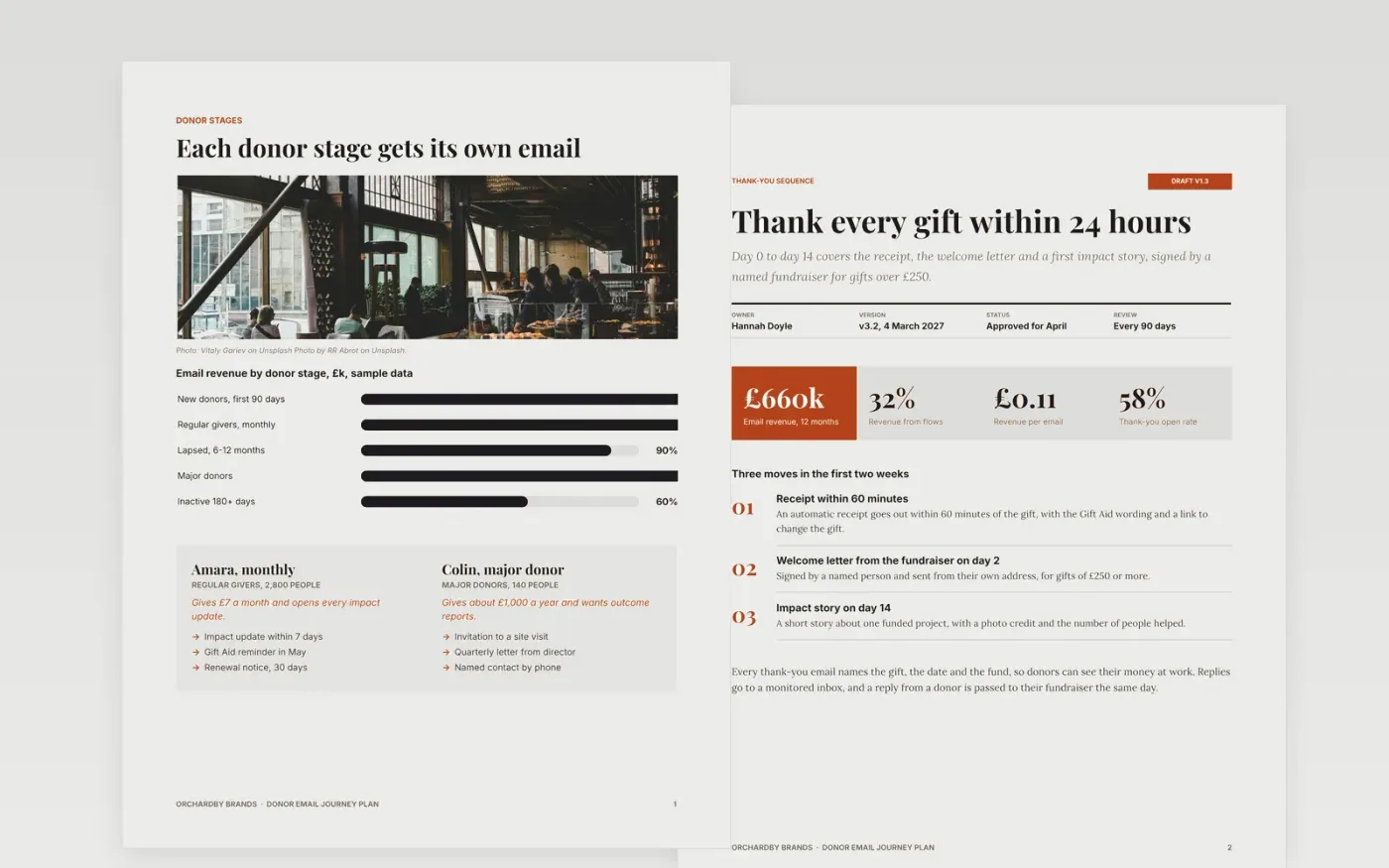
Charities lose first-year donors when emails feel random or arrive too often. This Google Docs file sets out donor stages, thank-you and impact updates, appeals and the measures to track across seven pages, so fundraising and CRM teams share one calendar and one set of targets. Each page names an owner, a date and a result to check.
The sample shows Orchardby Brands, a fictional organisation, with 62,000 subscribers, a click rate of 3.1% and £660k of email revenue over the last 12 months. Use it as an email marketing plan template or a welcome email series template. Swap in the figures from your own email platform for the latest quarter, set the inactivity cutoff to match how often you write, and draft the thank-you emails in your own voice.
Click Make a copy in Google Docs, then confirm on the Google page. The copy is saved to your own Google Drive.
Replace the list size, open and click baselines with your last 90 days of data from your email platform.
Redefine inactive for your send frequency and set the date you will suppress people who miss it.
Rewrite the thank-you and appeal emails in your brand voice, then move the calendar to your real dates.
Remove this guide sheet, then send the document to the marketing and data protection leads.
Yes. Make a copy in Google Docs and the file is yours to edit, with no sign-up needed here and no charge for the template itself.
Yes. Pages are built with standard Google Docs styles, so you can change the fonts, rename headings and delete any page you do not need, such as the guide.
No. Orchardby Brands, the people named in the file and every figure are fictional and written as a worked example. Replace them with your own data before you share it.
Docs + Word8 pages
Free
Docs + Word6 pages
Free
Google Sheets
Free








