
Annual Report
Docs + Word6 pages
FeaturedFree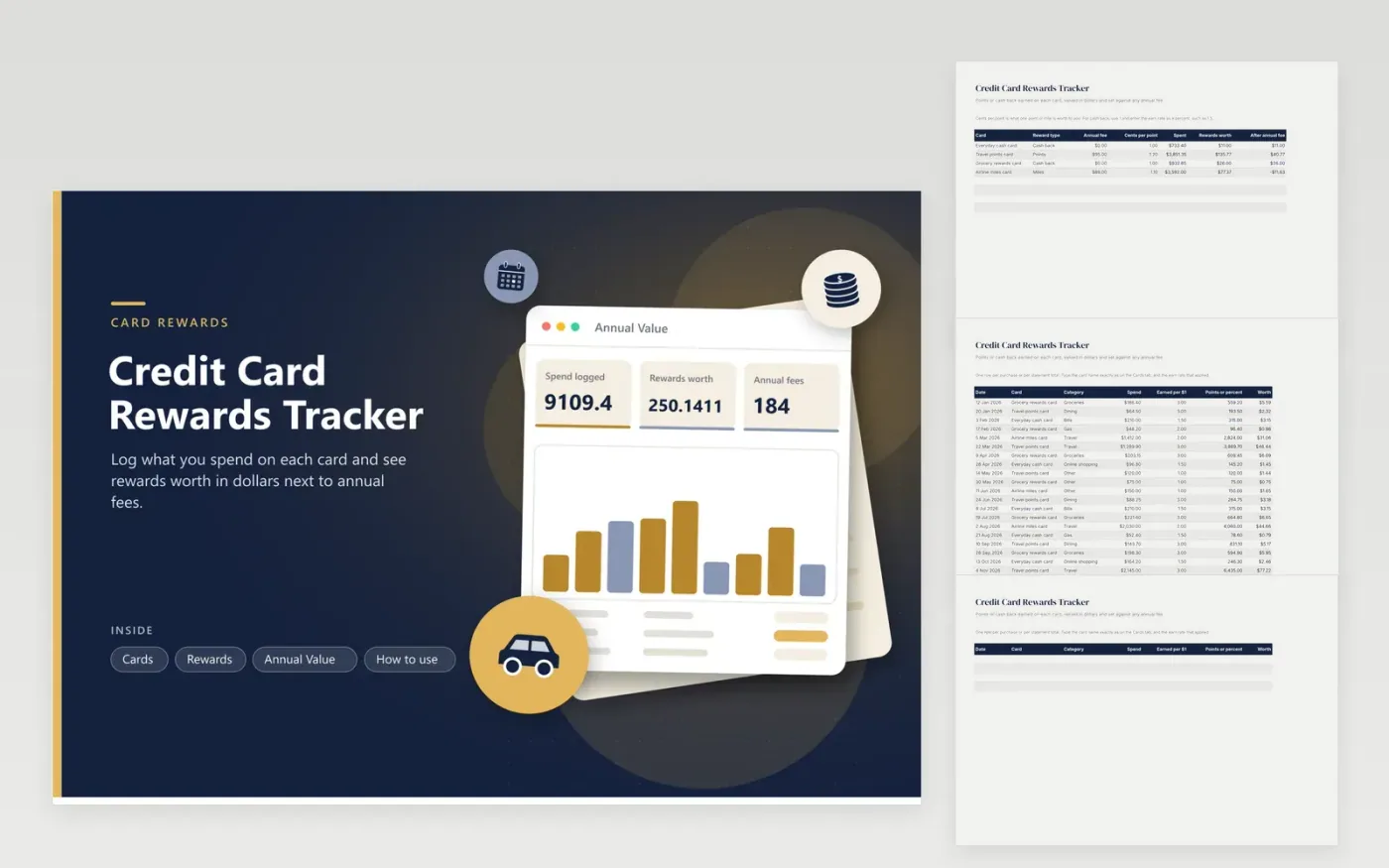
Rewards cards look generous until the annual fee and the effort are counted. This credit card rewards tracker values your points in dollars so you can compare a cash back card with a travel card on equal terms. Cards holds one line per card: reward type, annual fee and what one point is worth to you in cents. The Rewards tab takes the spend, the earn rate and the card, and works out the points or percent earned and their dollar worth. The Annual Value tab compares worth against fees by card and by spending category.
The sample year holds twenty entries across four cards: a flat cash back card, a travel card with a fee, a grocery card and a miles card. The result is a plain answer to a common question: did this card earn more than it cost? Use your own point value, since a point is worth what you can redeem it for. Never enter card numbers in the file; the card name is enough.
Click Make a copy in Google Sheets, then confirm on the Google page. The copy is saved to your own Google Drive.
Start on the Cards tab: replace the sample rows with your own.
Keep the formula columns as they are; they fill in as you type.
Read the How to use tab for tips. For Excel, download the .xlsx file instead.
Add up the rewards you earned in the year, value them in dollars and subtract the annual fee. If the result is positive, the card paid for itself. The Annual Value tab shows this per card.
Divide the dollar value you get when you redeem by the number of points used, then multiply by 100 for cents per point. Use the figure you really get, not the best case.
Give each purchase a row with the card, the spend and the earn rate. A SUMIFS formula then adds up the points and dollars for each card, and the Annual Value tab shows the totals.
Docs + Word6 pages
FeaturedFree
Excel
FeaturedFree
Sheets + Excel5 tabs
Free
Sheets + Excel5 tabs
Free
Sheets + Excel6 tabs
Free
Sheets + Excel5 tabs
Free
Sheets + Excel5 tabs
Free
Sheets + Excel5 tabs
Free
Sheets + Excel12 tabs
Free
Sheets + Excel5 tabs
Free
Sheets + Excel7 tabs
Free
Sheets + Excel5 tabs
Free
Sheets + Excel5 tabs
Free
Sheets + Excel5 tabs
Free
Sheets + Excel5 tabs
Free








