
Annual Report
Docs + Word6 pages
FeaturedFree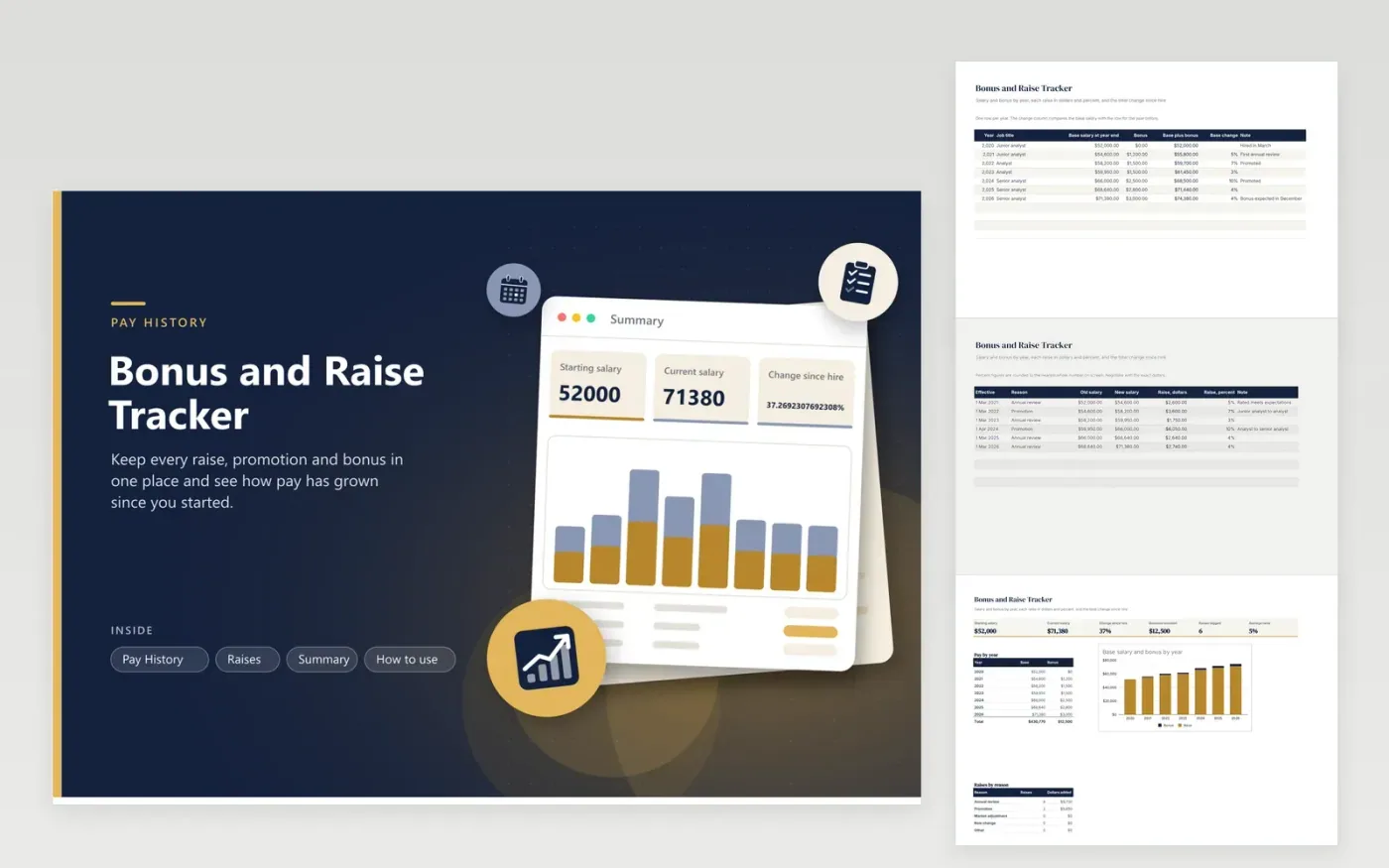
Pay discussions go better with the numbers in front of you. This bonus and raise tracker holds three views of the same history. Pay History lists base salary and bonus for each year, with base-plus-bonus and the change from the year before. Raises records every increase with its effective date, reason, old and new salary, then works out the dollars and percent. The Summary shows starting salary, current salary, change since hire, bonuses received and the average raise, with a stacked chart of base and bonus by year.
The sample history runs from a hire in 2020 to 2026 with two promotions, which shows how the figures behave. Keep Pay History in year order without gaps; the change column finds the previous year by number. Enter the exact dollar amounts and let the sheet do the percent, because percent figures shown to the nearest whole number can hide a half-point.
Click Make a copy in Google Sheets, then confirm on the Google page. The copy is saved to your own Google Drive.
Start on the Pay History tab: replace the sample rows with your own.
Keep the formula columns as they are; they fill in as you type.
Read the How to use tab for tips. For Excel, download the .xlsx file instead.
Subtract the old salary from the new one, then divide by the old salary. A move from $60,000 to $63,000 is $3,000 divided by $60,000, which is 5 percent. Each row on the Raises tab is worked out this way.
Note your base salary as it stands each December, then divide the latest figure by the first and subtract one. The Summary tab shows that change for you.
Yes. Bonuses vary from year to year, so keeping them in their own column shows base growth clearly and still lets you see total pay.
Docs + Word6 pages
FeaturedFree
Excel
FeaturedFree
Sheets + Excel5 tabs
Free
Sheets + Excel5 tabs
Free
Sheets + Excel6 tabs
Free
Sheets + Excel5 tabs
Free
Sheets + Excel5 tabs
Free
Sheets + Excel12 tabs
Free
Sheets + Excel5 tabs
Free
Sheets + Excel6 tabs
Free
Sheets + Excel7 tabs
Free
Sheets + Excel5 tabs
Free
Sheets + Excel5 tabs
Free
Sheets + Excel5 tabs
Free
Sheets + Excel5 tabs
Free








