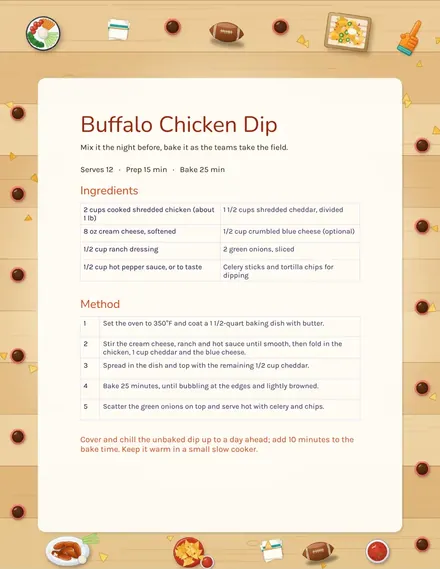
Buffalo Chicken Dip Recipe
Docs + Word1 page
Free
Remembering a birthday is easier than remembering what you gave last time. The People tab holds each name, relationship, birthday and gift budget, then works out the next birthday and the days to go, highlighting anyone within two weeks. The Ideas tab collects gift thoughts through the year with a price and a status. The Given tab records past years with the gift, cost and the reaction it got.
The Dates tab counts the birthdays in the next 30 and 90 days, shows the number of people and the total gift budget and charts birthdays by month so you can see the busy stretches. The sample list has ten made-up people with birthdays across the year. Years of birth can be any year; only the month and day are used.
Click Make a copy in Google Sheets, then confirm on the Google page. The copy is saved to your own Google Drive.
Start on the People tab: replace the sample rows with your own.
Keep the formula columns as they are; they fill in as you type.
Read the How to use tab for tips. For Excel, download the .xlsx file instead.
List each person with their birthday and budget, note ideas when you hear them and record what you gave after the party. The sheet shows the next date and the days to go.
The sheet takes the month and day of the birthday and finds the next time it occurs from today, then subtracts today. It updates every day the file opens.
No. Any year works, since only the month and day are used. Use a placeholder year if you prefer not to store real birth years.
Docs + Word1 page
Free
Sheets + Excel5 tabs
Free
Docs + Word1 page
Free
Sheets + Excel5 tabs
Free
Sheets + Excel5 tabs
Free
Sheets + Excel5 tabs
Free
Sheets + Excel5 tabs
Free
Sheets + Excel12 tabs
Free
Sheets + Excel5 tabs
Free
Sheets + Excel6 tabs
Free
Sheets + Excel7 tabs
Free
Sheets + Excel5 tabs
Free
Sheets + Excel5 tabs
Free
Sheets + Excel5 tabs
Free
Sheets + Excel5 tabs
Free