
Annual Report
Docs + Word6 pages
FeaturedFree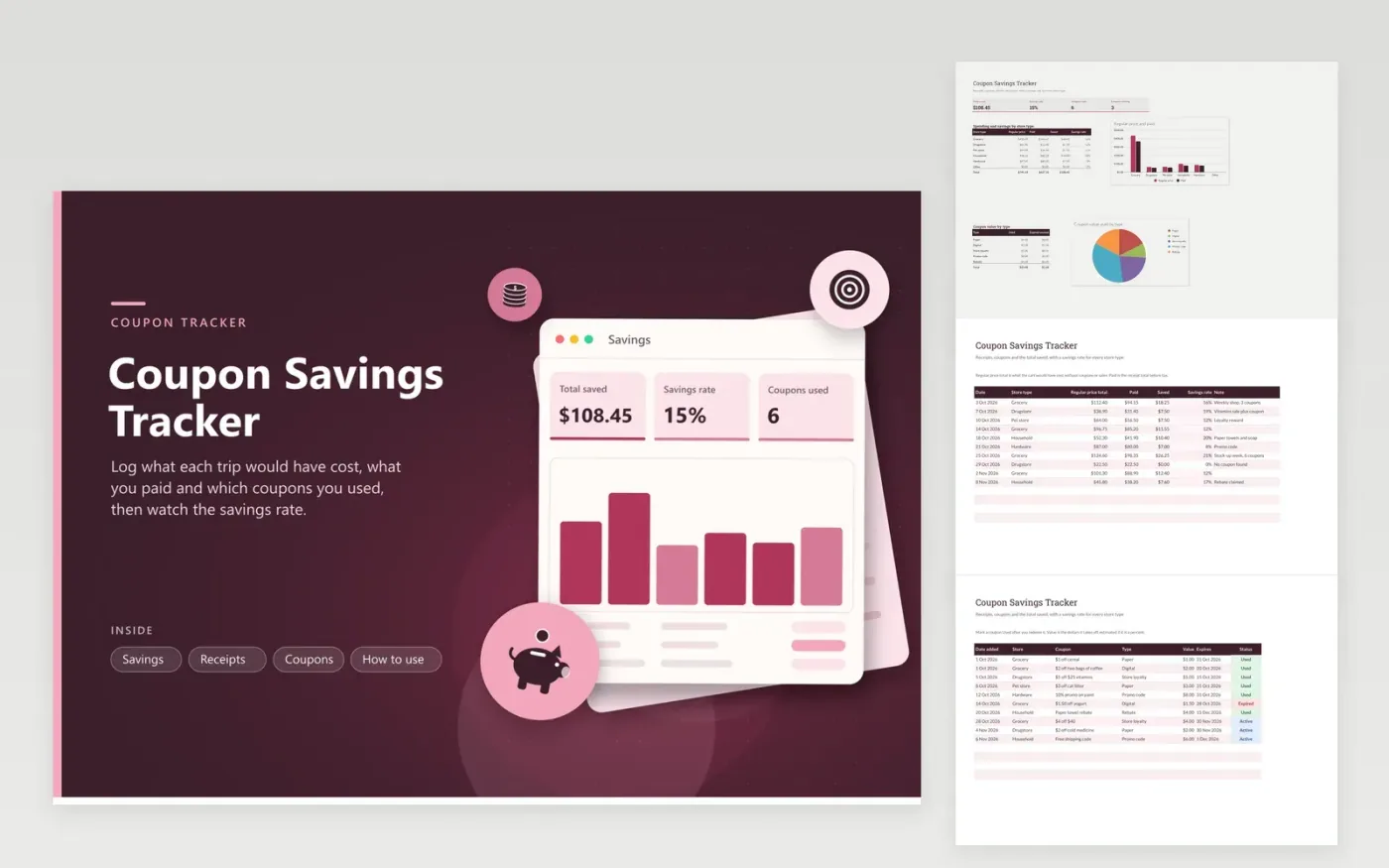
Coupons feel like savings, but only a record proves it. Each Receipts row holds the regular price of the cart, the amount you paid and a note. The sheet works out the dollars saved and the savings rate for every trip. The Coupons tab lists each coupon with its type, value, expiry date and status, which makes it clear whether each is Active, Used or Expired.
The Savings tab adds the total saved, the overall savings rate, coupons used and waiting, plus a chart of regular price against paid by store type. A second chart shows the value redeemed by coupon type: paper, digital, store loyalty, promo code and rebate. Ten sample trips show how it fills in.
Click Make a copy in Google Sheets, then confirm on the Google page. The copy is saved to your own Google Drive.
Start on the Receipts tab: replace the sample rows with your own.
Keep the formula columns as they are; they fill in as you type.
Read the How to use tab for tips. For Excel, download the .xlsx file instead.
Write the regular price of the cart and the amount paid after sales and coupons on each trip. The difference is your saving, and the rate shows it as a share of the regular price.
Count the savings that changed what you bought or paid. A discount you would never have used is not a saving. Keep your own rule and apply it every time.
Yes. The Coupons tab has types for paper, digital, store loyalty, promo codes and rebates, with a status for Active, Used or Expired.
Docs + Word6 pages
FeaturedFree
Excel
FeaturedFree
Sheets + Excel5 tabs
Free
Sheets + Excel5 tabs
Free
Sheets + Excel6 tabs
Free
Sheets + Excel5 tabs
Free
Sheets + Excel5 tabs
Free
Sheets + Excel5 tabs
Free
Sheets + Excel12 tabs
Free
Sheets + Excel6 tabs
Free
Sheets + Excel7 tabs
Free
Sheets + Excel5 tabs
Free
Sheets + Excel5 tabs
Free
Sheets + Excel5 tabs
Free
Sheets + Excel5 tabs
Free








