
Annual Report
Docs + Word6 pages
FeaturedFree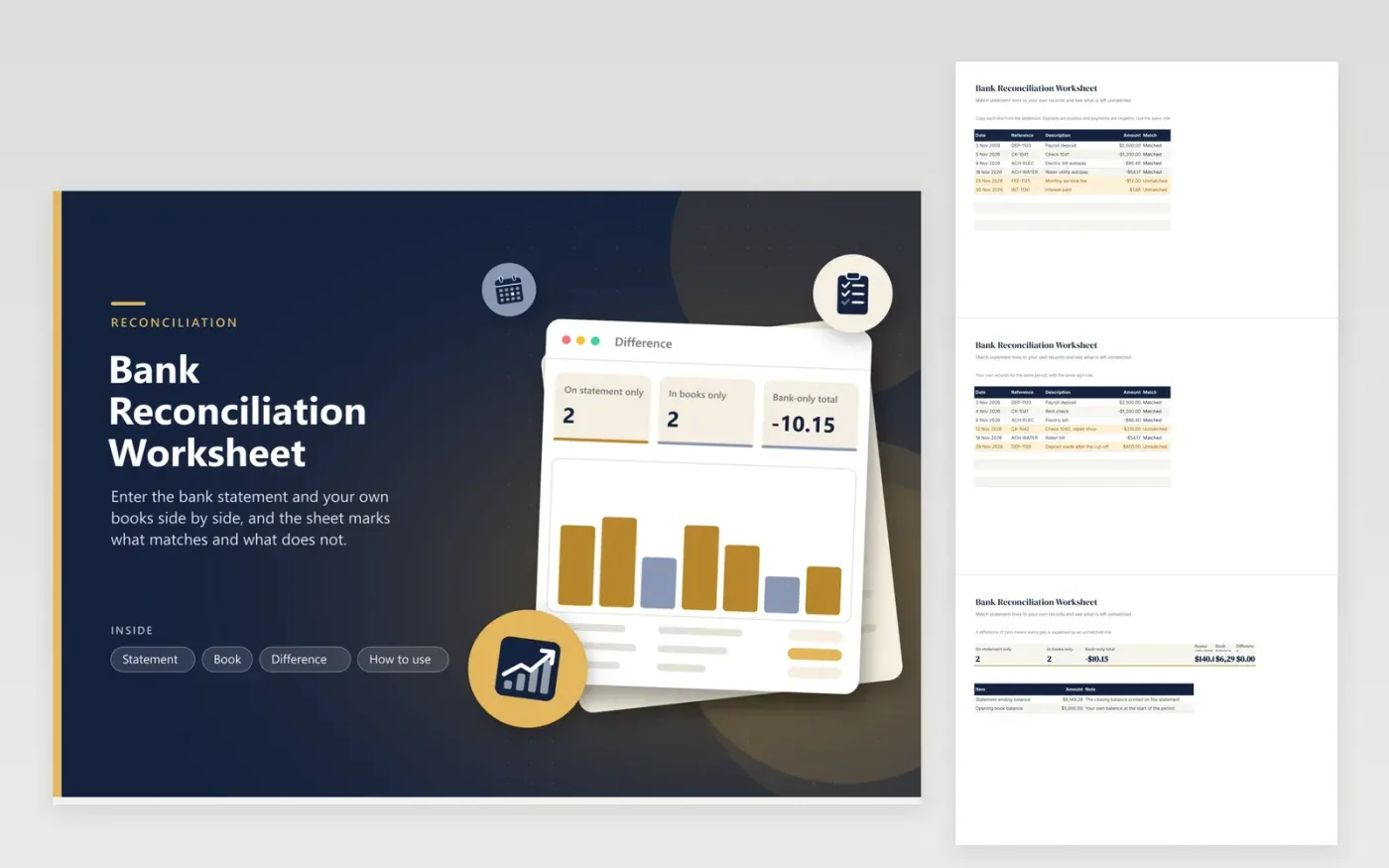
Reconciling by eye means ticking two lists against each other and hoping nothing slips. This bank reconciliation worksheet does the matching. Paste the statement into one tab and your own entries into another, giving each item a reference. A line counts as matched when the other side holds the same reference and amount, and the rest turn amber. The Difference tab then counts the unmatched lines on each side, totals them and compares the statement balance with your book balance after those items are set aside.
The sample month has a fee and interest that appear only on the statement, a check and a late deposit that appear only in the books, and a difference of zero once they are explained. Small businesses use the same method for the monthly close, and households can use it for a joint account. Record the statement-only items in your books and the check and deposit will clear next month.
Click Make a copy in Google Sheets, then confirm on the Google page. The copy is saved to your own Google Drive.
Start on the Statement tab: replace the sample rows with your own.
Keep the formula columns as they are; they fill in as you type.
Read the How to use tab for tips. For Excel, download the .xlsx file instead.
Compare each line on the bank statement with your own records, mark what matches and list the rest. Items on the statement but not in your books, such as fees, need recording. Items in your books but not yet on the statement are usually checks or deposits in transit.
A deposit in transit is money you have recorded as deposited that has not yet appeared on the bank statement, often because it was made after the statement cut-off.
Timing differences, bank fees and interest, and entry mistakes are the common causes. This worksheet lists each unmatched line so you can see which explain the gap.
Docs + Word6 pages
FeaturedFree
Excel
FeaturedFree
Sheets + Excel5 tabs
Free
Sheets + Excel6 tabs
Free
Sheets + Excel5 tabs
Free
Sheets + Excel5 tabs
Free
Sheets + Excel5 tabs
Free
Sheets + Excel12 tabs
Free
Sheets + Excel5 tabs
Free
Sheets + Excel6 tabs
Free
Sheets + Excel7 tabs
Free
Sheets + Excel5 tabs
Free
Sheets + Excel5 tabs
Free
Sheets + Excel5 tabs
Free
Sheets + Excel5 tabs
Free








