Event Proposal
Docs + Word8 pages
Free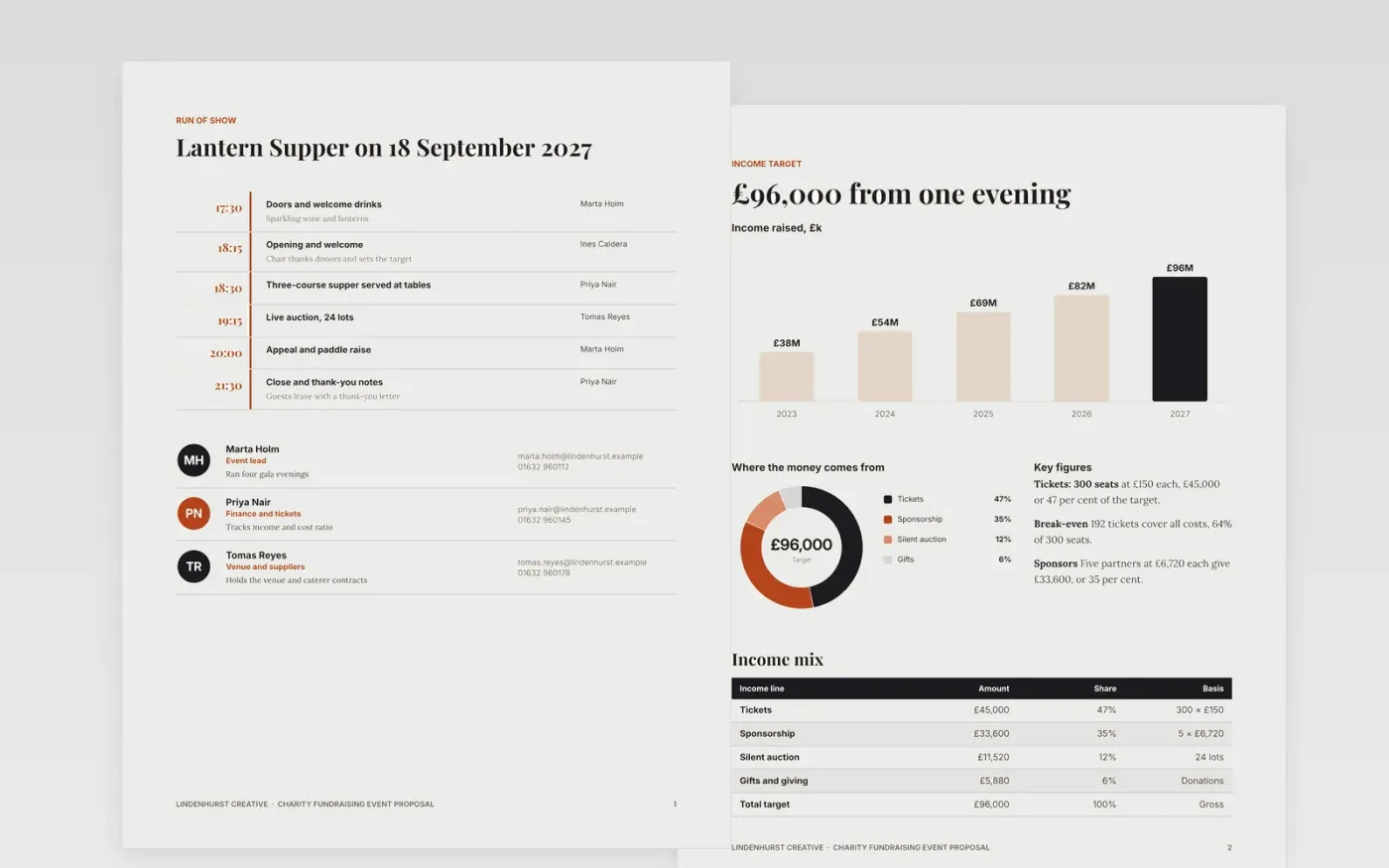
Charities pitch fundraising evenings to trustees, sponsors and councils, and many lose the room because the case is all atmosphere and no arithmetic. This event proposal, built as a Google Docs file, sets out a 300-seat Lantern Supper on 18 September 2027 with a £96,000 income target and costs held to 30 per cent of that target. It follows the order decision-makers read: the run of show, the income target, the costs, the volunteers, then the risks, with a named owner for each part.
The sample shows one evening worked through to a final budget, with a donor-mix chart, a cost table with contingency and a risk register that gives every risk an owner and a response. Replace the figures with your own quotes, change the ticket price and watch the break-even line move, then keep the cost ratio honest. The organisation, people and figures are fictional sample data, so swap in your own before you share the document.
Click Make a copy in Google Docs, then confirm on the Google page. The copy is saved to your own Google Drive.
Replace the income target, ticket price and seat count first, then check the chart and key figures still agree.
Enter your own quotes in the costs table and keep contingency at 10 per cent of running costs.
Add a decision date to the run of show and the risk register, and name an owner for every risk.
Delete the guide page, then share the document with your committee or present it from Google Docs.
No. Lindenhurst Creative, the people, the hall, the ticket prices and every figure are fictional sample data. Replace them with your own before you use the document.
Divide total costs by the income target. In this sample it is £28,800 over £96,000, which is 30 per cent. Keep it between 25 and 40 per cent unless the committee agrees otherwise.
Yes. Copy the risk register page and turn it into a table of two or three venues with seats, hire fee and a recommendation, then place it after the run of show so the choice comes early.
Docs + Word8 pages
Free
Docs + Word7 pages
Free
Docs + Word6 pages
Free









