
Company Magazine
Docs + Word7 pages
FeaturedFree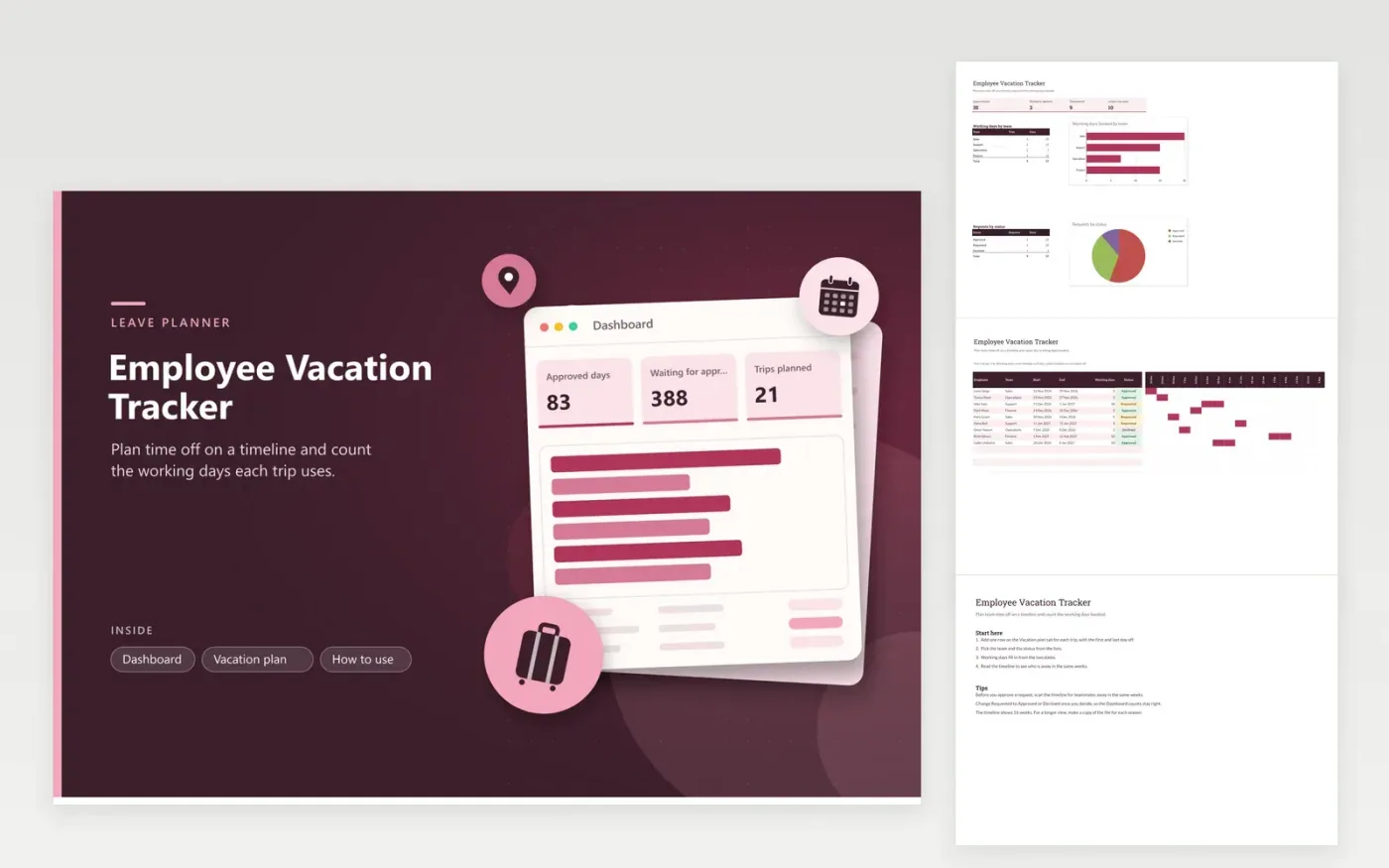
The Employee Vacation Tracker is for managers and HR staff who approve time off and want to see when the team is away. The Vacation plan tab is a timeline with one row per trip, showing the employee, team, start and end dates, working days and status. The Dashboard totals approved working days, pending requests and the working days booked by team, with a chart for each.
Check the timeline before you approve a request, so that no more than one person in a team is away at once unless you agree it. Working days skip Saturdays and Sundays but not public holidays, so take those off by hand if a trip includes one. Change Requested to Approved or Declined as decisions are made, so the counts stay accurate.
Click Make a copy in Google Sheets, then confirm on the Google page. The copy is saved to your own Google Drive.
Start on the Vacation plan tab: replace the sample rows with your own.
Keep the formula columns as they are; they fill in as you type.
Read the How to use tab for tips. For Excel, download the .xlsx file instead.
The working days column uses NETWORKDAYS, which counts Monday to Friday from the start date to the end date, including both. A trip from one Monday to the Friday of the same week shows 5 working days. Public holidays are not removed, so subtract them yourself if your policy does not count them.
The timeline shows 16 weeks. It covers one season, so for a longer view start a new workbook per season and move the trips across.
Sort the Vacation plan by team and then by start date, and scan each team's rows for dates that overlap. The timeline shows the same overlap as bars in the same weeks, so you can compare trips at a glance before you decide.
Docs + Word7 pages
FeaturedFree
Docs + Word21 pages
FeaturedFree
Slides + PowerPoint16 slides
FeaturedFree
Sheets + Excel4 tabs
Free
Sheets + Excel4 tabs
Free
Sheets + Excel5 tabs
Free
Sheets + Excel5 tabs
Free
Sheets + Excel4 tabs
Free
Sheets + Excel4 tabs
Free
Sheets + Excel4 tabs
Free