
Company Magazine
Docs + Word7 pages
FeaturedFree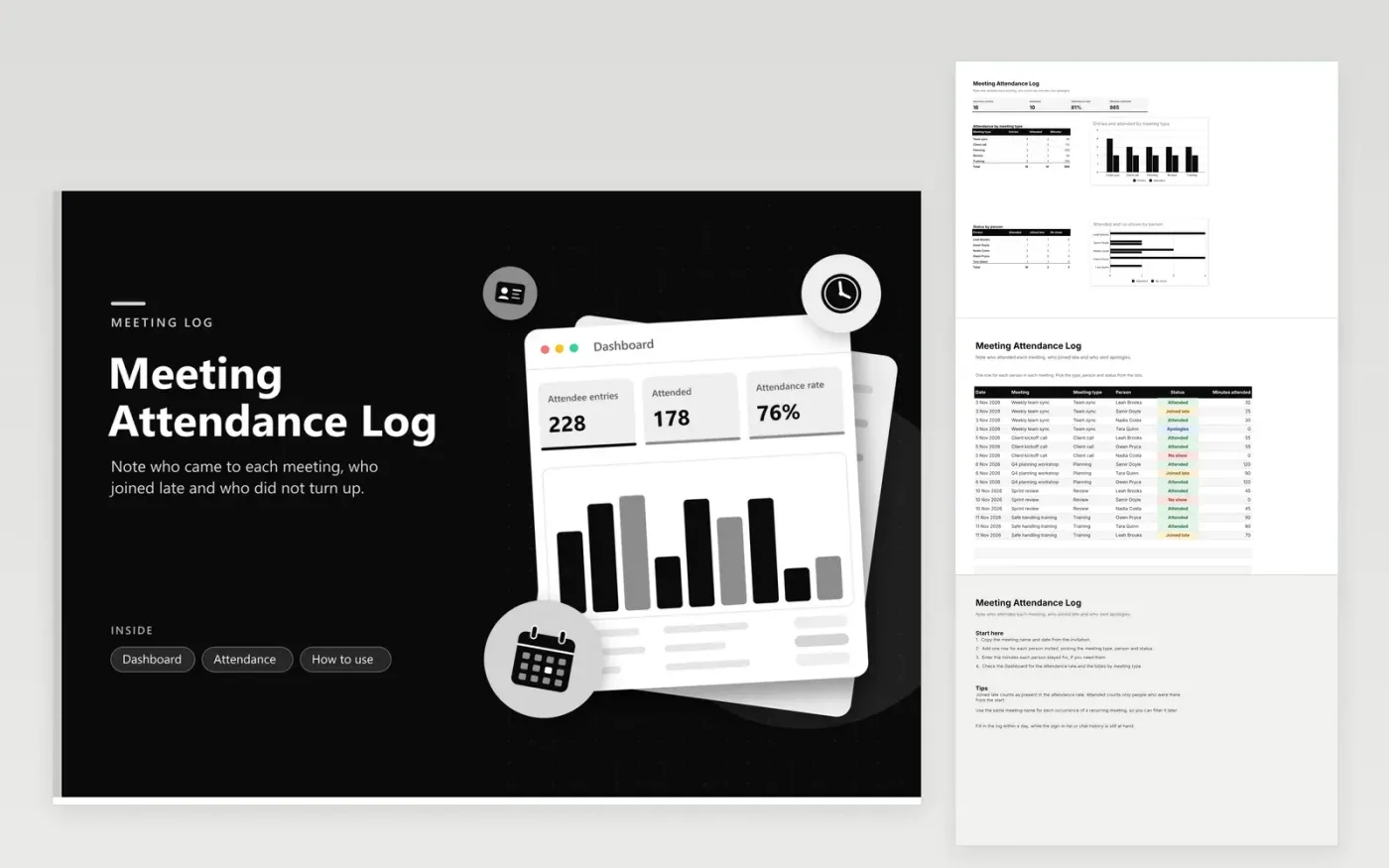
The Meeting Attendance Log is for team leads, project managers and meeting secretaries who need a record of who came to each meeting. The Attendance tab records every person at every meeting on a separate row, with the date, meeting name, meeting type, person, status and minutes attended. The Dashboard totals entries, attended people and minutes by meeting type, and shows status counts for each person.
Fill in the log within a day of each meeting, while the sign-in list or chat history is still at hand. Use the same meeting name for every occurrence of a recurring meeting, so you can filter it later. Record minutes only when they matter, such as a training session that has a required length. Filter by meeting type to compare team syncs with client calls.
Click Make a copy in Google Sheets, then confirm on the Google page. The copy is saved to your own Google Drive.
Start on the Attendance tab: replace the sample rows with your own.
Keep the formula columns as they are; they fill in as you type.
Read the How to use tab for tips. For Excel, download the .xlsx file instead.
No. The log is filled in by hand from your calendar, sign-in list or meeting notes. Copy the meeting name and date from the invitation, then choose a status for each attendee. Connecting to a calendar would need a separate tool.
Use the Joined late status. The attendance rate on the Dashboard counts Attended and Joined late together, so a late arrival still counts as present. The Attended count on its own shows people who were there from the start.
Yes. Use the Review or Planning meeting type for governance business, and enter members by the names used in your minutes. Store the file in the organization's shared folder, so the record belongs to the group instead of one person.
Docs + Word7 pages
FeaturedFree
Docs + Word21 pages
FeaturedFree
Slides + PowerPoint16 slides
FeaturedFree
Sheets + Excel4 tabs
Free
Sheets + Excel4 tabs
Free
Sheets + Excel5 tabs
Free
Sheets + Excel5 tabs
Free
Sheets + Excel4 tabs
Free
Sheets + Excel4 tabs
Free
Sheets + Excel4 tabs
Free