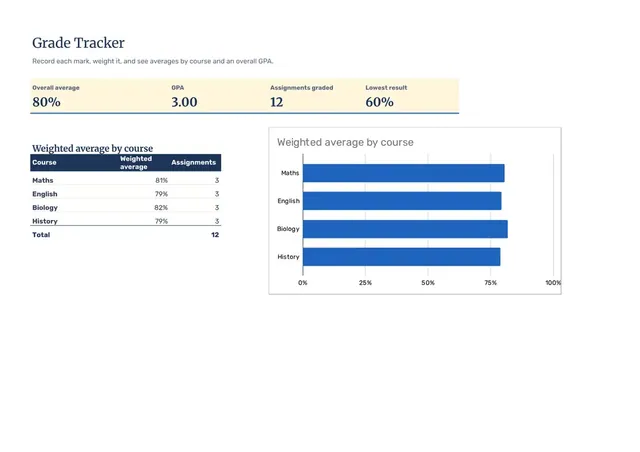
Grade Tracker
Sheets + Excel4 slides
Free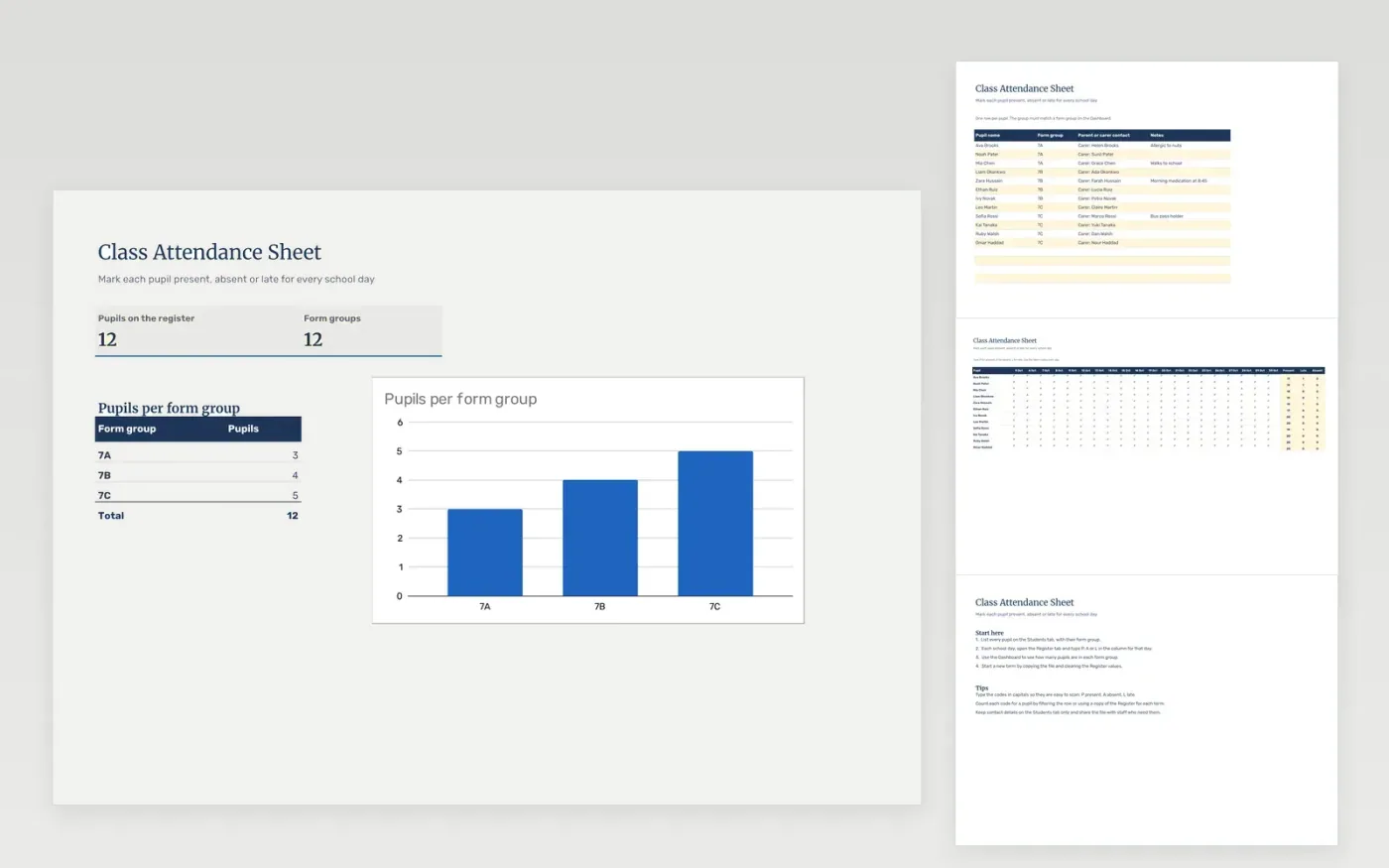
The Class Attendance Sheet is a register for teachers who mark pupils present, absent or late. The Students tab holds the pupil list with form groups and contact notes. The Register tab is a grid with one row per pupil and one column per school day, so each day takes a single code. The Dashboard counts the pupils in each form group.
It comes with sample data for three form groups and twenty school days in October. Make a copy, replace the sample pupils and clear the Register values. Dropdowns and the form-group counts update on their own.
Click Make a copy in Google Sheets, then confirm on the Google page. The copy is saved to your own Google Drive.
Start on the Students tab: replace the sample rows with your own.
Keep the formula columns as they are; they fill in as you type.
Read the How to use tab for tips. For Excel, download the .xlsx file instead.
Yes. Download the template and use it at no cost. There is no sign-up needed to open it.
Yes. Download the .xlsx file and open it in Microsoft Excel. The grid, dropdowns and counts work the same way.
The Register grid holds one code per cell, so counting codes per pupil takes a filter or a formula such as COUNTIF on each row. The template does not total codes for you.
Sheets + Excel4 slides
Free
Sheets + Excel4 slides
Free
Sheets + Excel5 slides
Free
Sheets + Excel4 slides
Free
Sheets + Excel4 slides
Free