
Company Magazine
Docs + Word7 pages
FeaturedFree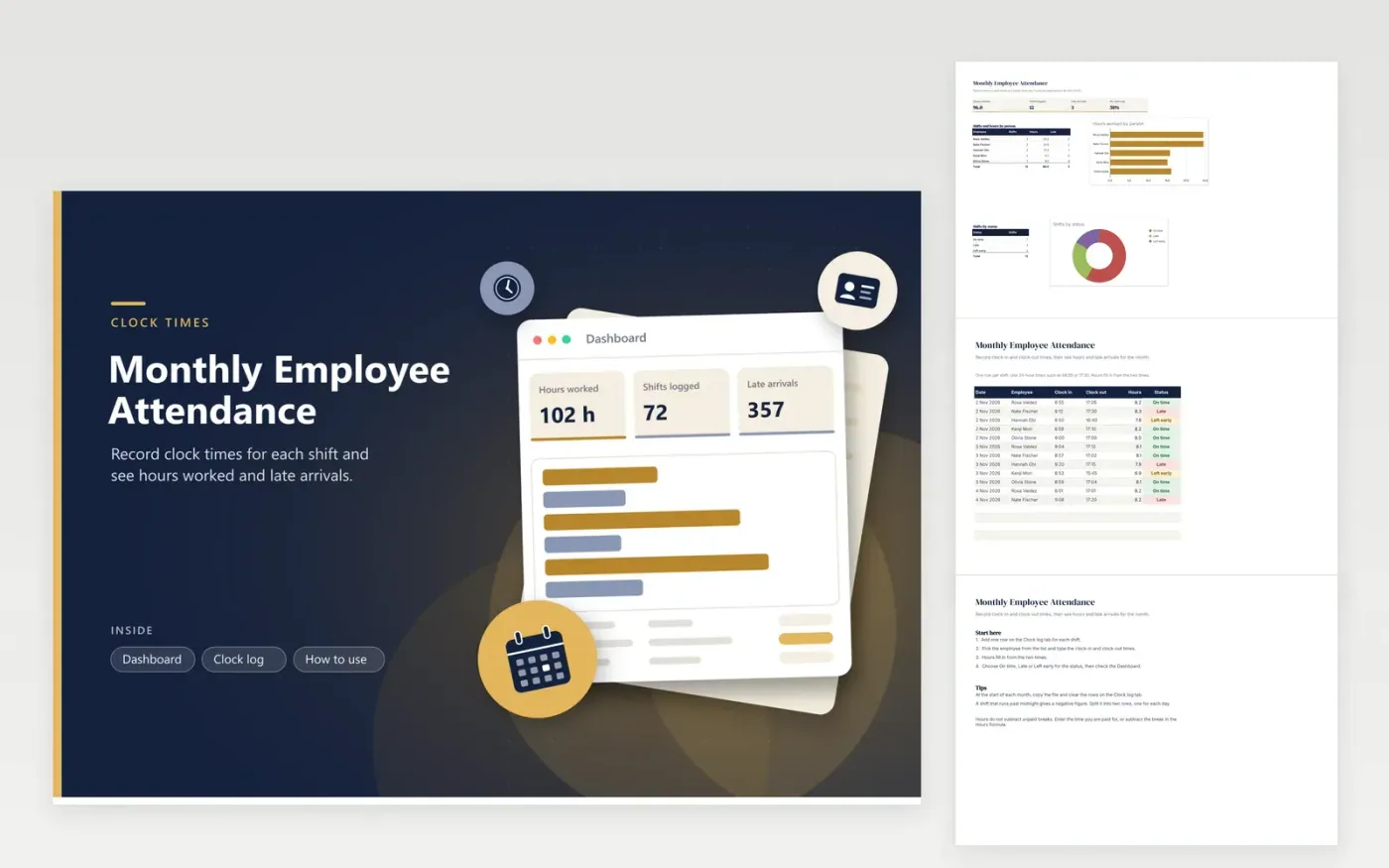
The Monthly Employee Attendance workbook is for office managers and team leads who track when shifts start and finish. The Clock log tab gives each shift its own row with the employee, date, clock-in and clock-out times, and a status. Hours worked calculate from the two times. The Dashboard shows shifts, hours, late arrivals and the on-time rate, with breakdowns by person and by status.
For each new month, save a copy and empty the Clock log rows. Use the three status words exactly as spelled in the list, On time, Late or Left early, so the counts stay correct. Enter times in 24-hour format, such as 17:30 for 5:30 pm. A night shift crossing midnight needs splitting across two rows, or its hours will show as negative.
Click Make a copy in Google Sheets, then confirm on the Google page. The copy is saved to your own Google Drive.
Start on the Clock log tab: replace the sample rows with your own.
Keep the formula columns as they are; they fill in as you type.
Read the How to use tab for tips. For Excel, download the .xlsx file instead.
The Hours column takes the clock-out time, subtracts the clock-in time and multiplies by 24, so 9:00 to 17:30 gives 8.5 hours. The result is rounded to two decimal places. Unpaid breaks are not taken off automatically, so subtract them in the times you enter or in the formula.
You do. The status is a dropdown you set for each row, because start times and grace periods differ between workplaces. Choose On time, Late or Left early when you enter the row, following the rule your business already uses.
A shift with no clock-in is not counted as an absence by this sheet. Keep a separate leave record, or add a note on the row. A day-by-day attendance grid suits absence codes better, because it shows every day of the month at a glance.
Docs + Word7 pages
FeaturedFree
Docs + Word21 pages
FeaturedFree
Slides + PowerPoint16 slides
FeaturedFree
Sheets + Excel4 tabs
Free
Sheets + Excel4 tabs
Free
Sheets + Excel5 tabs
Free
Sheets + Excel5 tabs
Free
Sheets + Excel4 tabs
Free
Sheets + Excel4 tabs
Free
Sheets + Excel4 tabs
Free