
Company Magazine
Docs + Word7 pages
FeaturedFree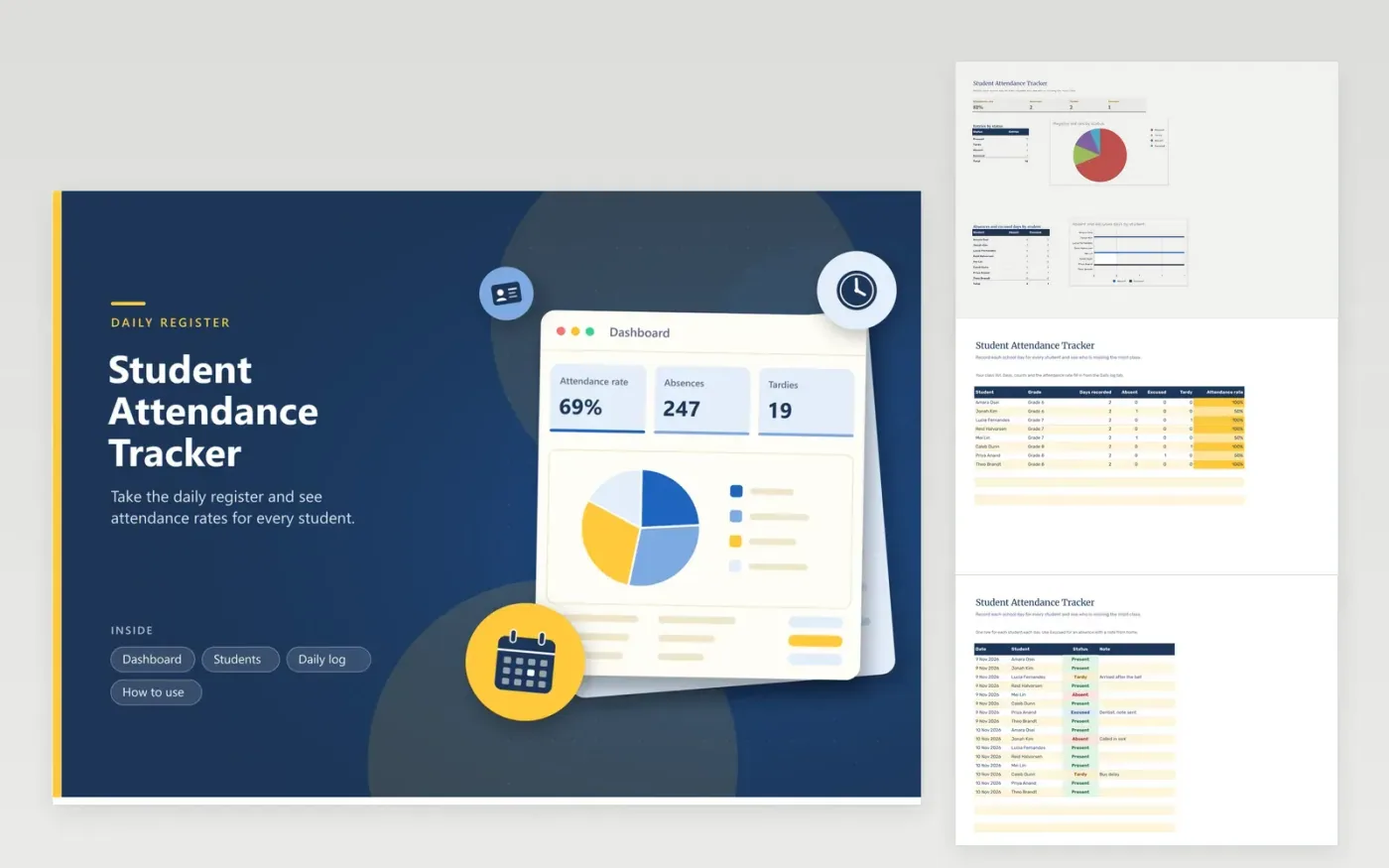
The Student Attendance Tracker is for classroom teachers, homeroom tutors and small schools that take a daily register. The Students tab holds the class list and calculates days recorded, absences, excused days, tardies and attendance rate for each student. The Daily log tab records each student on each day, choosing a status from the dropdown. The Dashboard shows the overall rate and the status totals in charts.
Enter the register the same day, while it is fresh. Pick the four status words only from the dropdown, so the counts recognize them. Present and Tardy count as attended, while Absent and Excused count as missed. Review students whose rate is falling every two weeks, and keep the file in the school's shared storage so the record stays with the school.
Click Make a copy in Google Sheets, then confirm on the Google page. The copy is saved to your own Google Drive.
Start on the Students tab: replace the sample rows with your own.
Keep the formula columns as they are; they fill in as you type.
Read the How to use tab for tips. For Excel, download the .xlsx file instead.
Present and Tardy entries count as attended, and the rate divides them by all entries logged. Each student's rate on the Students tab uses the same rule for that student's own days. Absent and Excused entries count as missed, so check your school's official record before you report a figure.
Yes. The simplest way is a separate workbook per class, which is easier to share with a single teacher and keeps the counts clean. Alternatively, add a Class column to both the Students and Daily log tabs and filter by it.
The Tardy column on the Students tab counts late arrivals separately from absences, so you can see patterns without treating each tardy as a missed day. Talk with the student and family first, and then follow your school's attendance policy for any further steps.
Docs + Word7 pages
FeaturedFree
Docs + Word21 pages
FeaturedFree
Slides + PowerPoint16 slides
FeaturedFree
Sheets + Excel4 tabs
Free
Sheets + Excel4 tabs
Free
Sheets + Excel4 tabs
Free
Sheets + Excel5 tabs
Free
Sheets + Excel4 tabs
Free
Sheets + Excel4 tabs
Free
Sheets + Excel4 tabs
Free