
Annual Report
Docs + Word6 pages
FeaturedFree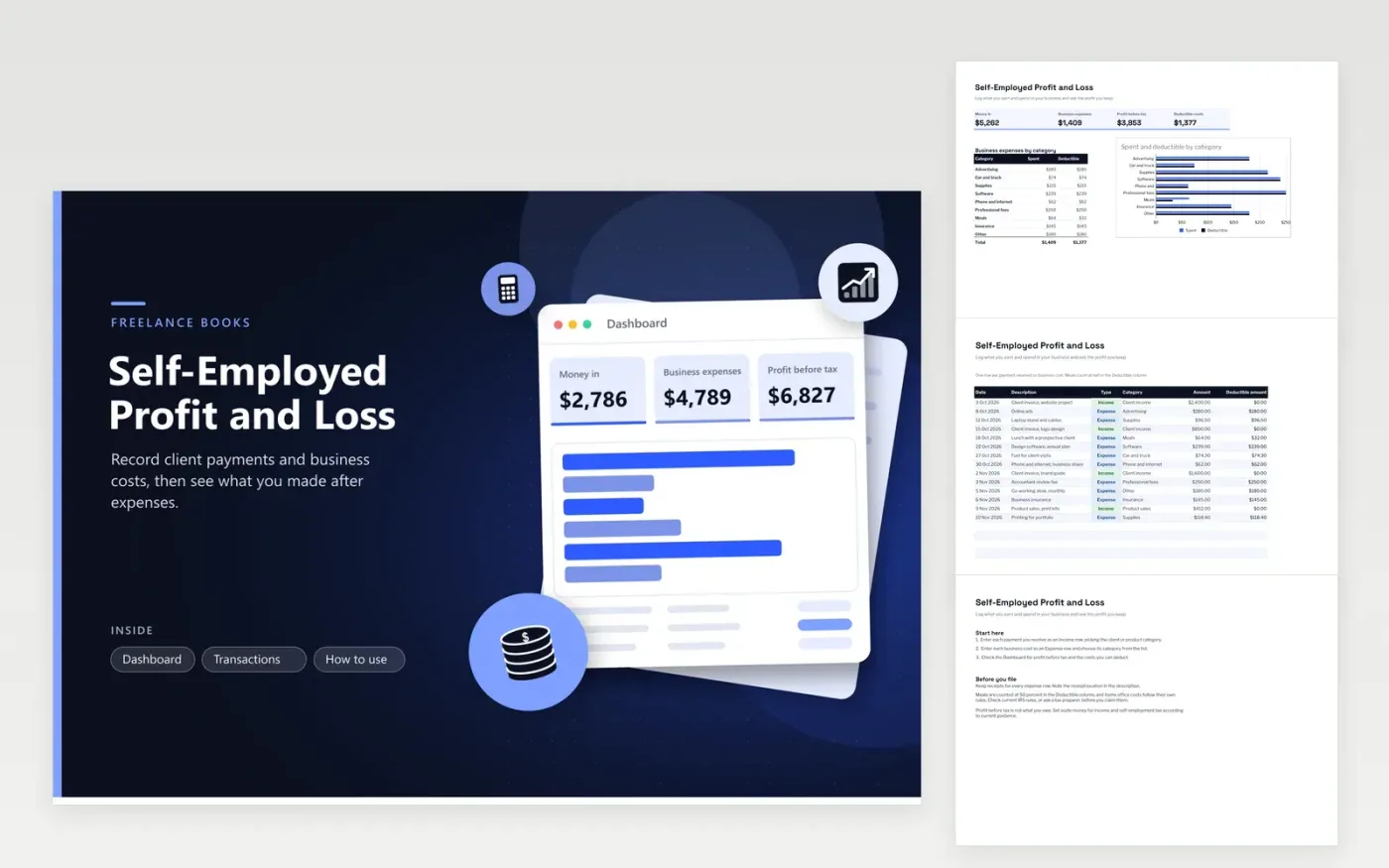
This sheet is for freelancers, contractors and sole traders who need one place for business money. The Transactions tab takes each payment received or cost paid, with a date, description, type (income or expense), category and amount. A Deductible amount column applies the half-rate rule for meals, so you see the business cost at a glance.
The Dashboard totals money in, business expenses, profit before tax and deductible costs. A bar chart compares what you spent with what is deductible in each expense category, which helps you spot gaps before filing. The sample rows cover six weeks of freelance work, swap in your records before you rely on it.
Click Make a copy in Google Sheets, then confirm on the Google page. The copy is saved to your own Google Drive.
Start on the Transactions tab: replace the sample rows with your own.
Keep the formula columns as they are; they fill in as you type.
Read the How to use tab for tips. For Excel, download the .xlsx file instead.
Not exactly. Profit before tax is income minus business expenses as you have logged them. Taxable income can differ because of adjustments, deductions and personal allowances, so check current IRS guidance or ask a tax preparer before you file.
Enter only the business share as the amount, and say in the description what share you used and why. Keep the receipt with the entry. Mixed-use costs such as a phone plan or a car need records that support the split.
Record it on the date you receive it, as an income row, and add a note in the description. Accounting rules for prepaid income depend on your method, so confirm the approach with an accountant.
Docs + Word6 pages
FeaturedFree
Excel
FeaturedFree
Sheets + Excel5 tabs
Free
Sheets + Excel5 tabs
Free
Sheets + Excel4 tabs
Free
Sheets + Excel5 tabs
Free
Sheets + Excel4 tabs
Free
Sheets + Excel4 tabs
Free
Sheets + Excel5 tabs
Free
Sheets + Excel4 tabs
Free
Sheets + Excel4 tabs
Free
Sheets + Excel4 tabs
Free
Sheets + Excel5 tabs
Free
Sheets + Excel4 tabs
Free








