
Annual Report
Docs + Word6 pages
FeaturedFree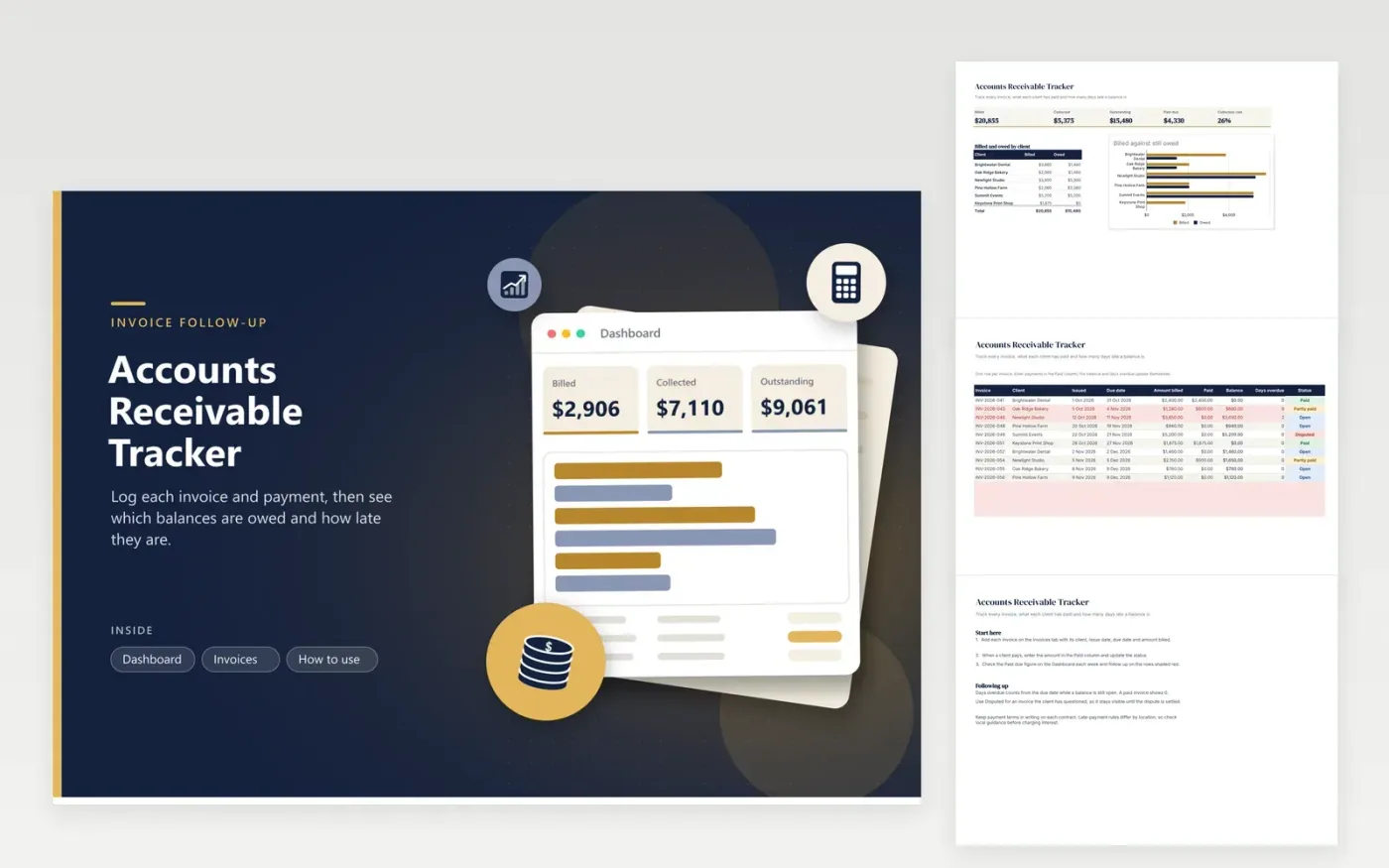
This tracker is for freelancers and small firms that send invoices and wait for payment. Each invoice gets a row on the Invoices tab showing the client, issue date, due date, amount billed, amount paid, status, and a balance that updates on its own. Days overdue counts from the due date while anything is still owed, and rows with an overdue balance turn red.
The Dashboard totals billed, collected and outstanding amounts, the past-due figure and the collection rate. A bar chart compares what each client has been billed with what they still owe. The sample list covers ten invoices to six clients, with a partly paid bill, a disputed one and two that are past their due dates.
Click Make a copy in Google Sheets, then confirm on the Google page. The copy is saved to your own Google Drive.
Start on the Invoices tab: replace the sample rows with your own.
Keep the formula columns as they are; they fill in as you type.
Read the How to use tab for tips. For Excel, download the .xlsx file instead.
Many businesses send a polite reminder a few days after the due date and a firmer one after two weeks. Use the Days overdue column to decide. Keep your messages factual, and log each contact in the description so the history is clear.
Enter the amount received in the Paid column and set the status to Partly paid. The balance and days overdue update straight away, so the remaining amount is always visible.
It shows the figures that help you judge that, such as the balance owed and the days overdue for each invoice. Use the client breakdown on the Dashboard to compare clients side by side, then decide what to do based on your own contract terms.
Docs + Word6 pages
FeaturedFree
Excel
FeaturedFree
Sheets + Excel5 tabs
Free
Sheets + Excel5 tabs
Free
Sheets + Excel5 tabs
Free
Sheets + Excel4 tabs
Free
Sheets + Excel4 tabs
Free
Sheets + Excel5 tabs
Free
Sheets + Excel4 tabs
Free
Sheets + Excel4 tabs
Free
Sheets + Excel4 tabs
Free
Sheets + Excel4 tabs
Free
Sheets + Excel5 tabs
Free
Sheets + Excel4 tabs
Free








