
Annual Report
Docs + Word6 pages
FeaturedFree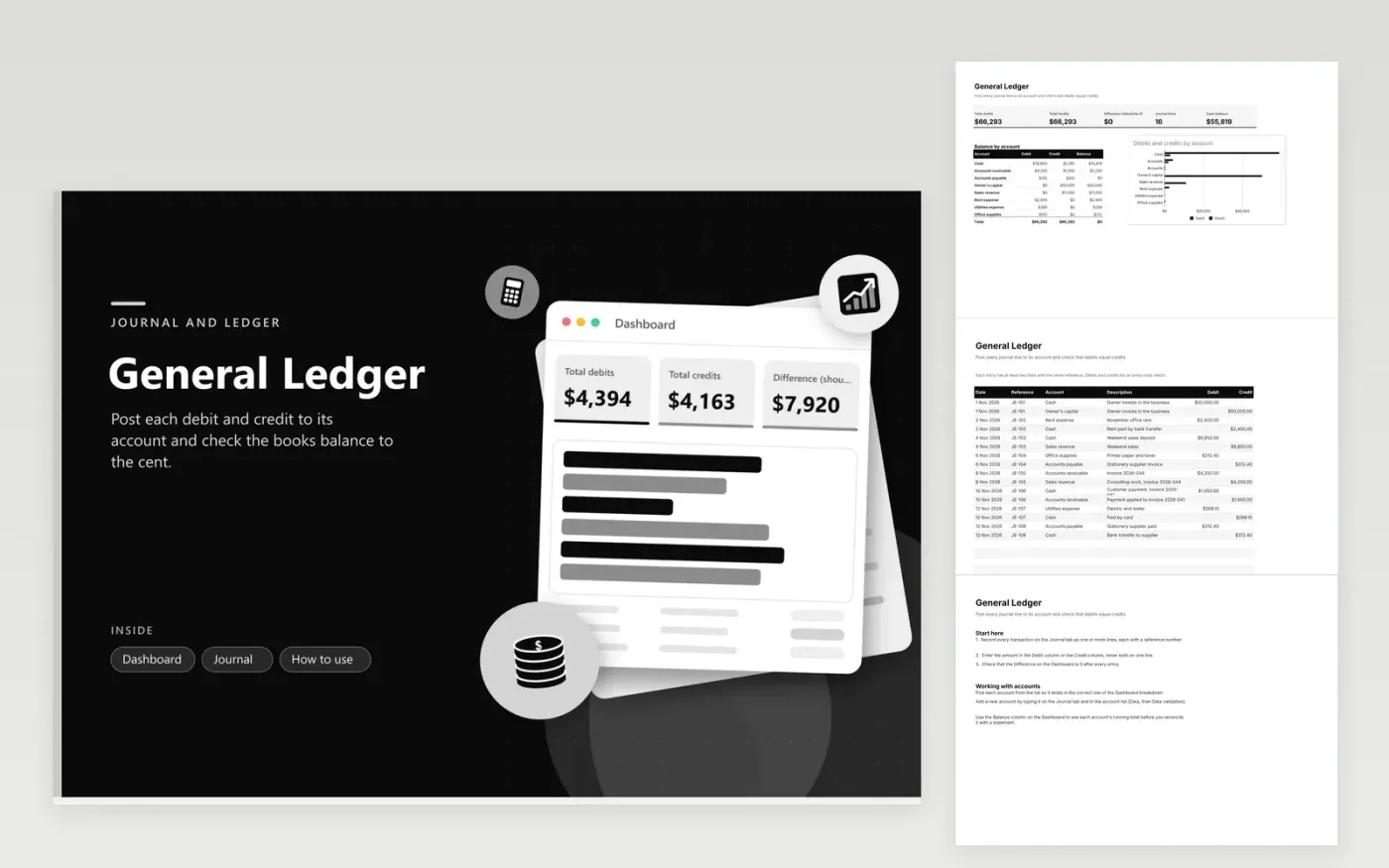
This general ledger suits bookkeepers and small business owners who record transactions in double-entry form. The Journal tab takes each line with its date, reference number, account from a list, description, and a debit or credit amount. Each entry uses one reference for all of its lines, so you can trace a transaction from start to finish.
The Dashboard totals debits and credits, shows the difference between them, counts the journal lines and reports the cash balance. A breakdown lists every account with its total debit, total credit and net balance, and a bar chart sets them side by side. Sample entries cover a first month of trading, with capital, rent, sales, supplies and utilities.
Click Make a copy in Google Sheets, then confirm on the Google page. The copy is saved to your own Google Drive.
Start on the Journal tab: replace the sample rows with your own.
Keep the formula columns as they are; they fill in as you type.
Read the How to use tab for tips. For Excel, download the .xlsx file instead.
Double-entry bookkeeping records each transaction in two places, so total debits always equal total credits. If they do not, a line is missing or has the wrong amount. The difference cell on the Dashboard shows this at a glance.
The journal lists transactions in the order they happened. The ledger groups them by account. This sheet holds the journal lines and summarizes each account on the Dashboard, which gives you the ledger view without a second tab.
Yes, but add it to the Account list first, using Data then Data validation, so every line can be picked from the same source. A typed name that does not match the list will not appear in the Dashboard breakdown.
Docs + Word6 pages
FeaturedFree
Excel
FeaturedFree
Sheets + Excel5 tabs
Free
Sheets + Excel5 tabs
Free
Sheets + Excel4 tabs
Free
Sheets + Excel5 tabs
Free
Sheets + Excel4 tabs
Free
Sheets + Excel5 tabs
Free
Sheets + Excel4 tabs
Free
Sheets + Excel4 tabs
Free
Sheets + Excel4 tabs
Free
Sheets + Excel4 tabs
Free
Sheets + Excel5 tabs
Free
Sheets + Excel4 tabs
Free








