
Annual Report
Docs + Word6 pages
Free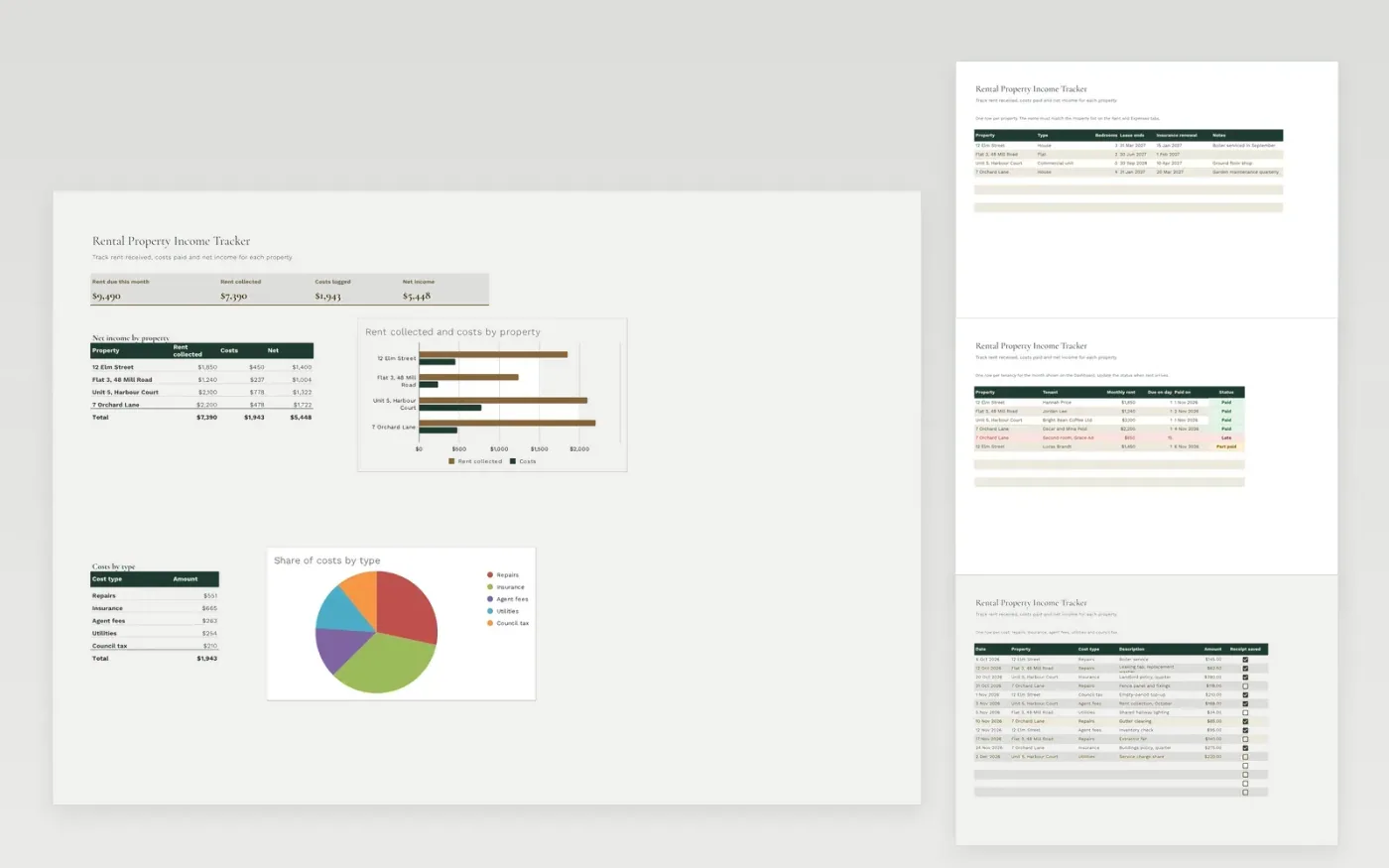
The Rental Property Income Tracker helps a small landlord keep rent and costs in one place. The Properties tab lists each property with its type, bedrooms, lease end and insurance renewal. The Rent tab is the rent roll for the month, with tenant, rent, due day, paid date and status. The Expenses tab logs repairs, insurance, agent fees, utilities and council tax against each property.
The Dashboard shows the rent due, the rent collected, the costs and the net income, with a breakdown by property and by cost type. It comes with sample data for four properties. Make a copy, replace the sample rows and update the rent status each month. Totals, dropdowns and charts update on their own.
Click Make a copy in Google Sheets, then confirm on the Google page. The copy is saved to your own Google Drive.
Start on the Properties tab: replace the sample rows with your own.
Keep the formula columns as they are; they fill in as you type.
Read the How to use tab for tips. For Excel, download the .xlsx file instead.
Yes. Download the template and use it at no cost. There is nothing to sign up for.
Yes. Download the .xlsx file and open it in Microsoft Excel. The formulas, dropdowns and charts work in Excel and Google Sheets.
No. It helps you record rent and costs in one place. Check the figures with an accountant or tax adviser before you file.
Docs + Word6 pages
Free
Excel
Free
Sheets + Excel4 slides
Free
Sheets + Excel4 slides
Free
Sheets + Excel4 slides
Free







