
Company Magazine
Docs + Word7 pages
FeaturedFree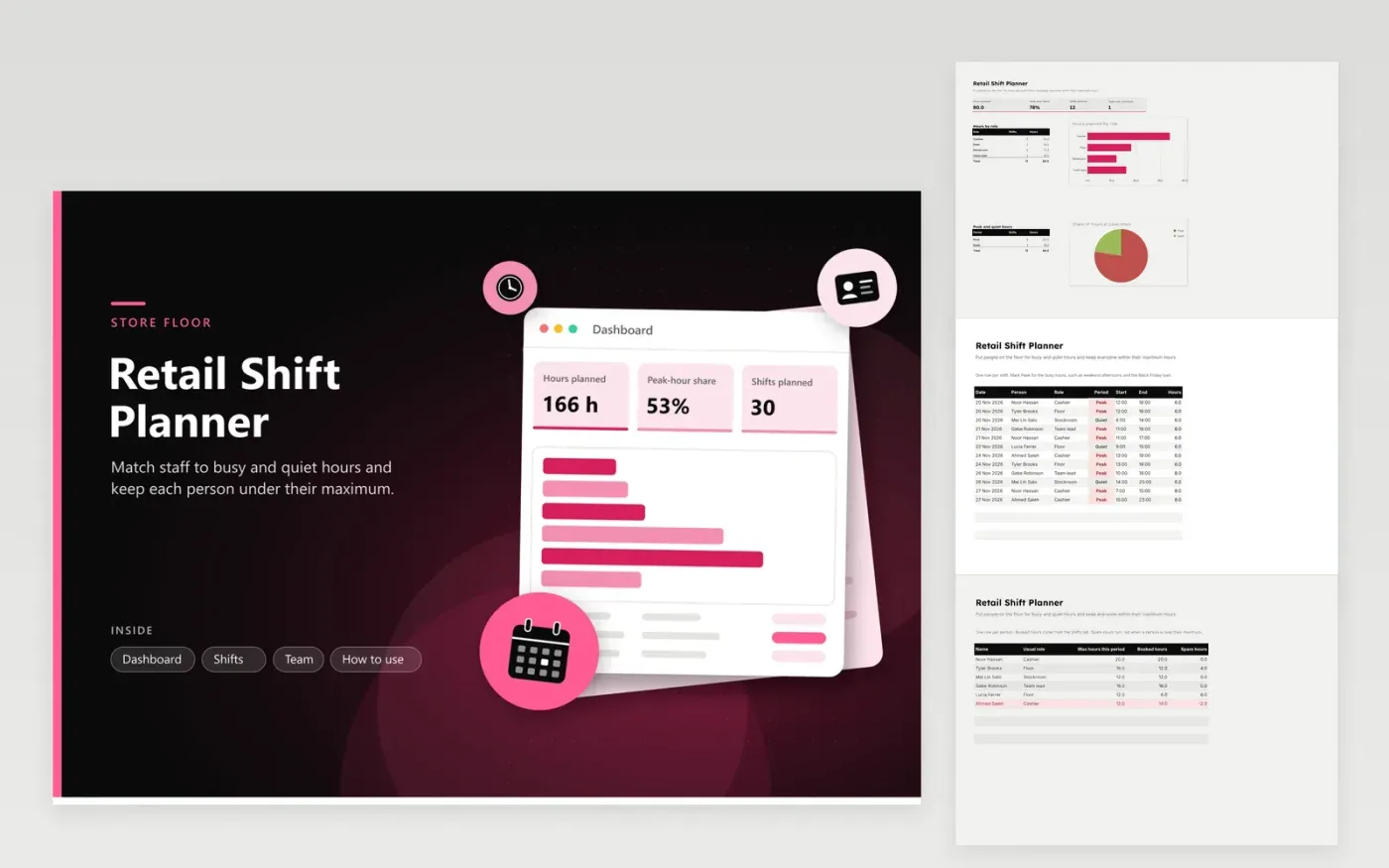
The retail shift planner is for store managers and supervisors who staff a shop floor through busy weekends and seasonal sales. The Shifts tab logs each shift with the person, role, whether it falls in a Peak or Quiet period, and its start and end times, with hours calculated for you. The Team tab sets each person's maximum hours, totals what is booked and shows the spare hours left, and the dashboard breaks hours down by role and by period.
Open with the sample shifts for Black Friday week, then type in your own team and rota. Mark the busy hours as Peak so the peak share on the dashboard reveals how much of the week falls at the busiest times. A person whose booked hours go past their maximum turns red on the Team tab, so move a shift before the rota is posted to the staff room.
Click Make a copy in Google Sheets, then confirm on the Google page. The copy is saved to your own Google Drive.
Start on the Shifts tab: replace the sample rows with your own.
Keep the formula columns as they are; they fill in as you type.
Read the How to use tab for tips. For Excel, download the .xlsx file instead.
Use your own sales figures. Look at the busiest hours on your till reports, then mark the shifts that cover them as Peak. Weekend afternoons and the evenings before a holiday are common starting points, but check your own data.
Yes, but use one copy per store. Each file has its own team list, so copies keep the hours and maximums apart. Rename each copy with the store name so the rota is easy to find.
Not automatically. Hours are the time between the start and end, so take unpaid breaks off by changing the end time or the hours in that row. Check your store's rules on meal and rest breaks.
Docs + Word7 pages
FeaturedFree
Docs + Word21 pages
FeaturedFree
Slides + PowerPoint16 slides
FeaturedFree
Sheets + Excel5 tabs
Free
Sheets + Excel5 tabs
Free
Sheets + Excel5 tabs
Free
Sheets + Excel5 tabs
Free
Sheets + Excel5 tabs
Free
Sheets + Excel4 tabs
Free
Sheets + Excel4 tabs
Free
Sheets + Excel4 tabs
Free