
Acceptable Use Policy
Docs + Word7 pages
Free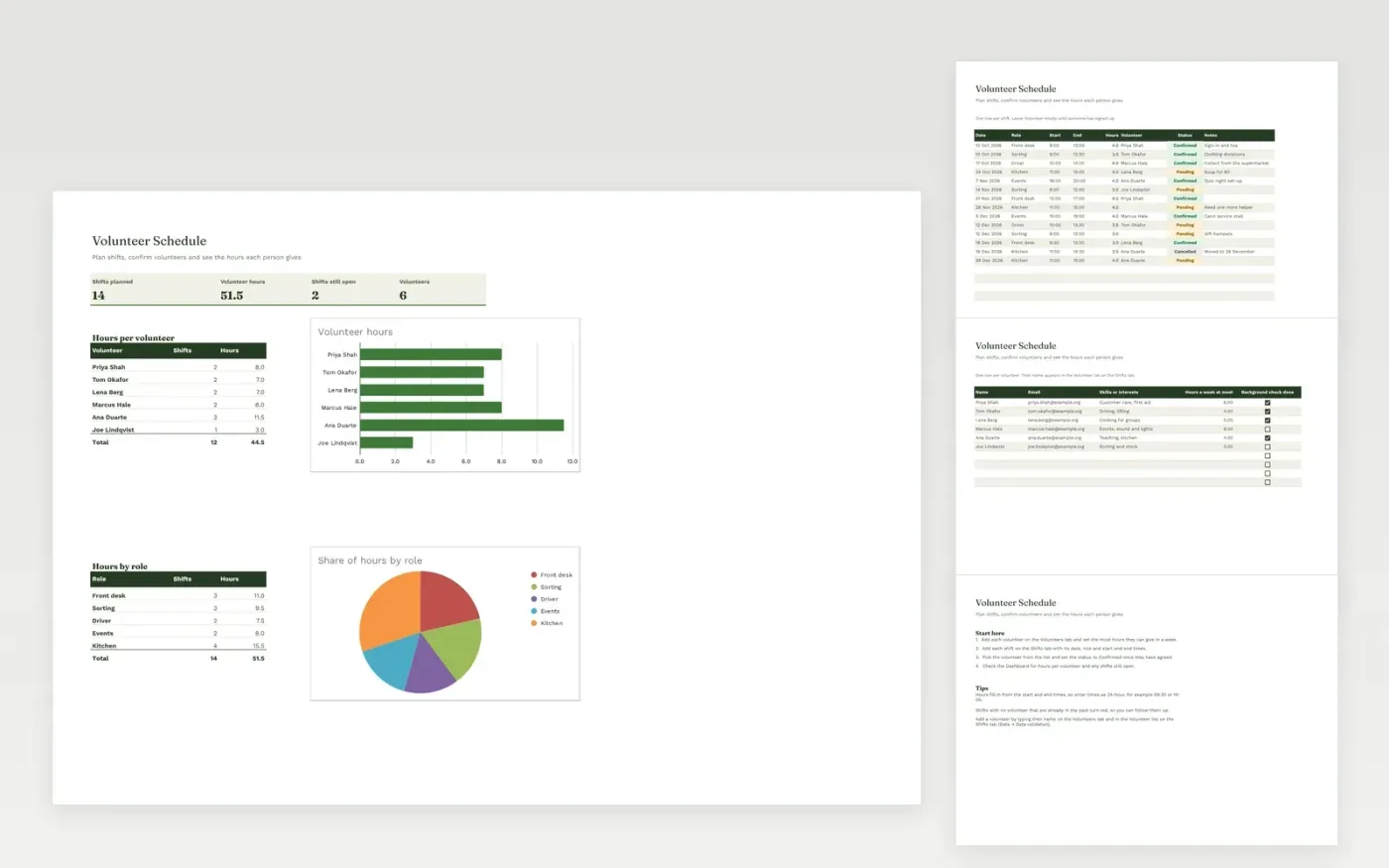
The Volunteer Schedule helps a charity or community group plan who is needed and when. The Shifts tab lists each shift with its date, role, start and end times and the hours it comes to. The Volunteers tab keeps the people who help, their skills and the most hours they can give in a week.
The Dashboard totals the hours for each volunteer and for each role, and flags shifts that still need someone. It comes with sample data for six volunteers and fourteen shifts. Make a copy, replace the sample rows and add your own people. Hours, dropdowns and the charts update on their own.
Click Make a copy in Google Sheets, then confirm on the Google page. The copy is saved to your own Google Drive.
Start on the Shifts tab: replace the sample rows with your own.
Keep the formula columns as they are; they fill in as you type.
Read the How to use tab for tips. For Excel, download the .xlsx file instead.
Yes. Download the template and use it at no cost. There is no account to create.
Yes. Download the .xlsx file and open it in Microsoft Excel. Hours are calculated from the start and end times in both Excel and Google Sheets.
A shift turns red when its date has passed and no volunteer is listed against it. It is a prompt to check whether the shift was covered.
More Google Sheets templatesMore business operations templates
Docs + Word7 pages
Free
Docs + Word8 pages
Free
n8n
Free
Sheets + Excel4 slides
Free
Sheets + Excel4 slides
Free









