
Company Magazine
Docs + Word7 pages
FeaturedFree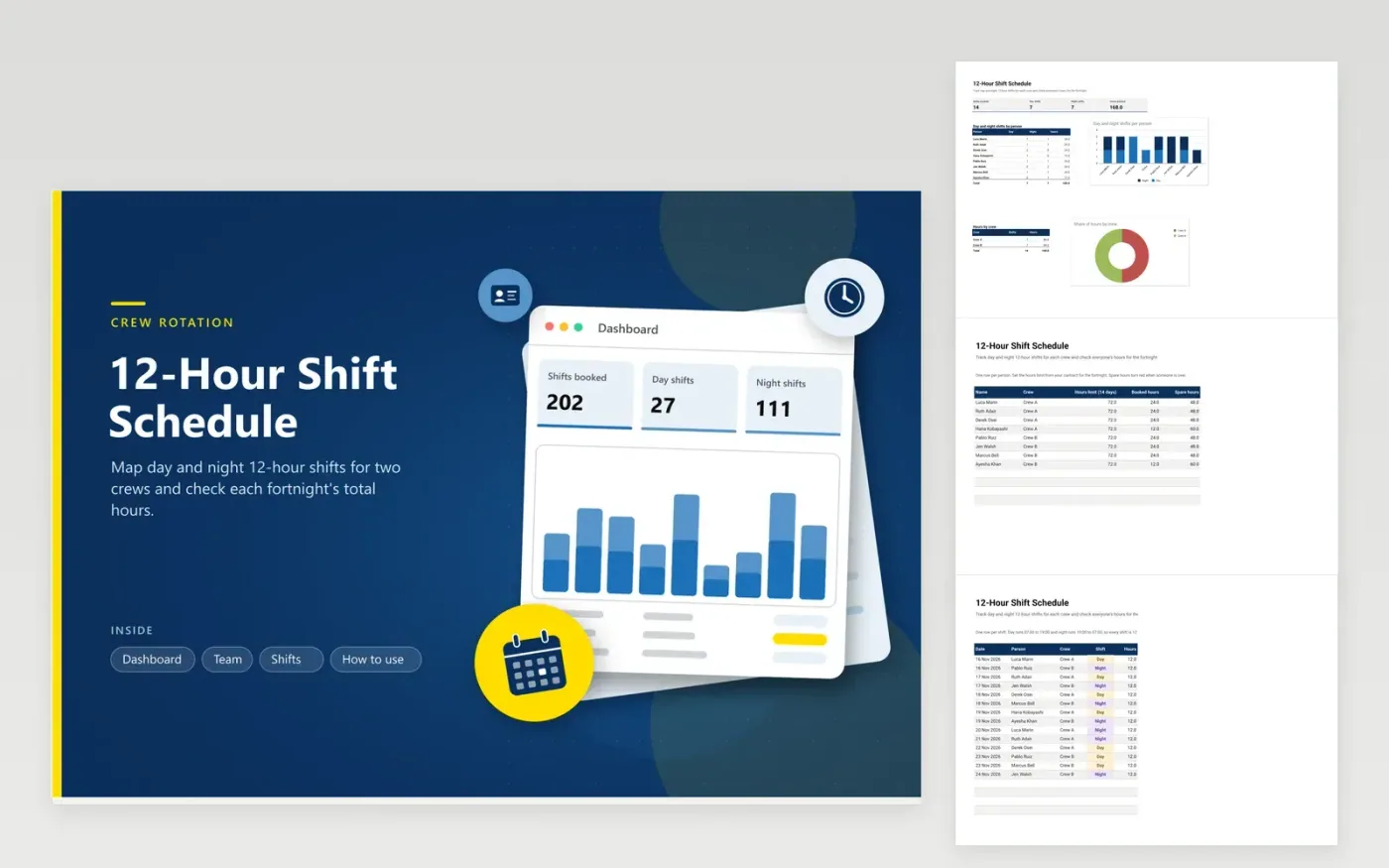
The 12-hour shift schedule is for supervisors of security, control room, care and utility teams who work two crews on day and night rotations. The Team tab lists each person with their crew and the hours limit for the fortnight, then totals booked hours and the spare hours left. The Shifts tab logs each day or night shift, and the dashboard shows day and night shifts by person and total hours by crew.
Start with the sample fortnight for two crews, then change the names, crews and limits to match your roster. Each shift fills in as 12 hours, so you only pick the date, person, crew and whether the shift is day or night. Check each person's spare hours before you publish the rota, and follow your contract and local rules on rest between shifts, which this sheet does not check.
Click Make a copy in Google Sheets, then confirm on the Google page. The copy is saved to your own Google Drive.
Start on the Team tab: replace the sample rows with your own.
Keep the formula columns as they are; they fill in as you type.
Read the How to use tab for tips. For Excel, download the .xlsx file instead.
Each row is one 12-hour shift, so the formula returns 12 for any row with a shift type. If your team works 8-hour or 10-hour shifts, change the formula in that column before you use the file.
Duplicate the workbook, empty the rows on the Shifts tab and keep the Team tab. Check that the hours limit still matches your contract for the new period.
Not in this version. It adds up shifts and hours but does not count the rest between a night shift and the next day shift. Plan rest using your organization's rules and check them before you publish the rota.
Docs + Word7 pages
FeaturedFree
Docs + Word21 pages
FeaturedFree
Slides + PowerPoint16 slides
FeaturedFree
Sheets + Excel5 tabs
Free
Sheets + Excel5 tabs
Free
Sheets + Excel5 tabs
Free
Sheets + Excel5 tabs
Free
Sheets + Excel5 tabs
Free
Sheets + Excel4 tabs
Free
Sheets + Excel4 tabs
Free
Sheets + Excel4 tabs
Free