
Company Magazine
Docs + Word7 pages
Free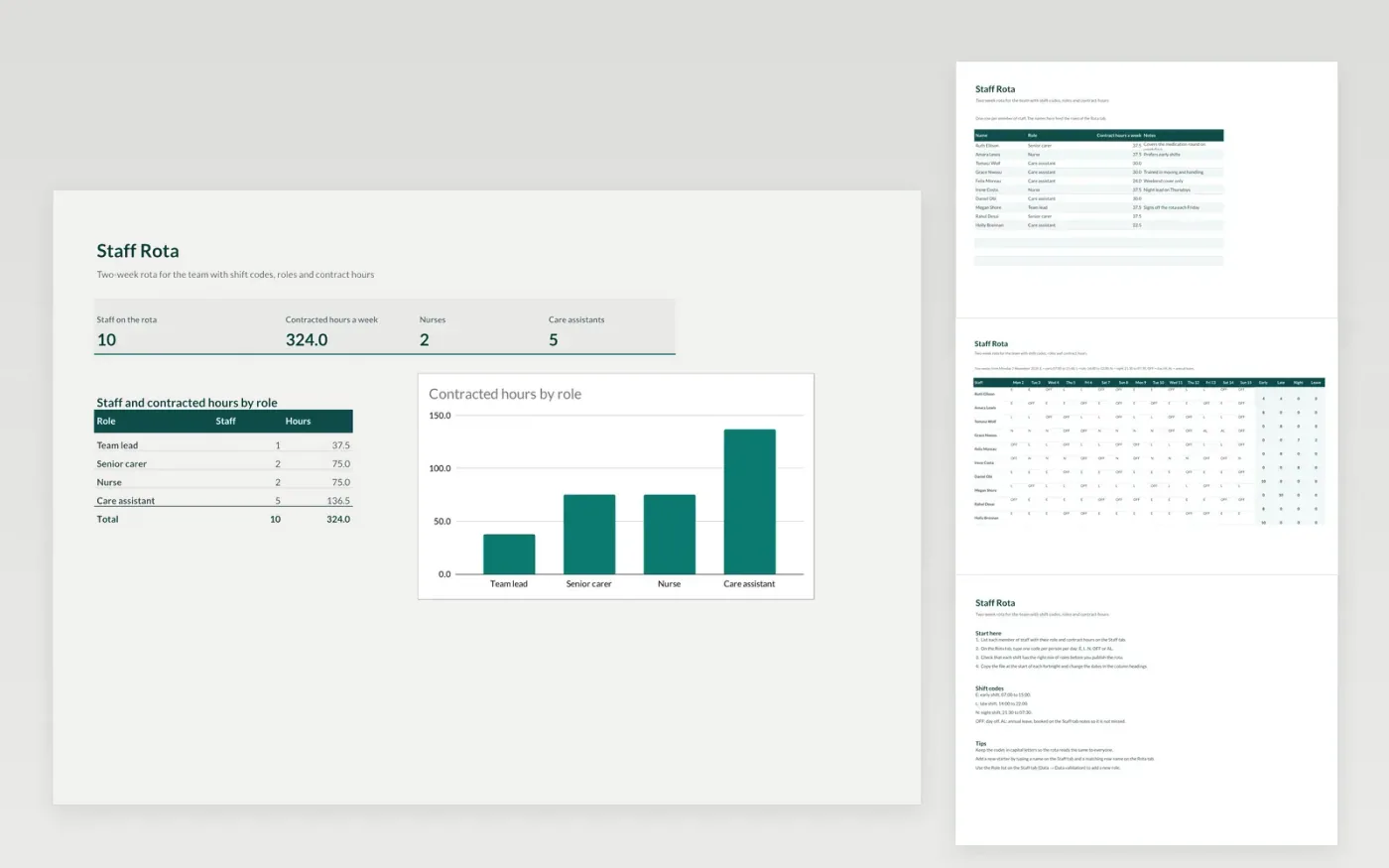
The Staff Rota template is for care homes, clinics and other teams that work to a fortnightly rota. The Staff tab lists each member of staff with their role, contract hours and notes. The Rota tab is a grid with one row per person and one column per day for two weeks, where each cell holds a shift code such as E, L, N, OFF or AL.
The file comes with sample data for nine staff, so you can see how it works. Make a copy, replace the names and codes with your own, and the role counts and contracted hours on the Dashboard update on their own.
Click Make a copy in Google Sheets, then confirm on the Google page. The copy is saved to your own Google Drive.
Start on the Staff tab: replace the sample rows with your own.
Keep the formula columns as they are; they fill in as you type.
Read the How to use tab for tips. For Excel, download the .xlsx file instead.
Yes. The Staff Rota template is free to download, copy and use for your own team.
Yes. Download the .xlsx file and open it in Microsoft Excel. The grid, dropdowns and charts work in Excel as well as in Google Sheets.
The Rota tab note and the guide explain the codes: E for early, L for late, N for night, OFF for a day off and AL for annual leave. Change the times in the guide to match your own shifts.
Docs + Word7 pages
Free
Docs + Word21 pages
Free
Slides + PowerPoint16 slides
Free
Sheets + Excel4 slides
Free
Sheets + Excel4 slides
Free








