
Company Magazine
Docs + Word7 pages
FeaturedFree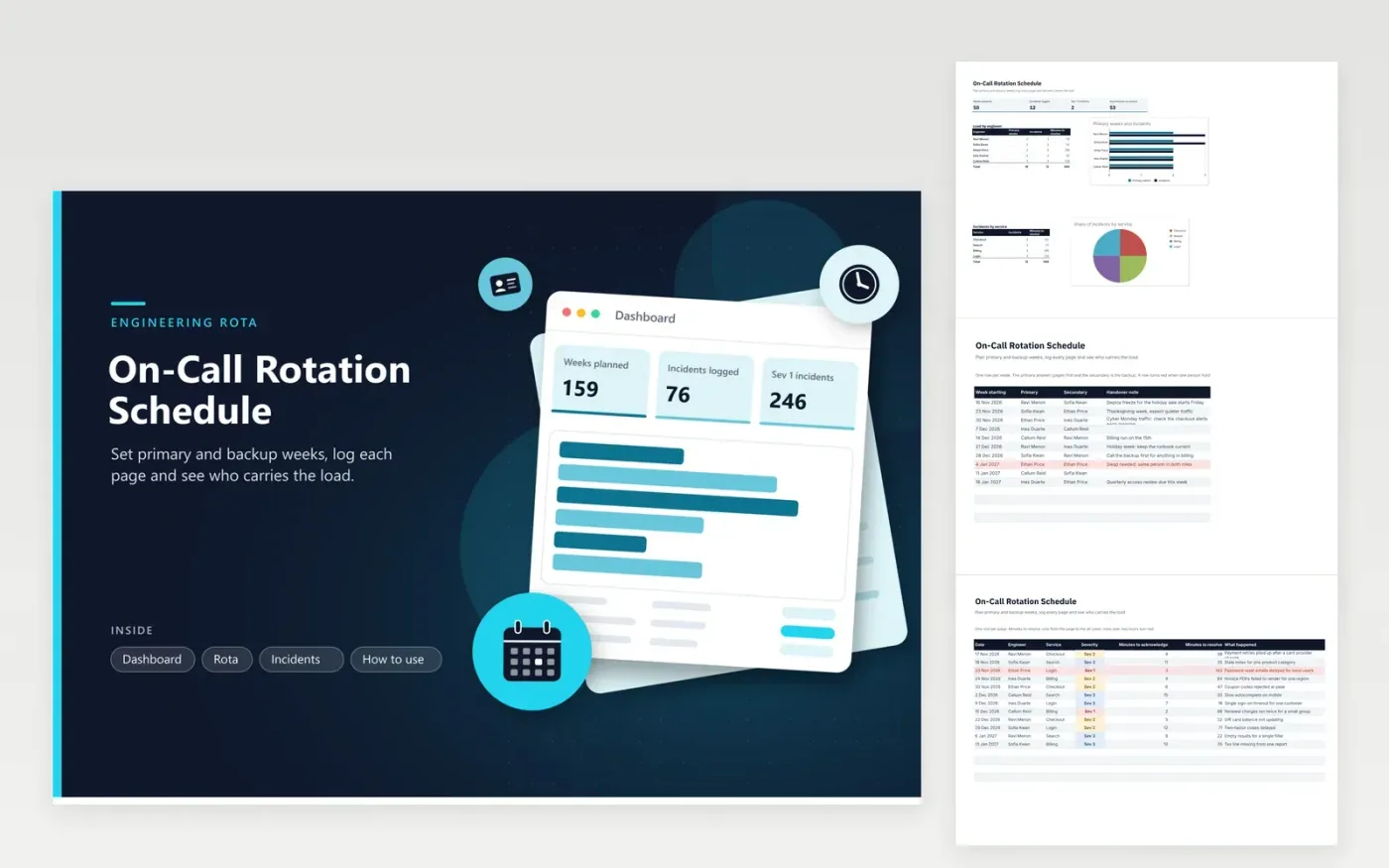
The on-call rotation schedule is for engineering managers and team leads who run a weekly primary and secondary rota. The Rota tab lists each week's start date, the primary and secondary engineer and a handover note, and a row turns red when one person holds both roles. The Incidents tab records each page with its severity, time to acknowledge and time to resolve, and the dashboard compares weeks on call with incidents for each engineer.
Plan the rota at least six weeks ahead, and copy the file each quarter so older rows stay for reference. Log each page as an Incidents row that same day while details are fresh, and keep the summary brief. Look at the load table before you set the next month's rota, and move a week away from anyone who has handled more than their share of Sev 1 pages.
Click Make a copy in Google Sheets, then confirm on the Google page. The copy is saved to your own Google Drive.
Start on the Rota tab: replace the sample rows with your own.
Keep the formula columns as they are; they fill in as you type.
Read the How to use tab for tips. For Excel, download the .xlsx file instead.
Type the name in the list of engineers on the Rota tab and the list on the Incidents tab (Data, then Data validation). The dashboard table lists engineers by name, so add a row for them there too.
It is the time from the page to the all-clear, typed in minutes by the engineer on call. The dashboard takes the mean across every incident, so one long outage pulls the figure up, which is why severity is logged too.
Not in this version. It counts weeks and incidents, not pay or time off in lieu. Add a separate column or a payroll sheet if on-call is paid, and check your employment terms.
Docs + Word7 pages
FeaturedFree
Docs + Word21 pages
FeaturedFree
Slides + PowerPoint16 slides
FeaturedFree
Sheets + Excel5 tabs
Free
Sheets + Excel5 tabs
Free
Sheets + Excel5 tabs
Free
Sheets + Excel5 tabs
Free
Sheets + Excel5 tabs
Free
Sheets + Excel4 tabs
Free
Sheets + Excel4 tabs
Free
Sheets + Excel4 tabs
Free