
Company Magazine
Docs + Word7 pages
FeaturedFree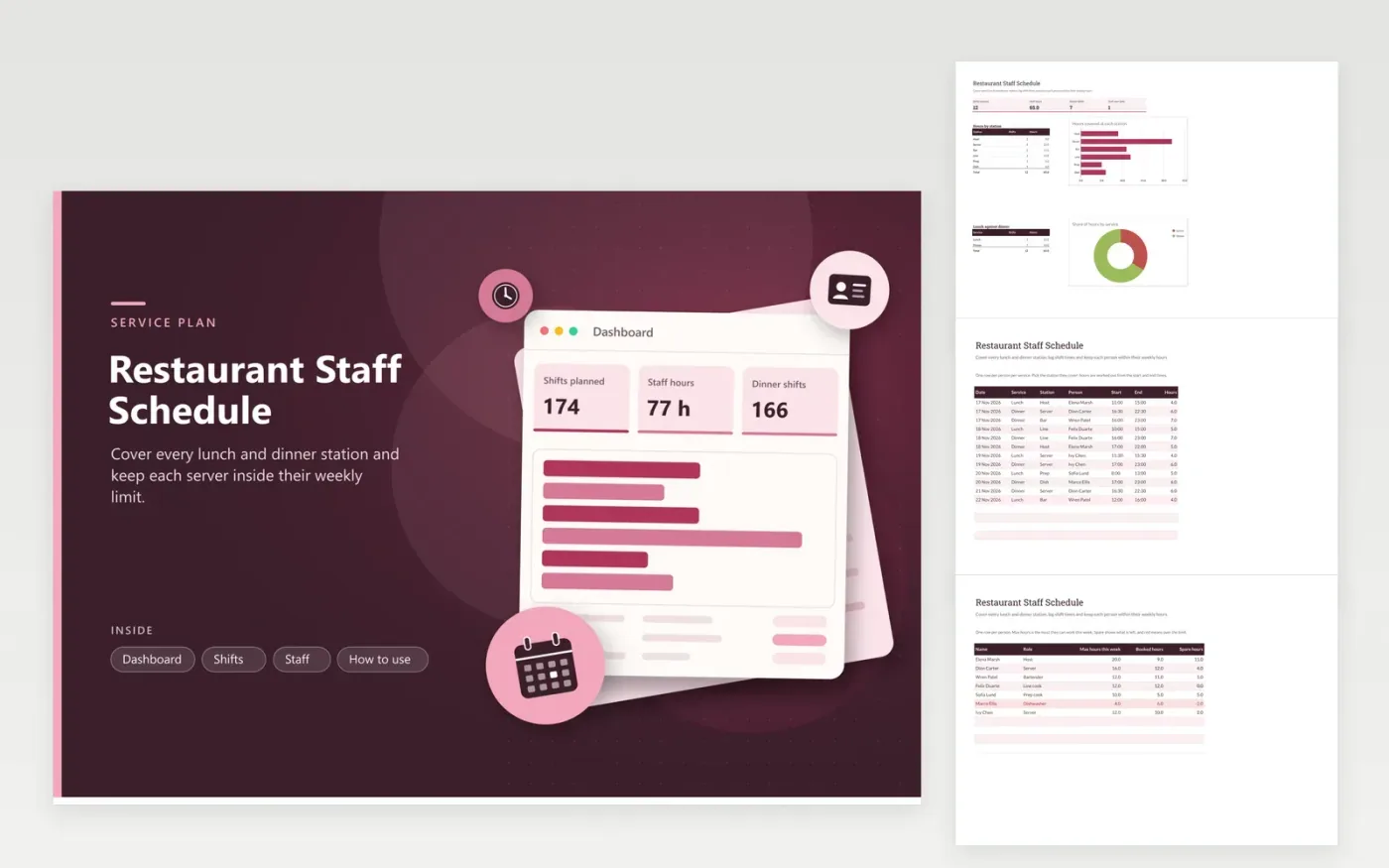
The restaurant staff schedule is for owners and shift leads who staff a dining room and kitchen across lunch and dinner. The Shifts tab has one row per person per service, listing the station they cover, when they start and finish, and the hours worked out automatically. The Staff tab sets each person's weekly maximum and shows the hours booked and the spare time left, and the dashboard charts hours by station and by service.
Begin with the sample week for seven staff, then replace the names and stations with your own. Keep the station names matched to your floor plan so the station chart stays useful. A shift whose end time is not after its start turns red, which catches a late shift typed the wrong way round. Review the Staff tab each Friday before you publish the next week's rota.
Click Make a copy in Google Sheets, then confirm on the Google page. The copy is saved to your own Google Drive.
Start on the Shifts tab: replace the sample rows with your own.
Keep the formula columns as they are; they fill in as you type.
Read the How to use tab for tips. For Excel, download the .xlsx file instead.
Each row takes the start and end times and works out the gap in hours, so 16:30 to 22:30 gives 6 hours. A shift that finishes after midnight needs its hours typed in by hand, since the formula reads both times on one day.
Not in this version. The template tracks hours and stations, not pay. Multiply the hours by each person's rate in a separate column or on your payroll sheet.
Their row on the Staff tab goes red, and the dashboard adds them to Staff over limit. Move a shift to someone with spare hours, and the count drops back.
Docs + Word7 pages
FeaturedFree
Docs + Word21 pages
FeaturedFree
Slides + PowerPoint16 slides
FeaturedFree
Sheets + Excel5 tabs
Free
Sheets + Excel5 tabs
Free
Sheets + Excel5 tabs
Free
Sheets + Excel5 tabs
Free
Sheets + Excel5 tabs
Free
Sheets + Excel4 tabs
Free
Sheets + Excel4 tabs
Free
Sheets + Excel4 tabs
Free