
Acceptable Use Policy
Docs + Word7 pages
Free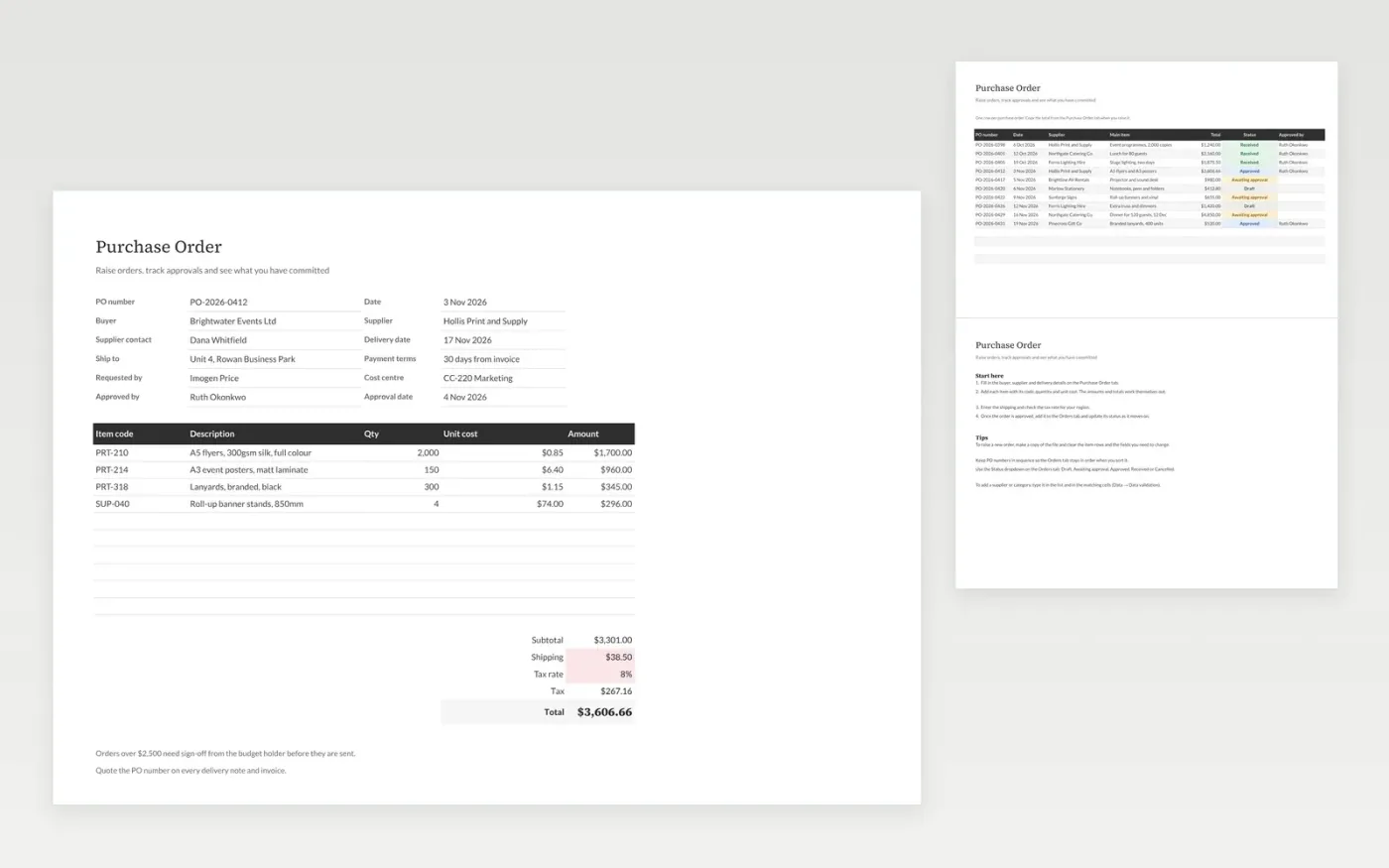
This purchase order template gives you a form to raise an order and a log to track every order. The Purchase Order tab holds the buyer, the supplier, delivery details and approval, then the items you are buying, shipping, tax and the total. The Orders tab lists each order with its supplier, value and status, so you can see what is waiting for approval and what has arrived.
It comes with sample data for a small events business. Make a copy, replace the sample rows with your own, and the amounts, totals and tax update on their own. Use the status dropdown on the Orders tab to keep the log current.
Click Make a copy in Google Sheets, then confirm on the Google page. The copy is saved to your own Google Drive.
Start on the Purchase Order tab: replace the sample rows with your own.
Keep the formula columns as they are; they fill in as you type.
Read the How to use tab for tips. For Excel, download the .xlsx file instead.
Yes. The Purchase Order template is free to download and use. Make a copy in Google Sheets or download the Excel file.
Yes. Download the .xlsx file and open it in Excel, Google Sheets or another compatible spreadsheet app. The formulas, dropdowns and totals work in both.
Yes. Change the Tax rate cell on the Purchase Order tab and the tax and total update straight away.
More Google Sheets templatesMore business operations templates
Docs + Word7 pages
Free
Docs + Word8 pages
Free
n8n
Free
Docs + Word3 pages
Free
Docs + Word3 pages
Free
Docs + Word3 pages
Free









