Purchase Order
Docs + Word3 pages
Free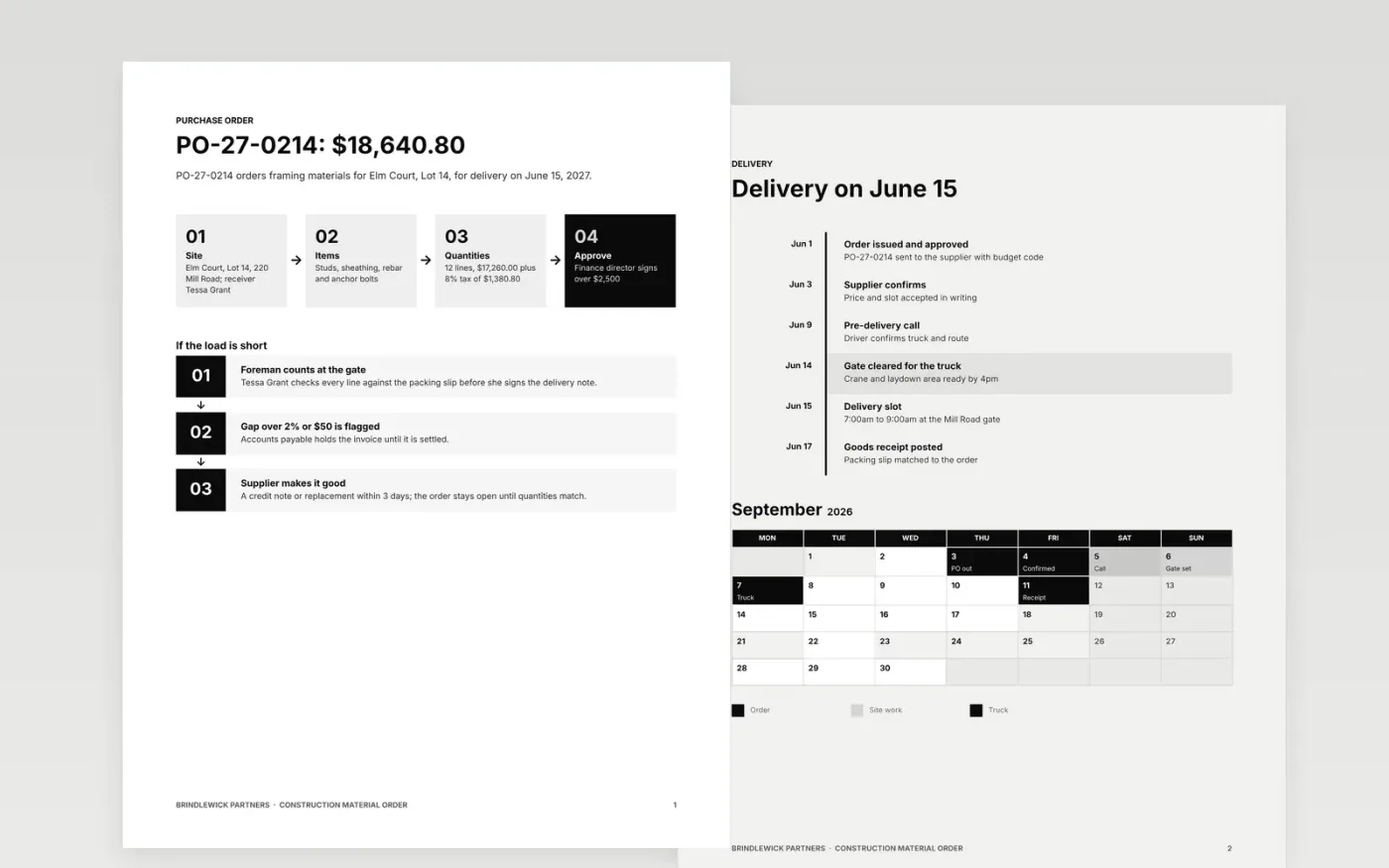
Late or mismatched deliveries start with an order that is vague about what, how many, where and when. This template lays out the order as four steps from site to approval, a short-load process for the delivery gate and a dated timeline with a delivery slot calendar.
The sample follows Brindlewick Partners ordering framing materials for Elm Court, Lot 14: PO-27-0214 for $18,640.80 including 8% tax, delivered June 15, 2027. Replace the site, supplier, items, quantities, budget code, approval limits and dates with your own.
Click Make a copy in Google Docs, then confirm on the Google page. The copy is saved to your own Google Drive.
Replace the PO number, site address, receiver name and supplier details with your own, and add the budget code the cost is charged to.
Enter your items, quantities and agreed prices, then update the tax rate, total and approval limits to match your policy.
Move the timeline and calendar to your own delivery slot, and set the match tolerance you use for short loads.
Delete the guide page, then send the order to your supplier or share it with your site team.
Yes. It is a free Google Docs template. Make a copy to your own Google Drive and edit the site, supplier, items and dates for each order.
The sample flags any difference above 2% or $50 between order, goods receipt and invoice. Change it to the tolerance your accounts payable team uses.
No. Brindlewick Partners, the Elm Court site, the people, the order number and every figure are fictional sample content. Replace them with your own.
Docs + Word3 pages
Free
Docs + Word6 pages
Free
Excel
Free
Sheets + Excel3 slides
Free
Docs + Word3 pages
Free








