
Quarterly Board Report
Docs + Word17 pages
Free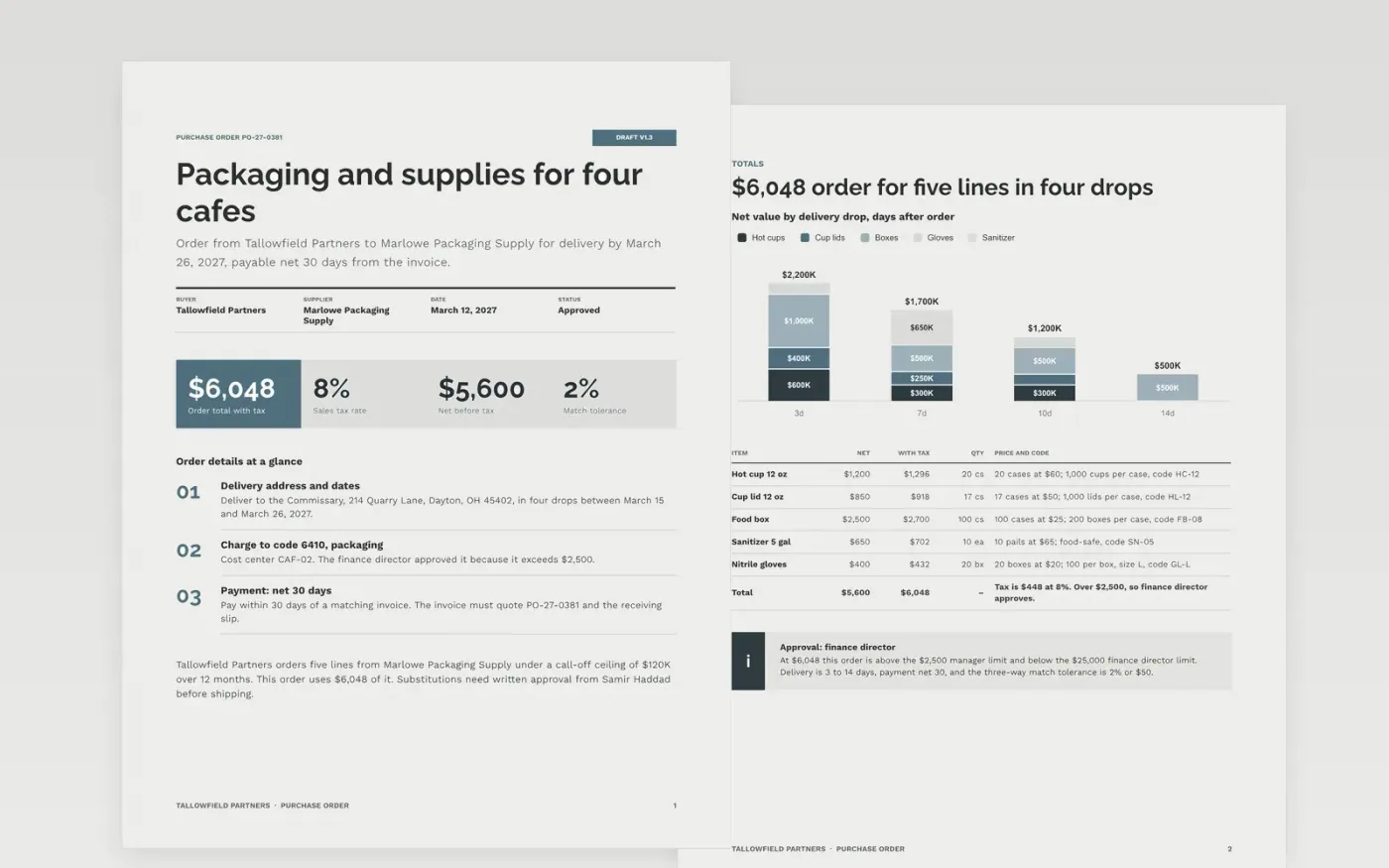
A purchase order raised after the invoice arrives defeats the control it exists for. This template gives small and mid-size businesses a standard order: buyer and supplier, PO number, item lines with codes and prices, delivery address and date, tax and totals, payment terms and approval limits, all on a single page.
The sample shows Tallowfield Partners ordering $6,048 of packaging and supplies from a fictional supplier, in four delivery drops, with 8% tax and net 30 payment. Replace the buyer header, numbering and approval limits first, then enter your supplier's account code, product codes and agreed prices.
Click Make a copy in Google Docs, then confirm on the Google page. The copy is saved to your own Google Drive.
Replace the buyer header, PO numbering and approver limits with your own, then enter the supplier name, account code and payment terms as held in your supplier master.
Replace the item lines with product codes, quantities and agreed prices, and add the budget, fund or grant code the cost should be charged to.
Check that the net and tax-inclusive totals add up, then delete the call-off or par-level fields if you do not use them.
Delete the guide page, then send the order to your supplier or share it with accounts payable.
The PO is the first leg of the three-way match with the goods received note and the invoice. Raising it afterward means nobody approved the spend in advance.
Managers approve up to $2,500, the finance director up to $25,000, and the board above that. Replace these with the limits in your own spending policy.
No. Tallowfield Partners, the supplier, the people, the email addresses, the addresses and every figure in the sample are fictional. Replace them with your own details before sending.
Docs + Word17 pages
Free
Docs + Word6 pages
Free
Slides + PowerPoint20 slides
Free
Docs + Word3 pages
Free
Sheets + Excel3 slides
Free
Docs + Word3 pages
Free









