
Lead Intake Webhook
n8n
Free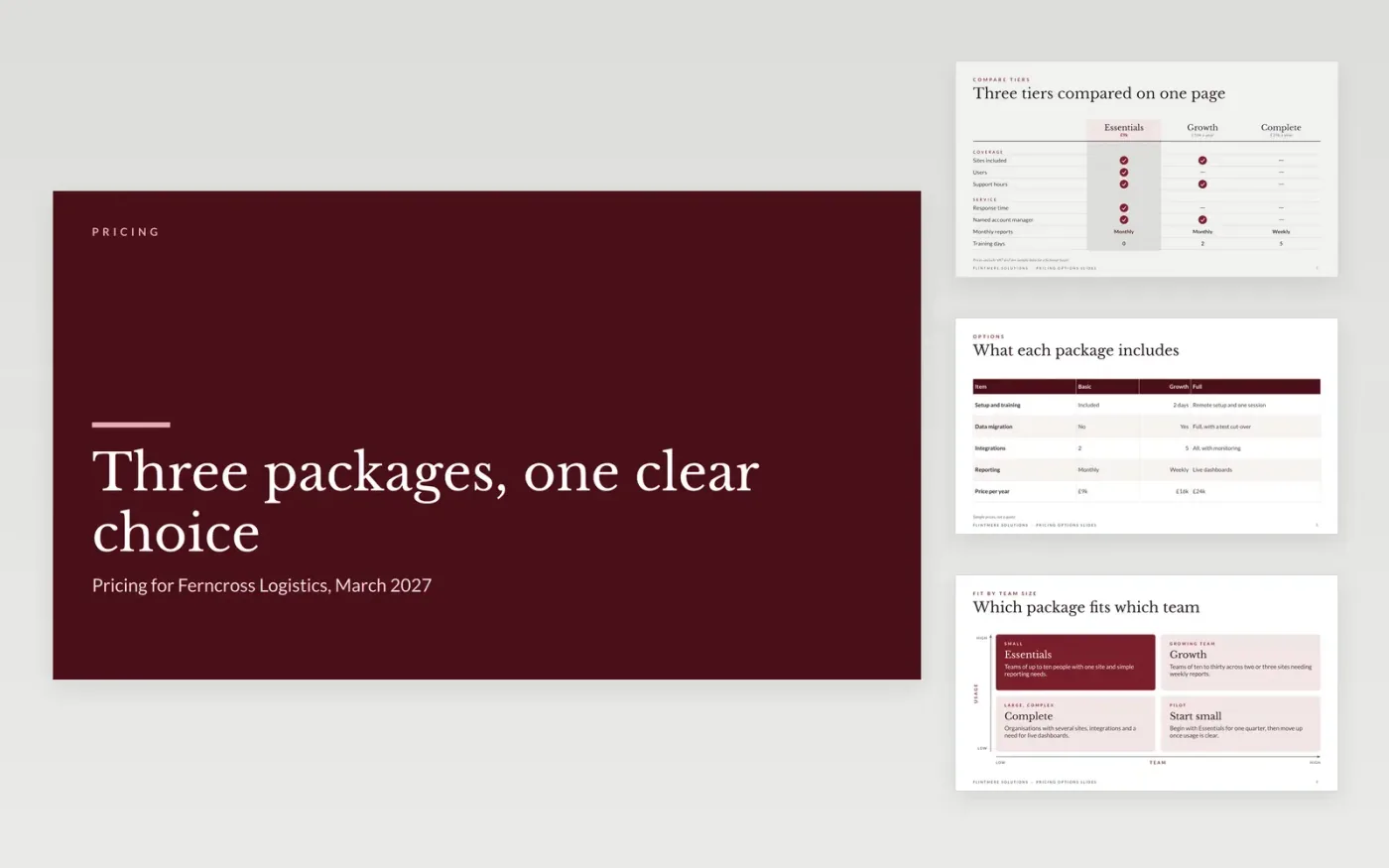
This free Google Slides template helps a supplier present priced options to a buyer as a structured choice rather than a haggle. It shows what each package includes, compares them on one page, sets out where each one fits and recommends the option the buyer is most likely to need. The cost and terms come last, so the buyer sees the value before the price.
The sample is a proposal from Flintmere Solutions, a fictional supplier, to Ferncross Logistics, a fictional buyer, with Essentials, Growth and Complete tiers. Prices, team sizes and dates are invented. Replace the packages and figures with your own, explain any price change in one sentence, and keep discounts tied to a clear trade.
Click Make a copy in Google Slides, then confirm on the Google page. The copy is saved to your own Google Drive.
Replace the buyer's needs and site count with the facts from your last call.
Set the three packages and prices, then check every row of the comparison table.
Explain any price change in one sentence, with its reason and the date it applies.
Delete the guide slide, then share the deck or present it from the first slide.
Three is common because buyers compare the middle option first, but two or four can work. What matters is that each package has a clear purpose and that the cheapest one is not a trap.
No. Flintmere Solutions, Ferncross Logistics, the people, packages, prices and dates are fictional sample data. Replace them with your own figures before you send the deck.
Tie any discount to something the buyer gives in return, such as a longer term or a case study, and show the trade in the table. Never present a discount as a favour, because it sets the next price.
n8n
Free
Slides + PowerPoint12 slides
Free
Docs + Word3 pages
Free
Docs + Word6 pages
Free
Docs + Word7 pages
Free








