Pricing Proposal
Docs + Word7 pages
Free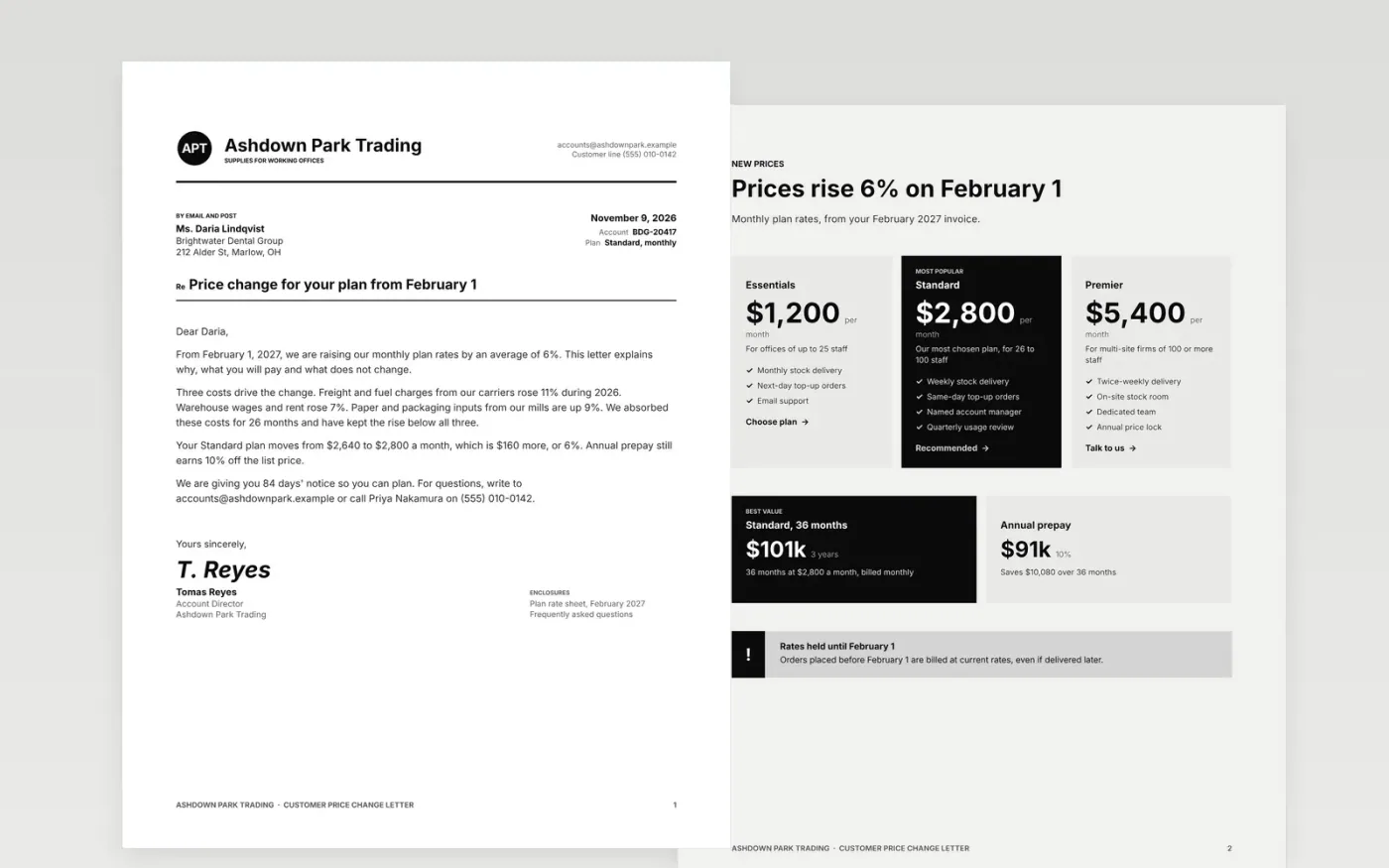
A price rise goes better when the customer sees the reason, the new number and the date before they have to ask. This six-page template opens with a formal letter, then sets out the new plan prices, the terms that apply from the effective date, a list of what stays the same and an owner-by-owner action plan.
The sample shows a fictional supplier, Ashdown Park Trading, raising monthly plan rates by 6 percent with 84 days' notice. Replace the letter, plan names, prices, dates, owners and terms with your own, and keep the unchanged items so customers can see what they keep.
Click Make a copy in Google Docs, then confirm on the Google page. The copy is saved to your own Google Drive.
Rewrite the letter with your reasons, the average increase and the effective date, keeping at least 60 days between the letter and the new rates.
Replace plan names, prices and terms, then update the unchanged items so they are true for every customer you are writing to.
Set owners and due dates in the action plan, and adjust the Gantt bars to match your own calendar.
Delete the Make it yours page, then share the document or export it as a PDF to send.
Give 60 to 90 days. That is long enough for customers to budget, compare options or ask questions, and it shows the rise is planned rather than sudden.
No. Ashdown Park Trading, its people, its customers and every price and date are fictional sample content. Replace all of it with your own facts.
Yes. Name the real cost drivers with their size, state the average increase and say what stays the same. Customers accept a clear reason far more readily than silence.
Docs + Word7 pages
Free
n8n
Free
Slides + PowerPoint12 slides
Free









