
New Hire Orientation Deck
Slides + PowerPoint16 slides
Free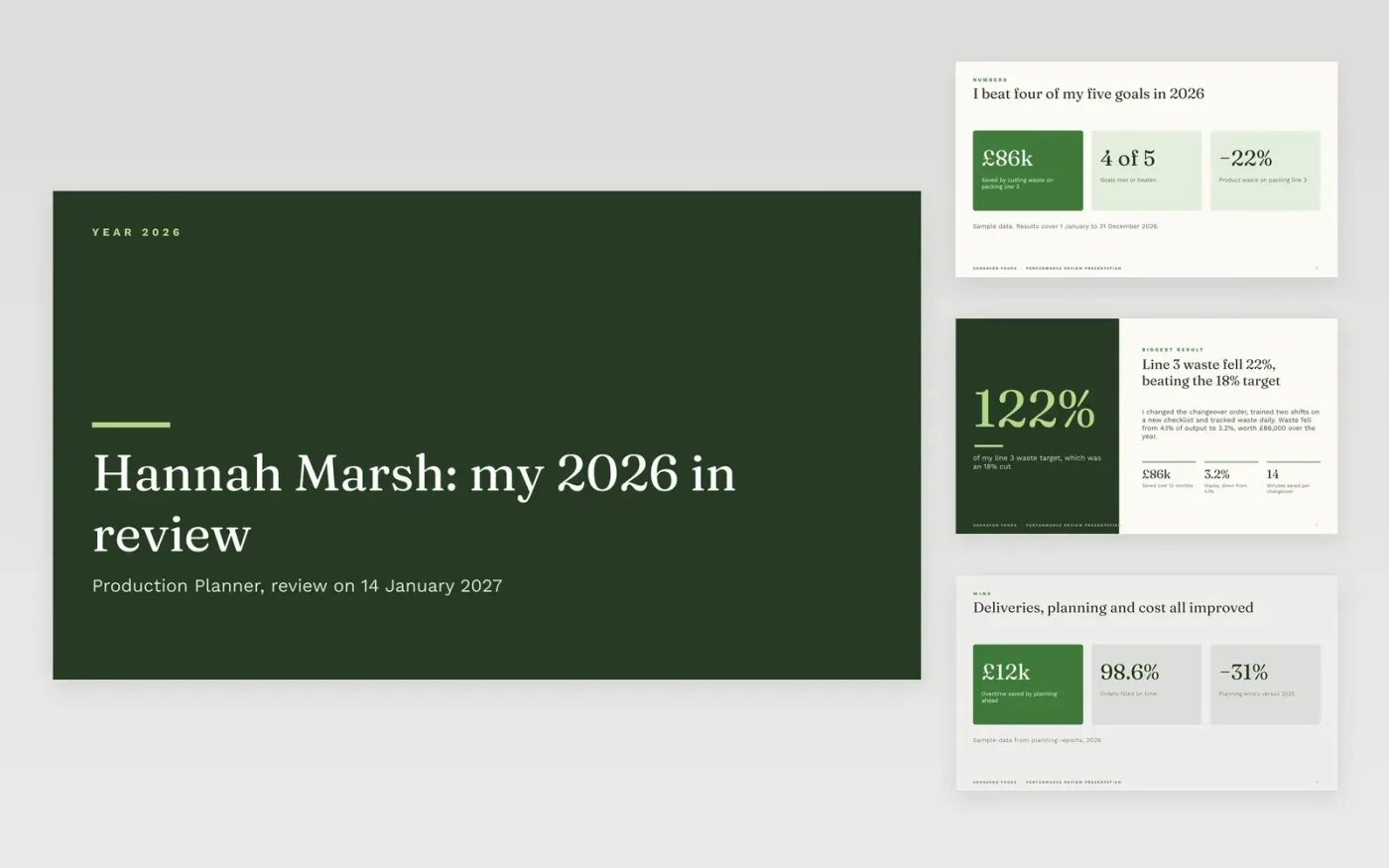
A good review conversation starts with evidence. This deck lets an employee present their year in a clear order: the results in numbers, the biggest win, dated highlights, what was learned, goals for next year and the people who will help. It is organised as eleven slides, built for a conversation with a manager or panel.
The sample follows Hannah Marsh, a production planner at Oakhaven Foods, who cut waste on a packing line by 22% and met four of five goals. Each result carries a date or a number. Replace the name, role, goals and results with your own, and write every claim so someone else can check it.
Click Make a copy in Google Slides, then confirm on the Google page. The copy is saved to your own Google Drive.
Set your name, role, review period and manager on the cover, then replace the sample goals with your agreed objectives.
Enter your real results with a date and a number for each, and add a short comment from your manager if you have one.
Rewrite the lessons and next-year goals, then name the people who will support you.
Delete the Make it yours slide, then present the deck at your review or share it before the meeting.
Your results against agreed goals, a few dated examples, what you learned, goals for next year and the support you need. Keep pay out of the first conversation.
Four to six goals is typical, each with a result between roughly 60% and 120% of target. Show the evidence for each rather than describing effort.
No. Oakhaven Foods, Hannah Marsh, her colleagues and every figure are fictional sample content. Replace all of it with your own details before presenting.
Slides + PowerPoint16 slides
Free
Word
Free
Docs + Word7 pages
Free
Docs + Word7 pages
Free
Slides + PowerPoint10 slides
Free
Docs + Word9 pages
Free
Docs + Word7 pages
Free









