Meeting Agenda
Docs + Word3 pages
Free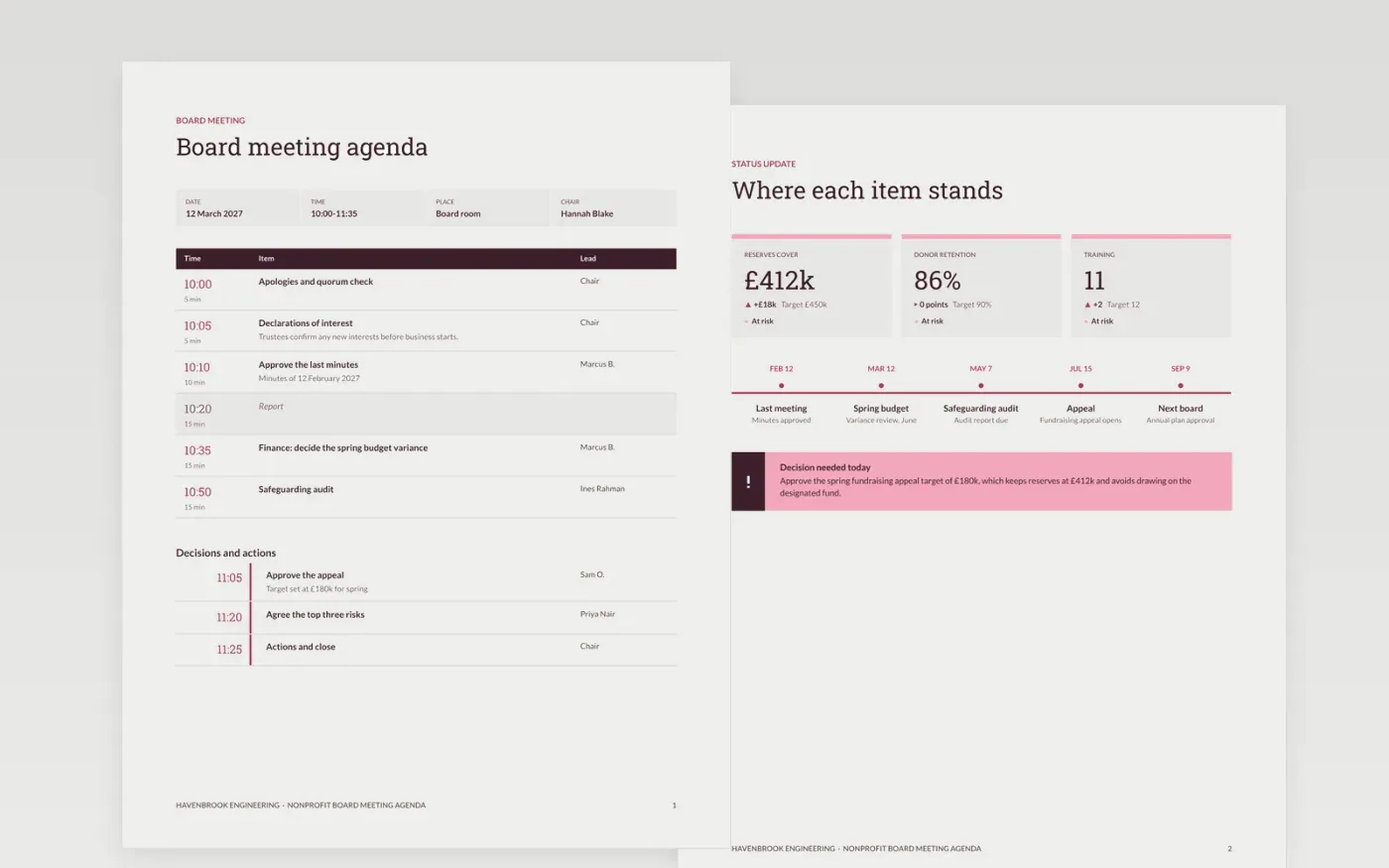
Board meetings run long when items are topics rather than questions and nobody has been asked to prepare. This agenda sets out the purpose, the meeting length and a timed list of items, each with an owner and a desired outcome. Standing items such as finance and safeguarding come early enough that decisions are not squeezed out, and the last ten minutes are kept for actions.
The sample is for Havenbrook Engineering, a fictional firm, and runs a 95-minute session from 10:00 to 11:35 with six timed items and a short second session. A status page covers reserves, donor retention, training and key dates, so the chair can see where each item stands before the meeting starts. Replace the purpose, items and owners with your own, check that the minutes still add up to the length of the meeting, and attach the pre-reading with the date it must be read by.
Click Make a copy in Google Docs, then confirm on the Google page. The copy is saved to your own Google Drive.
Set the purpose in one line and the length of the meeting, then check that the timings add up.
Replace the item titles with questions, and give each one an owner and a number of minutes.
Attach the pre-reading and write the date it must be read by in the agenda.
Delete the guide page, then share the agenda or present it at the start of the meeting.
No. Havenbrook Engineering, the named trustees and officers, the reserve figures and every time on this agenda are fictional, so replace them before the agenda goes to a board.
Yes. Keep the purpose, timed items and actions, remove the safeguarding and statutory items that do not apply, and shorten the meeting to thirty or sixty minutes.
Protect the closing ten minutes for actions, and move any item that will not finish to the next meeting with a named owner rather than extending the session.
Docs + Word3 pages
Free
Docs + Word4 pages
Free
Docs + Word2 pages
Free
Docs + Word3 pages
Free
Docs + Word3 pages
Free
Docs + Word3 pages
Free
Slides + PowerPoint11 slides
Free
Docs + Word3 pages
Free
Slides + PowerPoint10 slides
Free
Slides + PowerPoint12 slides
Free
Docs + Word3 pages
Free
Docs + Word4 pages
Free










