Team Meeting Agenda
Docs + Word2 pages
Free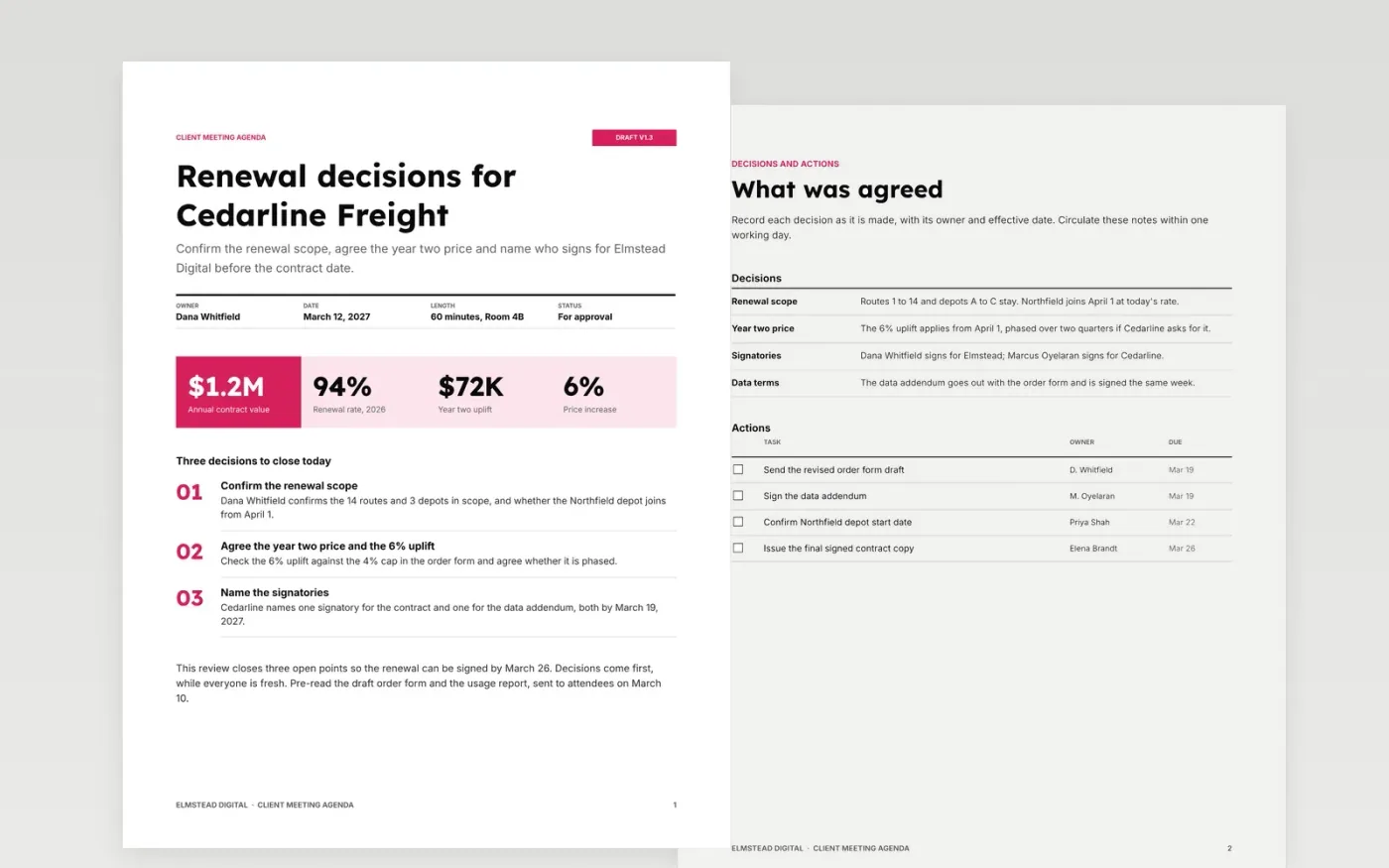
This free Google Docs template gives account managers a purpose page, a set of decisions and a checklist of actions for a client review. It is built for meetings where the outcome matters more than the discussion, so each item is phrased as a question with an owner and a time limit. The pages run in the order people need them: why you are meeting, what must be decided, and who does what next.
Every page shows sample content for Elmstead Digital, a fictional agency preparing a renewal review with Cedarline Freight. The names, figures and dates are invented so you can see what a finished agenda looks like. Replace the title block, the item questions, the decisions and the actions with your own, then check that the timings still add up to the meeting length.
Click Make a copy in Google Docs, then confirm on the Google page. The copy is saved to your own Google Drive.
Replace the client name, the title block details and the figures in the stats strip with your own.
Rewrite each item as a question with an owner and the minutes allowed, then check the timings add up.
Update the decisions and the actions checklist during the meeting, then send the notes within one working day.
Delete the guide page, then share the document with attendees or present it from the first page.
Yes. Items can move between pages, but keep the purpose first and the decisions before the actions so the outcome stays visible to everyone in the room.
Yes. Elmstead Digital, Cedarline Freight, the attendees and every figure are fictional sample data. Replace them with your own details before you share the document.
Most client reviews run 30 to 60 minutes. Keep each item between 5 and 15 minutes, and make sure the total matches the length shown on the title block.
Docs + Word2 pages
Free
Docs + Word2 pages
Free
Docs + Word2 pages
Free










