Team Meeting Agenda
Docs + Word2 pages
Free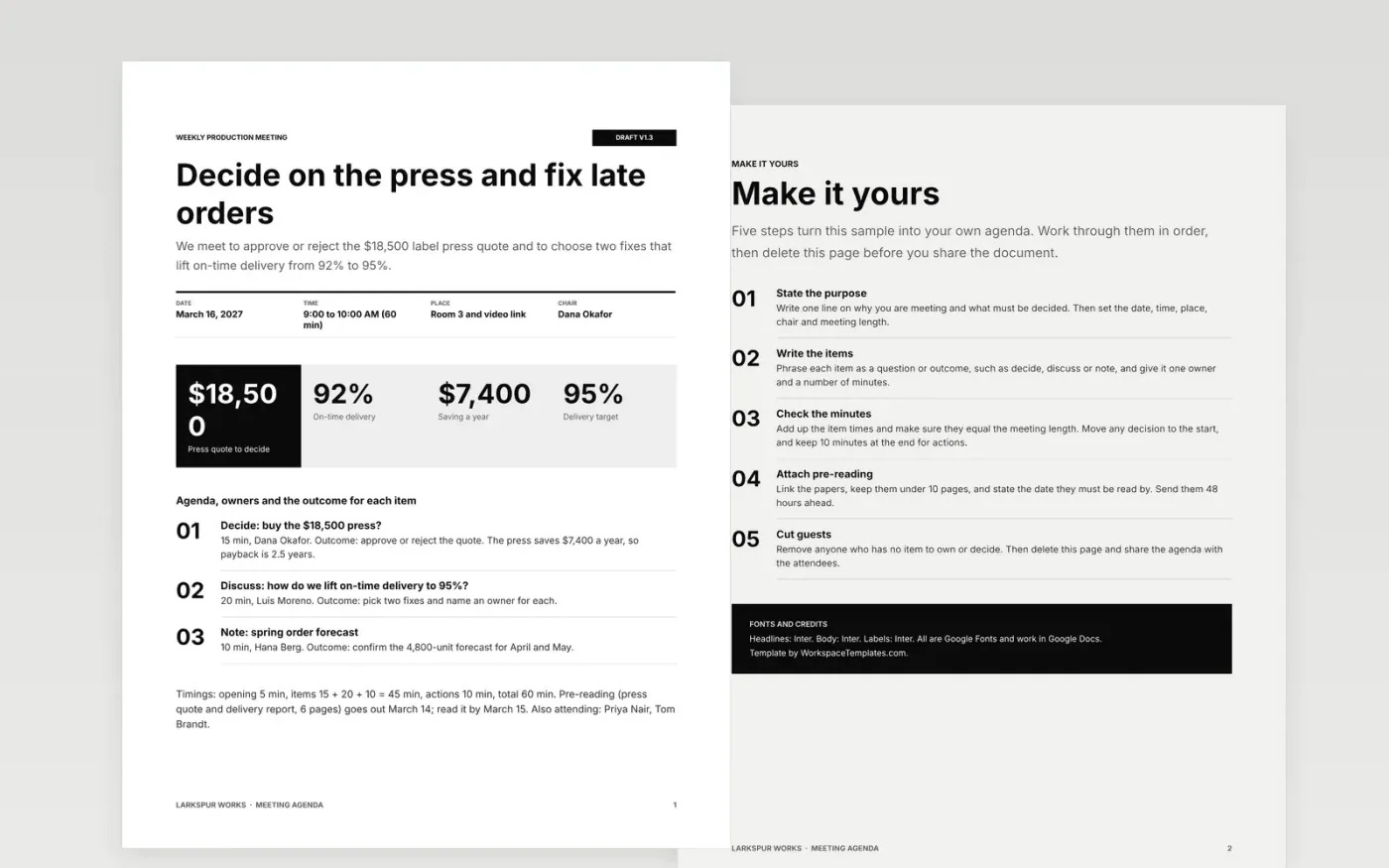
Meetings run long when nobody knows what they are for. This agenda opens with the purpose, date, time and chair, lists attendees and puts each timed item in front of its owner with the outcome wanted, so people arrive prepared and the meeting ends with decisions.
The sample is a 60-minute weekly production meeting at Larkspur Works: the decision on an $18,500 label press comes first, then a discussion on lifting on-time delivery from 92% to 95%, and the timings add up to the hour. Replace the purpose, items, owners and minutes with your own.
Click Make a copy in Google Docs, then confirm on the Google page. The copy is saved to your own Google Drive.
Set the purpose in one line, then fill in the date, time, place and chair, and the length of the meeting.
Rewrite each agenda item as a decision or a question, and give it an owner, a number of minutes and the outcome you want.
Check that the minutes add up to the meeting length, move decisions to the start, and attach the pre-reading with its read-by date.
Delete the guide page, then share the agenda with attendees at least 48 hours before the meeting.
Decisions placed last get squeezed out when earlier items overrun. Putting the decision first gives it the full time it needs, and updates can be shortened if the clock runs down.
Aim for three to eight items of 5 to 15 minutes each, with 10 minutes held back at the end to agree actions. The sample has three items in a 60-minute meeting.
No. Larkspur Works, its people and every figure in this template are fictional sample data, written so you can see a finished agenda before you replace it.
Docs + Word2 pages
Free
Docs + Word2 pages
Free
Docs + Word9 pages
Free
Docs + Word3 pages
Free
Docs + Word3 pages
Free










