
Lead Intake Webhook
n8n
Free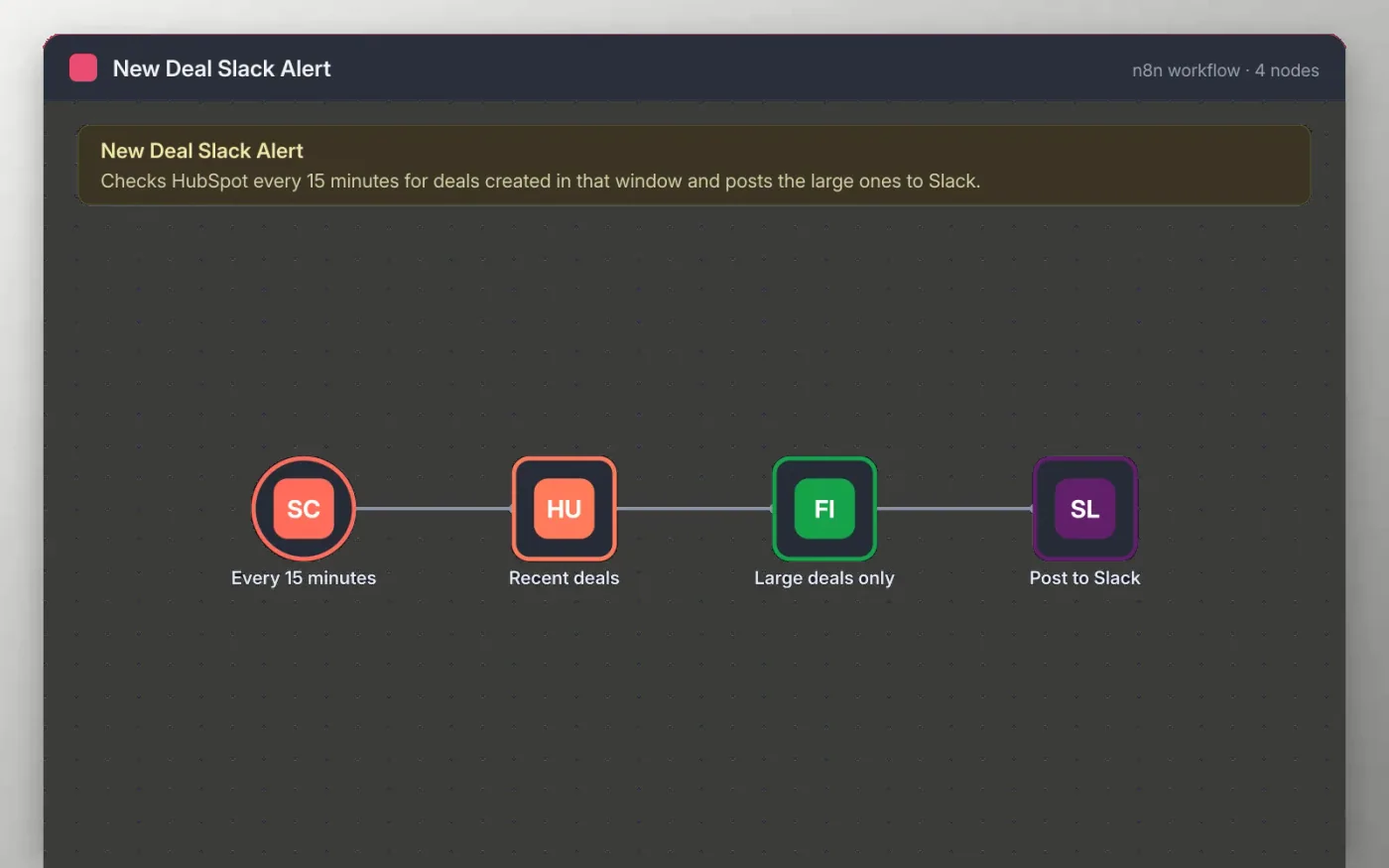
This workflow runs on a 15-minute schedule and asks HubSpot for the most recently created deals. A filter keeps only deals created in the last 15 minutes that are worth at least the threshold you set.
Each remaining deal is posted to a Slack channel with its name, value and owner ID, so the team can see new business without opening the CRM. Nothing is posted until you connect your own HubSpot and Slack accounts.
Download the workflow JSON.
In n8n, create a workflow, open the … menu, choose Import from File and select the JSON.
Connect HubSpot on the Recent deals node and Slack on the Post to Slack node, then pick the channel.
Set the value threshold on the Large deals only node.
Create a test deal in HubSpot, run the workflow once and check the Slack message, then activate.
Yes. Download the JSON and import it into your own n8n. There is no sign-up and no cost.
No. The file has no keys or tokens. You connect your own HubSpot and Slack accounts after importing.
HubSpot returns owner IDs. You can map them to names with a Set node if your team uses a fixed list.
n8n
Free
Slides + PowerPoint12 slides
Free
Docs + Word3 pages
Free
n8n
Free
n8n
Free
n8n
Free
n8n
Free







