
Annual Report
Docs + Word6 pages
Free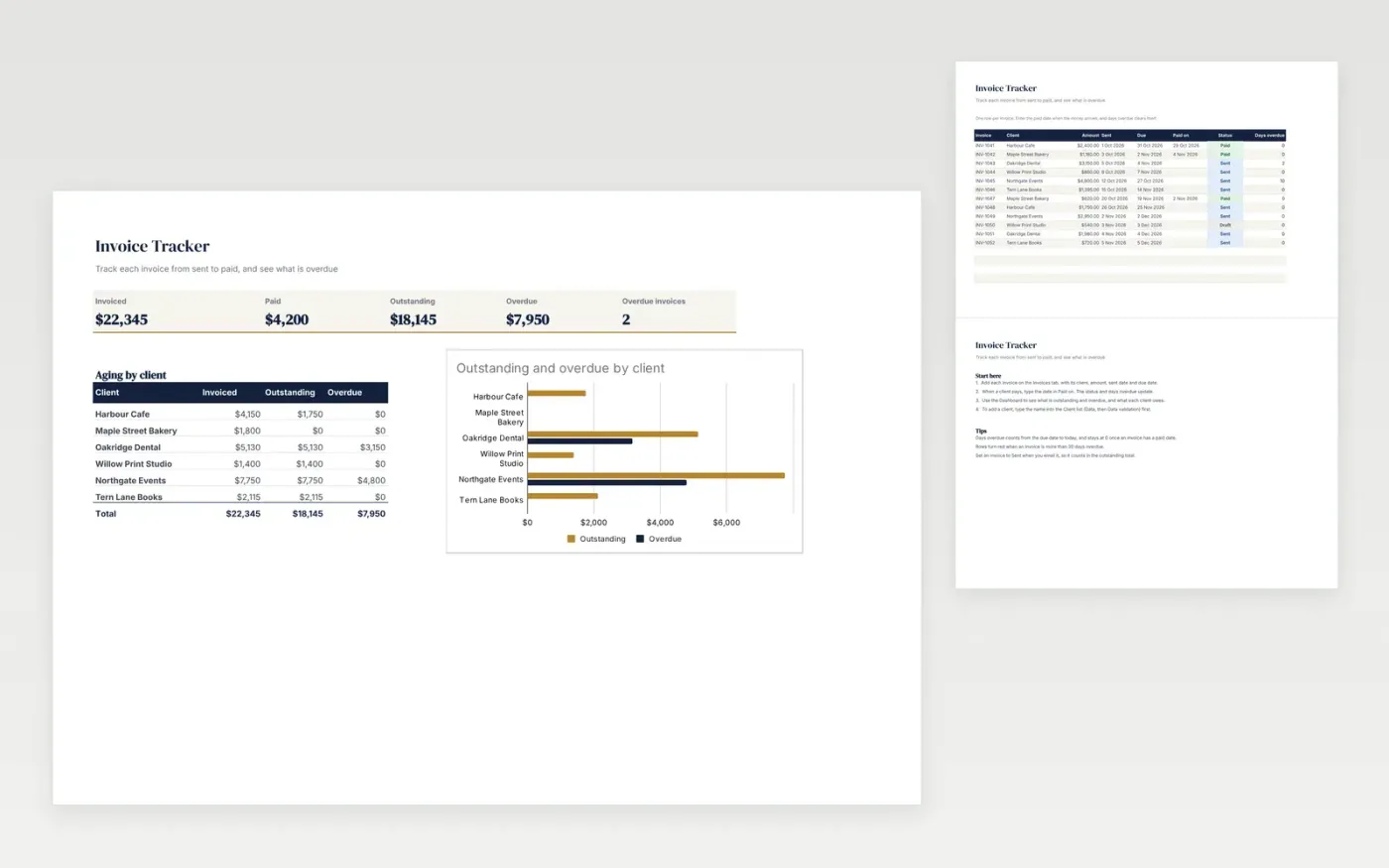
A simple invoice register for a business that sends its own invoices. The Invoices tab records each invoice with its client, amount, sent date, due date and paid date, and works out the days overdue. The Dashboard totals what has been invoiced, paid and is still outstanding, and shows an aging table by client.
It comes with sample data for a small events and print business. Make a copy and replace the sample rows. The overdue days, dashboard totals and chart update on their own.
Click Make a copy in Google Sheets, then confirm on the Google page. The copy is saved to your own Google Drive.
Start on the Invoices tab: replace the sample rows with your own.
Keep the formula columns as they are; they fill in as you type.
Read the How to use tab for tips. For Excel, download the .xlsx file instead.
Yes. Download the template and use it at no cost to track your own invoices.
Yes. Download the .xlsx file and open it in Excel. The formulas, dropdowns and charts work there too.
Days overdue stays at 0 until the due date has passed. Once a paid date is entered, the invoice counts as paid and no longer adds to the overdue total.
Docs + Word6 pages
Free
Excel
Free
Sheets + Excel4 slides
Free
Docs + Word3 pages
Free
Docs + Word3 pages
Free
Sheets + Excel3 slides
Free
Sheets + Excel4 slides
Free
Sheets + Excel3 slides
Free
Docs + Word2 pages
Free
Docs + Word3 pages
Free
Docs + Word2 pages
Free








