
Acceptable Use Policy
Docs + Word7 pages
Free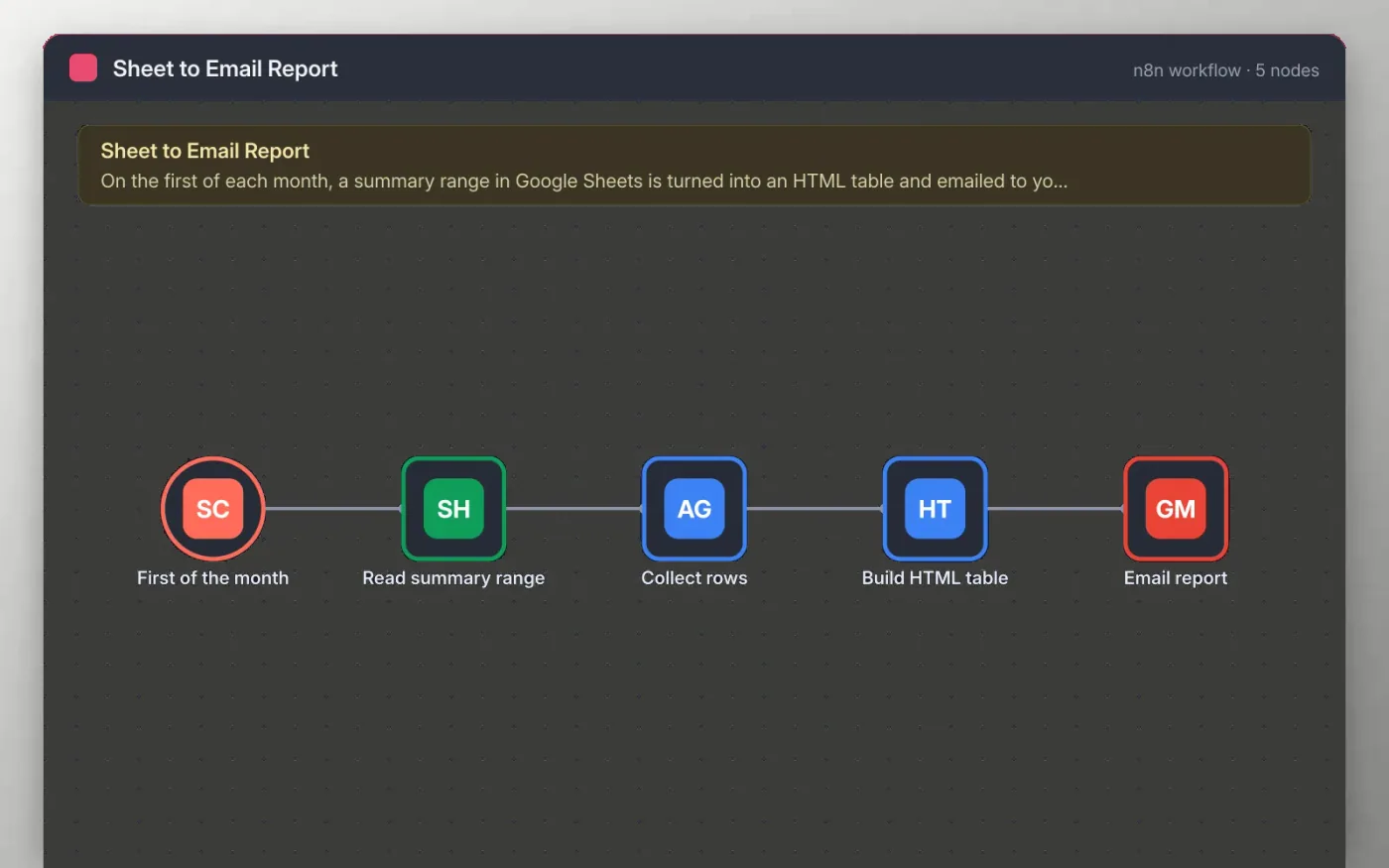
On the first day of each month the workflow reads a fixed range of a Summary tab in Google Sheets. The rows are gathered into one item, and an HTML node builds a simple table with a Metric and a Value column from them.
The table is sent as the body of an email through Gmail, so readers see the figures without opening a file. The report is an HTML email rather than a PDF, which keeps it easy to read on a phone and easy to change.
Download the workflow JSON.
In n8n, create a workflow, open the … menu, choose Import from File and select the JSON.
Connect Google Sheets on the Read summary range node and pick a sheet tab called Summary with Metric and Value columns.
Connect Gmail on the Email report node and replace the example recipient with your own.
Run the workflow once to check the table, then activate it.
Yes. Download the JSON and import it into your own n8n. There is no sign-up and no cost.
No. The file has no keys or tokens. You connect your own Google accounts after importing.
This version sends an HTML email. You would need to add a conversion step and a PDF tool to your own n8n to attach a file.
Docs + Word7 pages
Free
Docs + Word8 pages
Free
n8n
Free
n8n
Free
n8n
Free
n8n
Free









