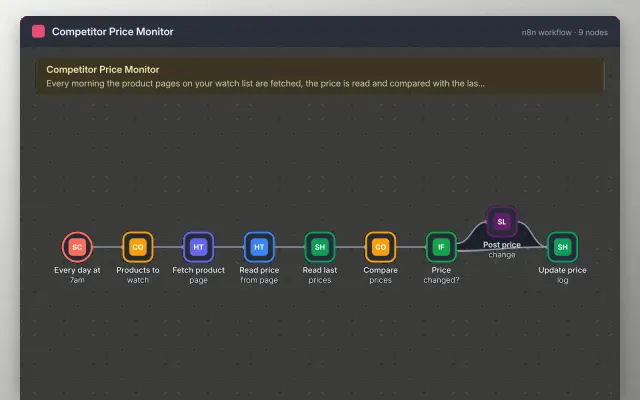
Competitor Price Monitor
n8n
Free4 templates
n8n
Free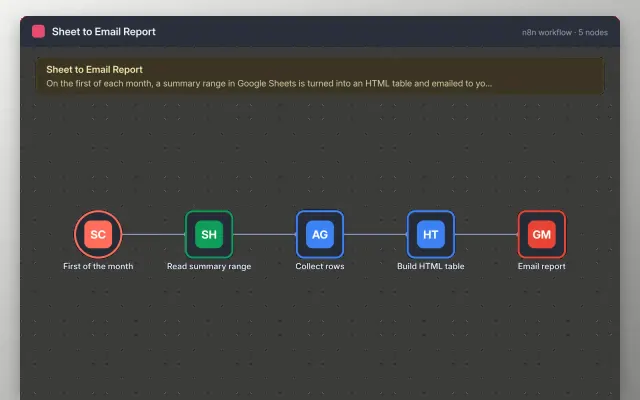
n8n
Free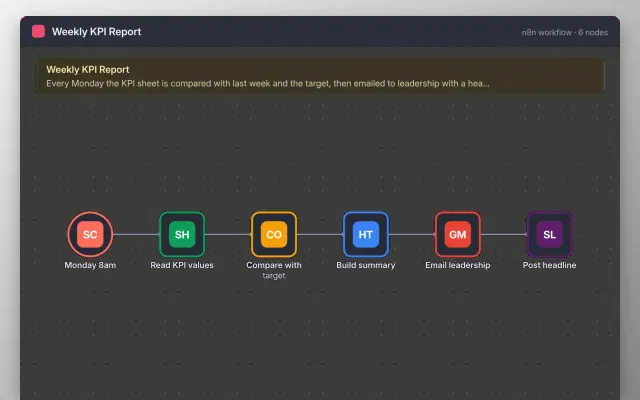
n8n
Free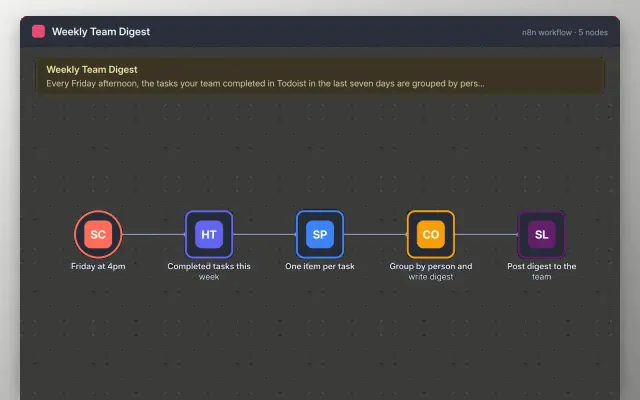
n8n
Free| Competitor Price Monitor | Sheet to Email Report | Weekly KPI Report | Weekly Team Digest | |
|---|---|---|---|---|
| Format | Automation workflow | Automation workflow | Automation workflow | Automation workflow |
| Works in | n8n | n8n | n8n | n8n |
| Length | Not listed | Not listed | Not listed | Not listed |
| Style | Not listed | Not listed | Not listed | Not listed |
A reporting workflow pulls figures from your data sources, builds a summary and sends it on a schedule. Managers use one when the same report is rebuilt by hand each week and goes out late or with errors.
Cover a schedule trigger, data pulled from each source, checks on totals and missing values, a summary table or chart, delivery to the right people, and an alert when data is missing.
Add a check that stops the report when a figure is empty or out of range, so no one receives a silent error.
Compare Competitor Price Monitor, Sheet to Email Report, and Weekly KPI Report, then pick the closest match and replace the sample text with your own.
A reporting workflow pulls figures from your data sources, builds a summary and sends it on a schedule. Managers use one when the same report is rebuilt by hand each week and goes out late or with errors.
Include a schedule trigger, data pulled from each source, checks on totals and missing values, a summary table or chart, delivery to the right people, and an alert when data is missing. Add a check that stops the report when a figure is empty or out of range, so no one receives a silent error.
Add a schedule trigger, read the rows from the sheet, format them into a summary, and send the result with an email node. Test on a copy of the sheet first.
It can check pages on a schedule and compare each result with the last run, but only where the site allows it. Check the site's terms and robots rules, and avoid pages that need a login.
Match the schedule to the decision the report supports, such as weekly for a team review. Running it more often rarely helps and mostly adds noise.
Start with Competitor Price Monitor: Watch competitor product prices daily and post any change to Slack, with a running price log. If that is not the right fit, compare it with Sheet to Email Report.
Yes. These reporting automation templates work in n8n. All 4 templates are free, with no account or email needed.