
Project Proposal
Docs + Word5 pages
Free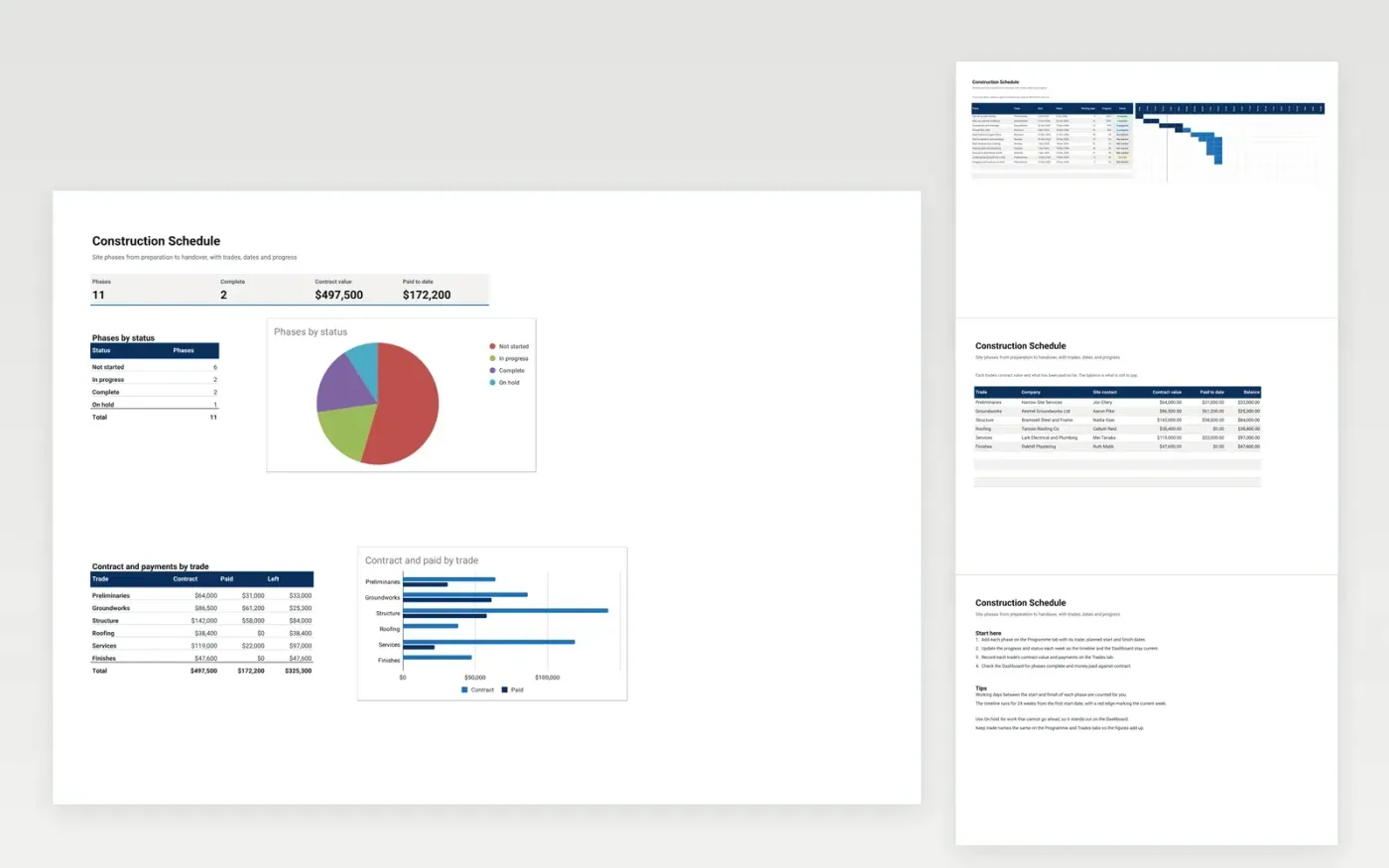
This construction schedule template plans a building job from site set-up to handover. The Programme tab lists each phase with its trade, dates, progress and status on a weekly timeline. The Trades tab records each trade's contract value and payments, and the Dashboard shows phases by status and money paid against contract.
It comes with sample data for a small house refurbishment. Make a copy, replace the sample rows with your own, and the timeline, balances and dashboard update on their own.
Click Make a copy in Google Sheets, then confirm on the Google page. The copy is saved to your own Google Drive.
Start on the Programme tab: replace the sample rows with your own.
Keep the formula columns as they are; they fill in as you type.
Read the How to use tab for tips. For Excel, download the .xlsx file instead.
Yes. The Construction Schedule template is free to download and use. Make a copy in Google Sheets or download the Excel file.
Yes. Download the .xlsx file and open it in Excel, Google Sheets or another compatible spreadsheet app. The timeline and dashboard work in both.
Yes. The Trades tab shows each trade's contract value, the amount paid to date and the balance. The Dashboard totals these by trade.
More Google Sheets templatesMore project management templates
Docs + Word5 pages
Free
Slides + PowerPoint11 slides
Free
Docs + Word6 pages
Free
Sheets + Excel4 slides
Free
Sheets + Excel3 slides
Free
Sheets + Excel4 slides
Free









