
Project Proposal
Docs + Word5 pages
Free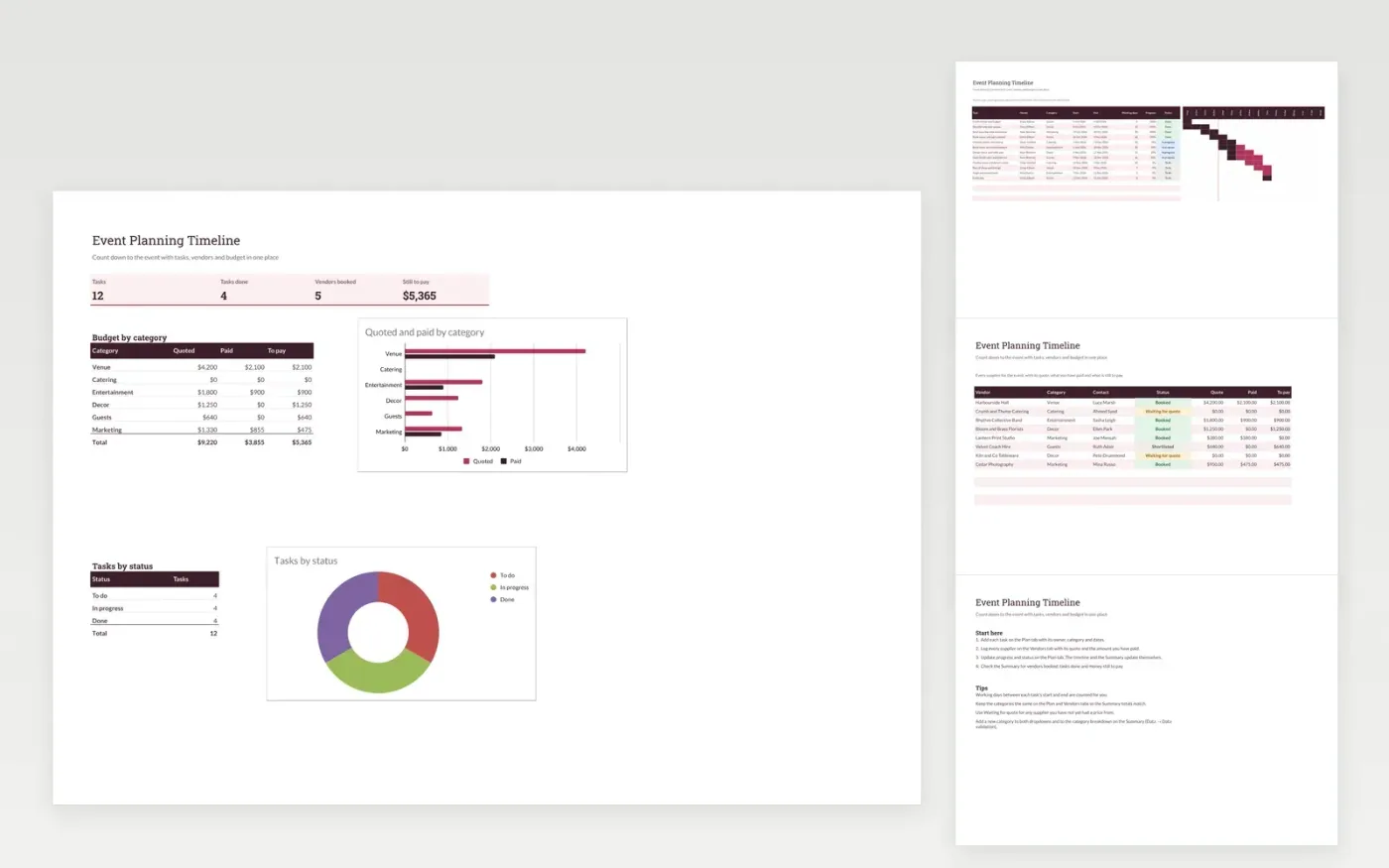
This event planning template helps you count down to an event with a weekly timeline of tasks. The Plan tab lists each task with its owner, category, dates and status. The Vendors tab keeps every supplier's quote, what you have paid and what is still to pay, and the Summary tab totals the budget by category.
It comes with sample data for a winter gala. Make a copy, replace the sample rows with your own, and the timeline, balances and summary update on their own. Keep the category names the same on each tab so the totals line up.
Click Make a copy in Google Sheets, then confirm on the Google page. The copy is saved to your own Google Drive.
Start on the Plan tab: replace the sample rows with your own.
Keep the formula columns as they are; they fill in as you type.
Read the How to use tab for tips. For Excel, download the .xlsx file instead.
Yes. The Event Planning Timeline template is free to download and use. Make a copy in Google Sheets or download the Excel file.
Yes. Download the .xlsx file and open it in Excel, Google Sheets or another compatible spreadsheet app. The timeline, dropdowns and summary work in both.
Each vendor's To pay figure is the quote minus the amount paid, shown on the Vendors tab. The Summary tab adds these up in total and by category.
More Google Sheets templatesMore project management templates
Docs + Word5 pages
Free
Slides + PowerPoint11 slides
Free
Docs + Word6 pages
Free
Sheets + Excel4 slides
Free
Sheets + Excel3 slides
Free
Sheets + Excel4 slides
Free









