
Project Plan Presentation
Slides + PowerPoint11 slides
Free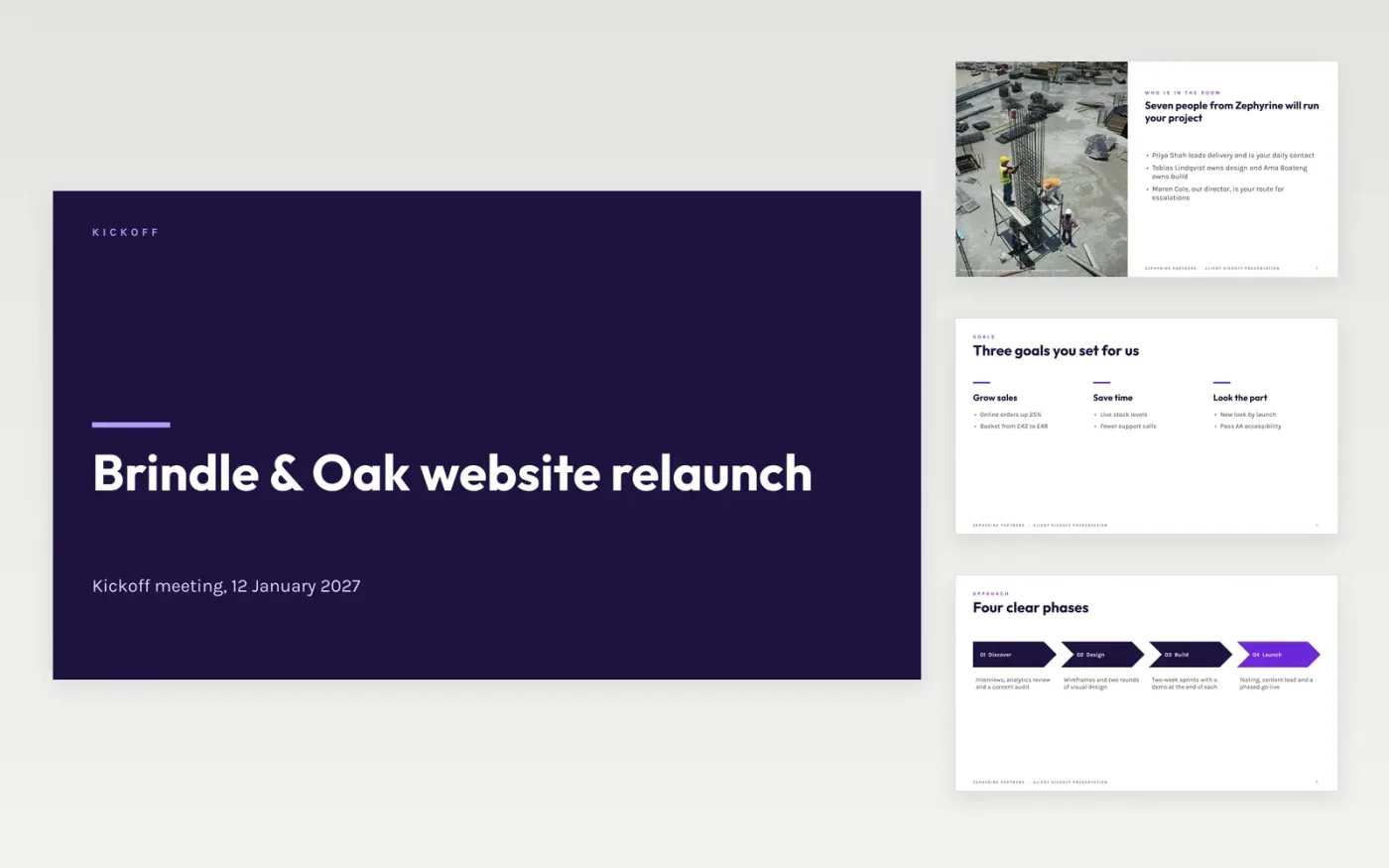
The first weeks of a client project are often lost to misunderstandings about scope, who approves what and how quickly people reply. This deck gives an agency a ten-slide script for the kickoff meeting: who is in the room, the goals the client set, the approach, the timeline, the approvals, the communication rules and the first actions.
The sample follows Zephyrine Partners as it kicks off a website relaunch for a fictional client, with a September launch, four named approvers, a 4-hour and 1-day response norm and four first-week actions with owners and dates. Replace the names, goals, dates and approvers first, then finish with your own actions.
Click Make a copy in Google Slides, then confirm on the Google page. The copy is saved to your own Google Drive.
Replace the project name, client, sponsor and team on the opening slides with your own.
Rewrite the goals, timeline and approvals with what you have already agreed, using real dates and approvers.
Set your own response times and meeting rhythm, then finish with first-week actions that each have an owner and a date.
Delete the guide slide, then share or present the deck.
No. Zephyrine Partners, the client, the people named and every date and figure are fictional sample content. Replace them with your own project details.
Plan 60 minutes for ten slides. Spend the time on questions and agreements, not on reading each slide aloud; the deck is a prompt for conversation.
Yes. Swap the client for your sponsor or freelancer, keep the approvals and communication slides, and remove the budget wording if it does not apply.
More Google Slides templatesMore project management templates
Slides + PowerPoint11 slides
Free
Docs + Word5 pages
Free
Slides + PowerPoint11 slides
Free
Slides + PowerPoint10 slides
Free
Slides + PowerPoint12 slides
Free
Docs + Word7 pages
Free
Slides + PowerPoint10 slides
Free
Docs + Word7 pages
Free









